Storage · Comparison
Gridfinity Bins from a Photo: Tool-Tracing Generators
Eight tools that trace a photo of your tools into a Gridfinity insert, compared: which paper to use, STL, 3MF or DXF output, free tiers, accounts and privacy.
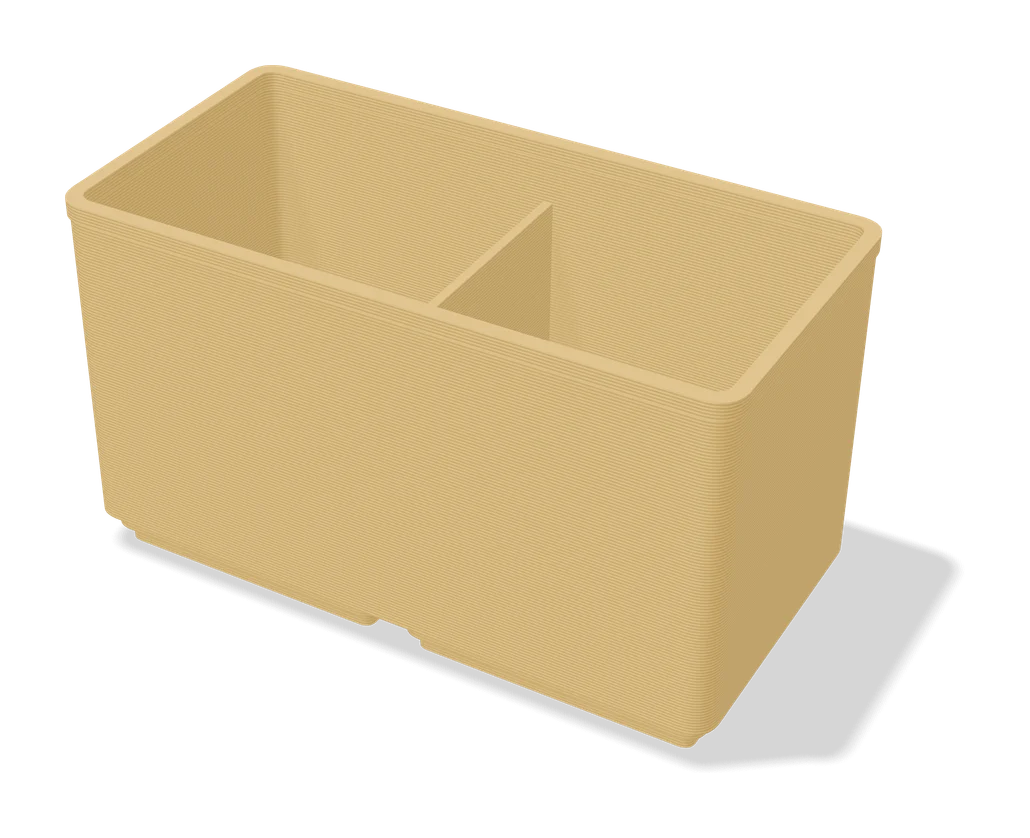
Quick comparison
| Generator | Best for | Price | Account | Exports | Multicolor | Link |
|---|---|---|---|---|---|---|
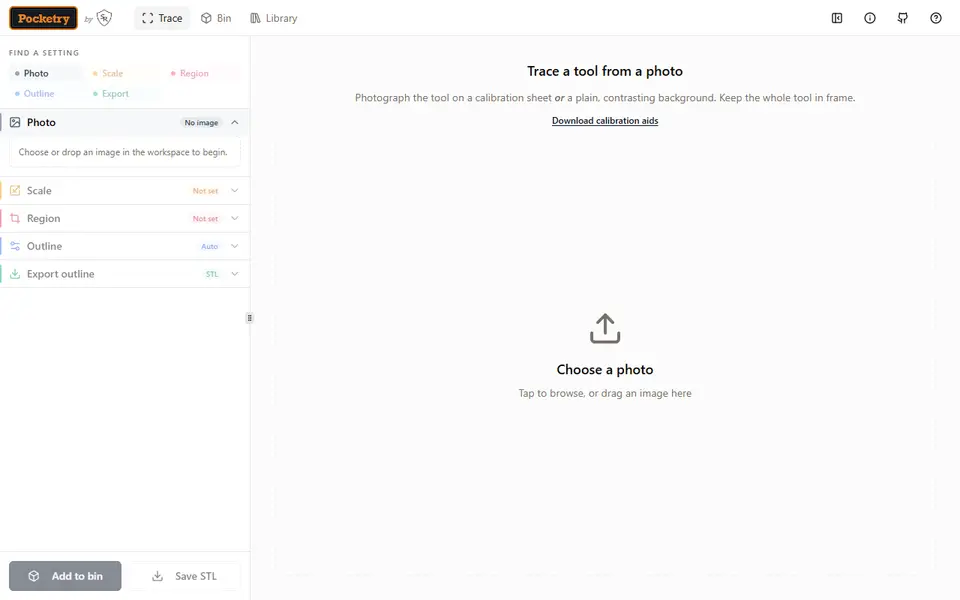
| 01 Pocketry | Custom Gridfinity inserts for odd-shaped tools | Free No account needed | Not needed | STL, 3MF, SVG | Yes | Open Pocketry |
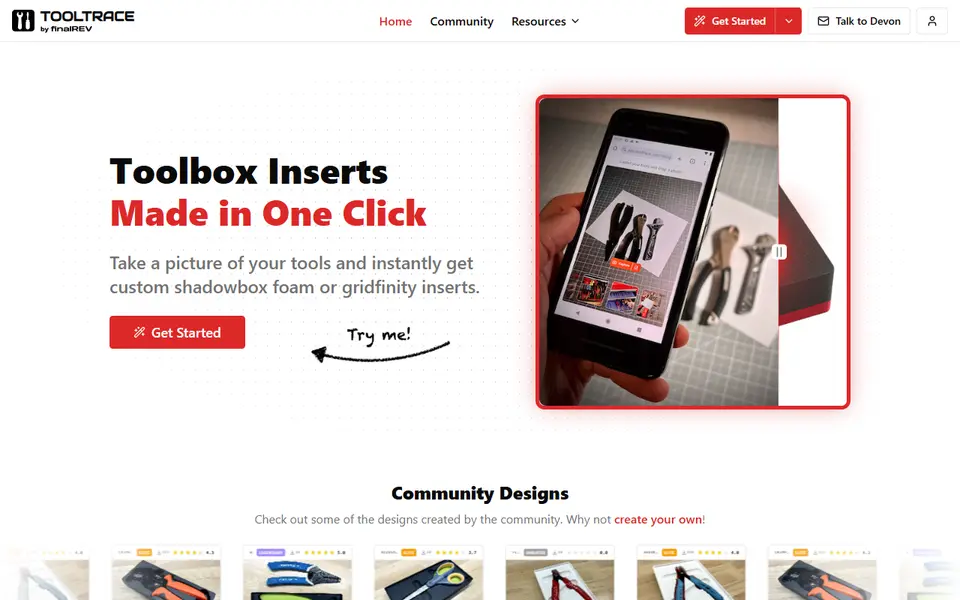
| 02 Tooltrace | Shadow-board style tool drawers | Freemium Free plan with 3 active traces | Needed | STL, 3MF, STEP, SVG | No | Open Tooltrace |
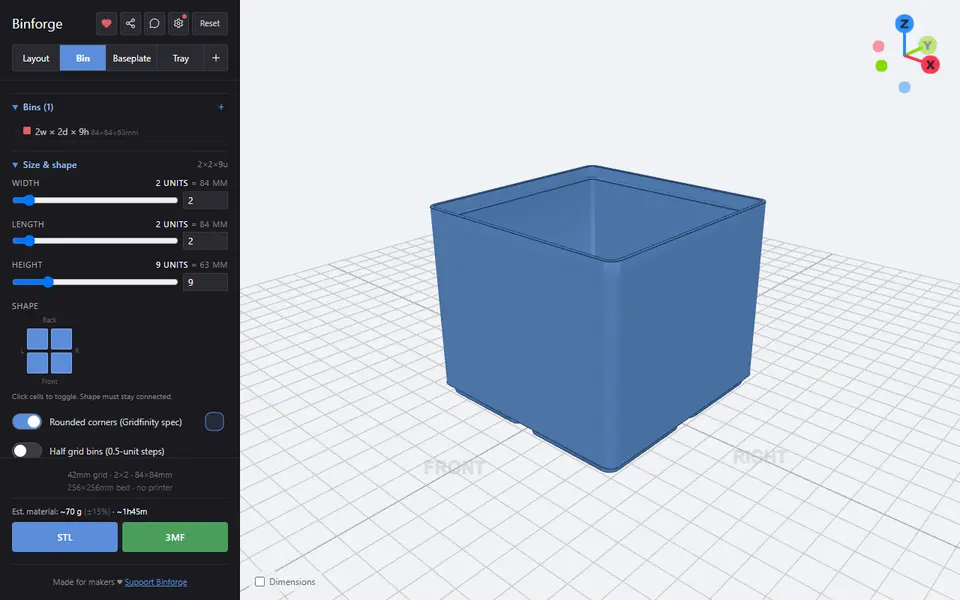
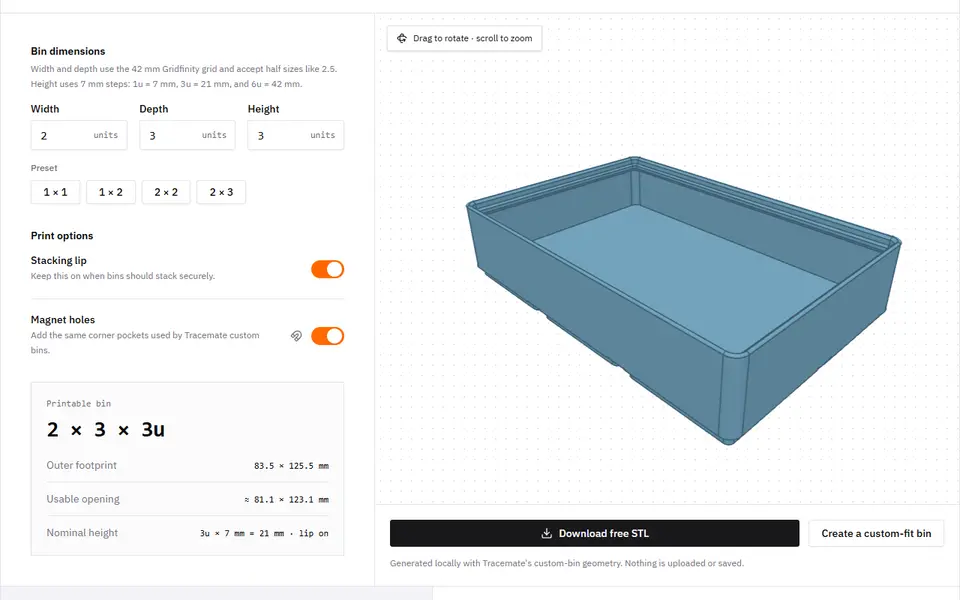
| 03 Binforge | Custom-fit Gridfinity bins and tool cutouts for workshop drawers | Free Free with no account or feature limits | Not needed | STL, 3MF | No | Open Binforge |
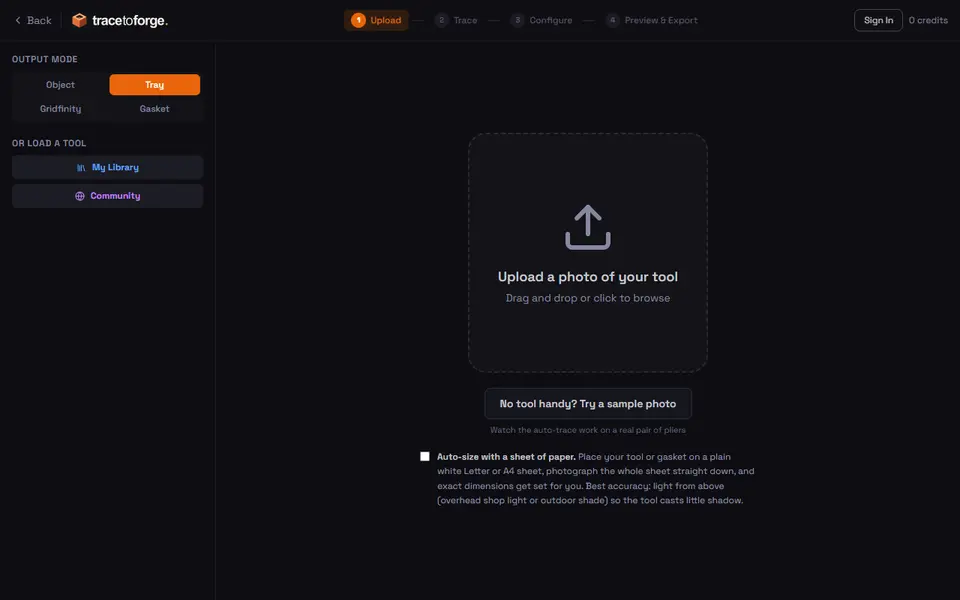
| 04 TracetoForge | Drawer trays, Gridfinity bins and Packout inserts shaped to your own tools | Freemium Tracing and 3D preview are free without an account | Needed | STL, 3MF, SVG | No | Open TracetoForge |
| 05 Tracemate | Snug Gridfinity holders for hand tools and odd-shaped parts | Freemium Free editor with up to 3 projects | Needed | STL | No | Open Tracemate |
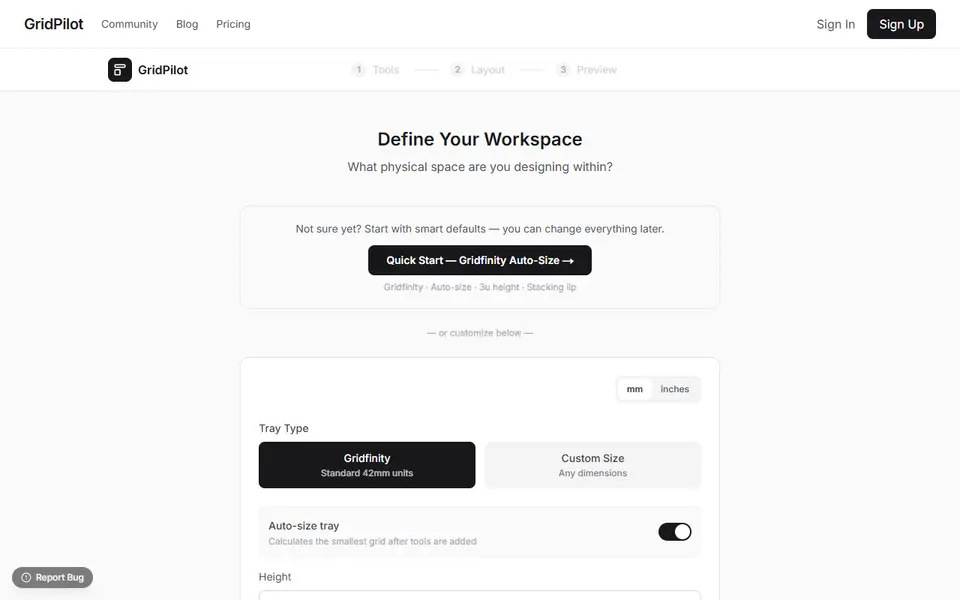
| 06 GridPilot | Drawer trays shaped around a specific set of hand tools | Freemium Free to design and preview | Needed | 3MF, STL | Yes | Open GridPilot |
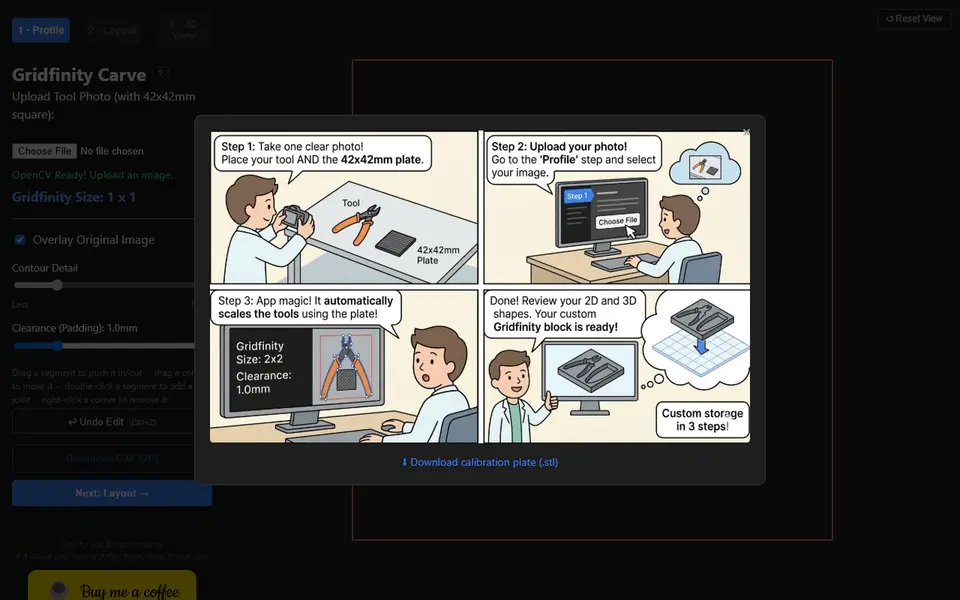
| 07 Gridfinity Carve | Snug drawer pockets for individual hand tools | Free No account needed | Not needed | STL | No | Open Gridfinity Carve |
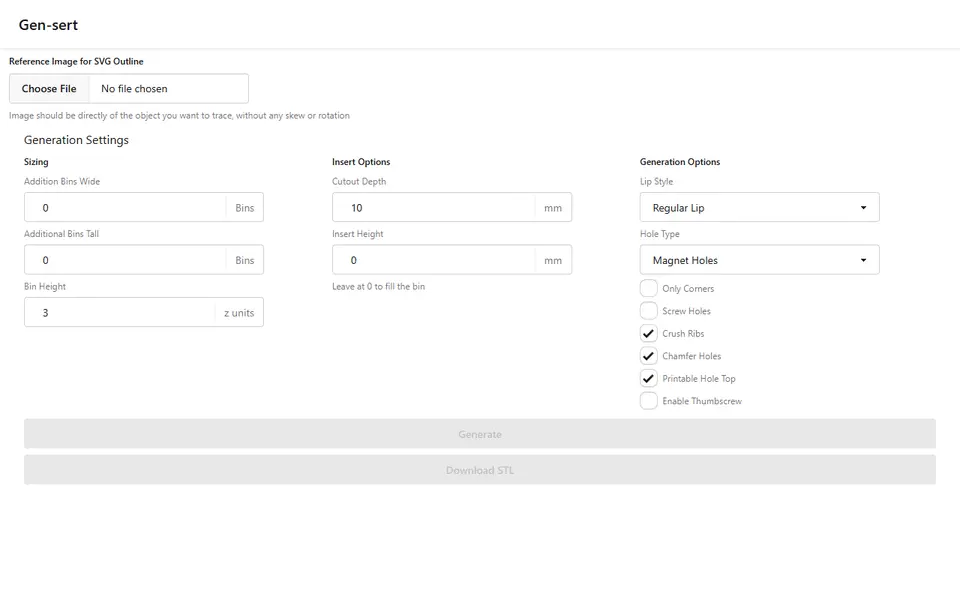
| 08 Gensert | A free hand-traced Gridfinity tool insert | Free No account | Not needed | STL, SVG | No | Open Gensert |
A tool-tracing generator turns a phone photo of your pliers, wrenches or bits into a Gridfinity bin with a pocket shaped to each one. A sheet of paper or another object of known size in the photo gives the software the scale, so you skip the calipers and the CAD sketch.
We compared seven of these tools on what their own pages and documentation said on September 26, 2026. This compares documented features, not our own test prints. On October 10, 2026 we added an eighth, Gensert, after generating a bin with it in our check.
Quick answer
- Best free option: Pocketry. Free, open source, no account, several tools per bin, a fit-test print and STL, 3MF, SVG or DXF export.
- Most established: Tooltrace. Gridfinity or foam inserts, a free plan with three active traces, and Pro at $8 a month.
- Free, with the most bin options: Binforge, a full Gridfinity editor where photo tracing sits beside more than a dozen preset cutout shapes.
- For Packout and ToughSystem cases: TracetoForge. Tracing is free, downloads cost credits.
- Documented fit guide: Tracemate, which suggests clearance values from snug to loose and sets them in 0.1 mm steps.
- Multicolor trays with labels: GridPilot.
- One tool, no signup: Gridfinity Carve, scaled from a 3D-printed 42 mm plate.
How does photo-to-Gridfinity tracing work?
Every tool here works in three steps. First, scale: the software finds something of known size in the photo, usually the corners of a sheet of A4 or Letter paper, and uses it to turn pixels into millimeters; several tools also use it to correct a slightly tilted shot. Second, the outline: edge detection or an AI model separates the tool from the paper and draws a contour that most of these tools let you fix by dragging points. Gensert skips the detection: you click points around the tool yourself, so the result depends on how carefully you click. Third, the bin: the outline plus a clearance gap is cut into a solid bin on the 42 mm Gridfinity grid.
The paper is both ruler and backdrop, which is why TracetoForge and Tracemate ask for a plain white sheet that contrasts with the tool.
What photo does each tool need, and what do you get?
- Tooltrace: Letter or A4 paper on a high-contrast background, whole sheet visible. Its FAQ lists STL, 3MF, STEP, DXF and SVG, for Gridfinity or foam inserts.
- Pocketry: a printed A4 or US Letter calibration sheet with four corner markers, or a plain contrasting background with a known measurement. STL and 3MF bins, including a two-color 3MF, plus SVG and DXF outlines.
- Binforge: the tool on A4 or Letter paper. If the editor cannot find the sheet, it tells you to check the cutout size. STL and 3MF.
- TracetoForge: white A4 or Letter paper on a non-reflective surface, all four corners in frame. STL, 3MF, SVG and DXF, as a Gridfinity bin, drawer tray, Packout insert or gasket outline.
- Tracemate: blank A4, A5 or US Letter paper on a dark or colored surface, all four corners visible. STL only.
- GridPilot: tools beside a credit card, a US quarter, a ruler or a sheet of A4, with two clicks on it to set scale. 3MF and DXF, plus STL on paid plans.
- Gridfinity Carve: a 3D-printed 42 x 42 mm calibration plate (the STL is in its help screen) next to the tool, one tool per photo. STL, a DXF outline and an Onshape FeatureScript.
- Gensert: a straight-on photo with something of known length in it; you draw a scale line over it and type the length. An STL bin sized to the outline, with gridfinity-rebuilt lip, magnet and screw hole options, plus the outline as SVG. It builds the bin in the browser with OpenSCAD, and the tab can freeze for a few seconds while it works.
Which tool is free?
Three are free with no account and no download limit: Pocketry, Binforge and Gridfinity Carve. Pocketry is also open source under AGPL-3.0. Gensert is free with no account as well, but it has not changed since July 2025.
The other four have a free tier with limits:
- Tooltrace: the free plan keeps three active traces with limited Detail mode; magnet holes and custom sizes are Pro features. Pro is $8 a month. The Pro check only happens at download, so you can try those features first.
- TracetoForge: each export costs one credit. New accounts get three free credits, then 20 credits cost $9.99 or 100 cost $34.99.
- Tracemate: every account starts with three downloads, then a Starter pack is €9 for 10, or Pro is €5 a month for 10 a month. Re-downloads after edits are free. The service is still in beta.
- GridPilot: the free plan covers 100 square inches of 3MF and DXF exports a month. Pro at $3.99 a month raises that to 4,500 and adds STL; Unlimited is $16.99 a month.
Tooltrace and Tracemate ask you to sign in before you upload a photo; TracetoForge and GridPilot only ask at download. If you sell prints, note that Tracemate licenses its files for personal use only and GridPilot includes a commercial license only on Unlimited. Gensert states no license and nothing about selling prints.
Does the photo leave your computer?
Pocketry, Binforge, Gridfinity Carve and TracetoForge process the image in your browser, and TracetoForge says the photo never leaves your device unless you save the project. Tracemate says its object detection runs on the device. With Tooltrace you upload the photo to its service, and GridPilot’s privacy policy says uploaded photos are processed on its servers.
Pocketry is the only one here with an open source license: it is on GitHub and runs locally with Node.js 22. Gensert’s code is on GitHub too, but without a license.
How to make a Gridfinity insert from a photo
These steps follow the Pocketry documentation, since it is free, needs no account and exports more formats than the other free tools.
- Open Pocketry and download the A4 or US Letter calibration sheet. Print it at 100% scale with Fit to page turned off.
- Lay the tool between the four markers, keep all four in view and shoot from directly above.
- In Trace, open the photo. The markers set the scale and correct the perspective. Drag, add or delete points where the outline misses.
- In Layout, move the outlines into a bin, add finger access and set pocket depth, clearance, bin size and height. Check each outline against the real tool with the ruler.
- Choose Check fit, then Tool outlines, to export thin pocket outlines. Print them at 100% scale and try the real tools in the openings.
- Adjust the shape or clearance if needed, then export the bin as STL or 3MF.
Tips for an accurate trace
- Shoot straight down. TracetoForge suggests holding the phone level at least 12 inches above the tool, with the tool filling about half the frame.
- Keep every paper corner in frame. Tracemate notes that one missing corner breaks the scale calculation.
- Use contrast. Put white paper on a dark or colored surface; Tooltrace also asks for a high-contrast background.
- Diffuse the light. Use overhead room light or a window, not a side lamp that casts deep shadows.
- Tame shiny chrome. Reflections look like edges. TracetoForge suggests tissue paper over the tool or turning it slightly, and Tracemate and Tooltrace offer AI modes for difficult shapes.
- Choose the clearance on purpose. Tracemate suggests 0.1 to 0.2 mm for snug, 0.3 to 0.4 mm for an easy grab and 0.5 mm or more for loose. TracetoForge starts at 0.5 mm.
- Print a test first. A fit-test outline or one small bin uses far less filament than a full insert.
For plain compartments rather than tool-shaped pockets, see Best Gridfinity Generators, or paint L-shaped compartments by hand in Gridfinity Refinery. More Gridfinity generators are on the storage generators page.
Frequently asked questions
Can I make a Gridfinity insert from a photo for free?
Yes. Pocketry, Binforge and Gridfinity Carve are free, need no account and trace the photo in your browser. Gensert is free with no account too, but you trace the outline by hand. Tooltrace has a free plan with three active traces, TracetoForge and Tracemate give new accounts three free downloads, and the free GridPilot plan covers 100 square inches of 3MF and DXF exports a month.
What paper do I need to photograph my tools on?
Most tools use a plain sheet of A4 or US Letter paper as the scale reference, and Tracemate also accepts A5. Pocketry offers printable A4 and Letter calibration sheets with corner markers, Gridfinity Carve needs a 3D-printed 42 x 42 mm plate, and GridPilot also accepts a credit card, a US quarter or a ruler.
How accurate is a traced pocket?
Close, but not exact. Tooltrace says its traces are typically accurate within 1 to 2 mm with good photo technique, and most of these tools let you add a clearance gap around each outline. Print a thin fit test or one small bin before you print the full insert.
What you'll need
Matte PLA that hides layer lines
Matte filament hides layer lines and cuts glare, so raised lettering on signs and nameplates stays readable from any angle and a drawer full of bins looks uniform.
- Bambu Lab PLA Matte (affiliate link) Wide color range with AMS-ready RFID, ideal for multi-color signs.
- Polymaker Panchroma Matte PLA (formerly PolyTerra) (affiliate link) The former PolyTerra line under a new name: soft matte look and good value for printing Gridfinity in bulk. In Europe? Buy from 3DJake (affiliate link)
- SUNLU Matte PLA (affiliate link) Low-cost matte option for large batches of bins and baseplates. In Europe? Buy from 3DJake (affiliate link)
PETG for functional and outdoor prints
PETG handles heat, sunlight and repeated flexing better than PLA, so Gridfinity bins in a hot garage or signs mounted outdoors keep their shape.
- Bambu Lab PETG Basic (affiliate link) Upgraded formula that Bambu says matches PLA Basic for strength while staying impact-tough; low price per spool in multi-roll bundles.
- Polymaker PETG (affiliate link) High-flow replacement for PolyLite PETG: strong, low-odor and quick to print. In Europe? Buy from 3DJake (affiliate link)
- Overture High Speed PETG (affiliate link) Good-value PETG in a large color range for functional parts in bulk.
6 x 2 mm magnets for Gridfinity
Gridfinity baseplates and bins are designed around 6 x 2 mm disc magnets pressed into the corners; they hold bins in place but still let you lift one out with one hand.
- Bambu Lab Round Magnet D6x2 mm (20 pcs) Exactly the Gridfinity size, sold in 20-packs, rated to 80 C.
- 6 x 2 mm N52 neodymium disc magnets (bulk pack) (affiliate link) Buy 100+ for full baseplates; check the listing really says 6 x 2 mm, as 3 mm-thick magnets will not sit flush.
Also handy
Print removal and cleanup tools
Some of these are affiliate links: we may earn a small commission, at no extra cost to you. More about that
Every generator in this guide
Storage
Binforge
Gridfinity bins, baseplates and trays with custom shapes, tilted cutouts and photo tracing
Storage
Tracemate
Photograph a tool on a sheet of paper and get a custom-fit Gridfinity bin as an STL
Storage
Gensert
Free Gridfinity tool insert from a photo: trace the outline by hand, get a fitted bin as STL, no account
Get the next guide in your inbox
Every two weeks: the newest no-CAD generators, one guide and a print tip. Free, no spam, unsubscribe any time.