Start here · Alternatives
Tinkercad Alternatives (2026): Make It Without Modeling
Tinkercad alternatives for everyday prints: free generators that make names, boxes, signs, cookie cutters and bins from a few settings, plus CAD apps to learn next.
Quick comparison
| Generator | Best for | Price | Account | Exports | Multicolor | Link |
|---|---|---|---|---|---|---|
| 01 Text2STL | Quick 3D lettering and simple name plates | Free No paid tier | Not needed | STL, OBJ | No | Open Text2STL |
| 02 MyLaserTools Keychain & Cake Topper Generators | Quick name keychains, bag tags and cake toppers, including batches of names | Free Free with unlimited exports and no account | Not needed | STL, 3MF, SVG | Yes | Open MyLaserTools Keychain & Cake Topper Generators |
| 03 3D Box Generator | Quick divided boxes with a custom lid | Free No account | Not needed | STL | No | Open 3D Box Generator |
| 04 Designer Bee Box Generator | Gift boxes and classroom projects | Free No signup | Not needed | STL | No | Open Designer Bee Box Generator |
| 05 printpal 3D Name Sign Generator | Two-color nursery and gift name signs | Free Free with no account, no credits and no download limits | Not needed | STL | Yes | Open printpal 3D Name Sign Generator |
| 06 ImageToStl Cookie/Pastry Cutter | Fast cutters from a clean outline | Free No account | Not needed | STL, 3MF, OBJ, STEP | No | Open ImageToStl Cookie/Pastry Cutter |
| 07 Perplexing Labs Gridfinity Generator | Custom Gridfinity and wall-storage parts in one place | Free Free to generate and download | Not needed | STL | No | Open Perplexing Labs Gridfinity Generator |
| 08 QRCode2STL | WiFi signs and QR keychains | Free No account | Not needed | STL, PNG | Yes | Open QRCode2STL |
| 09 STLGears | Quick single gears for repairs and school | Free Optional Ko-fi donations | Not needed | STL | No | Open STLGears |
| 10 PrintPal Vase Generator | Decorative vases with bold textures | Free No signup or limits | Not needed | STL | No | Open PrintPal Vase Generator |
| 11 ItsLitho | Photo gifts, lamp shades and night lights | Freemium Free to design and download STL files, with optional donations | Not needed | STL | No | Open ItsLitho |
| 12 Make My Sign (MakerLab) | Multicolor name plates and flat signs | Free Free with a MakerWorld account | Needed | 3MF, STL | Yes | Open Make My Sign (MakerLab) |
| 13 Wave - Parametric Device Stand (1-4 Slots) | Standing a laptop, tablet and other devices upright on a desk | Free | Needed | 3MF | No | Open Wave - Parametric Device Stand (1-4 Slots) |
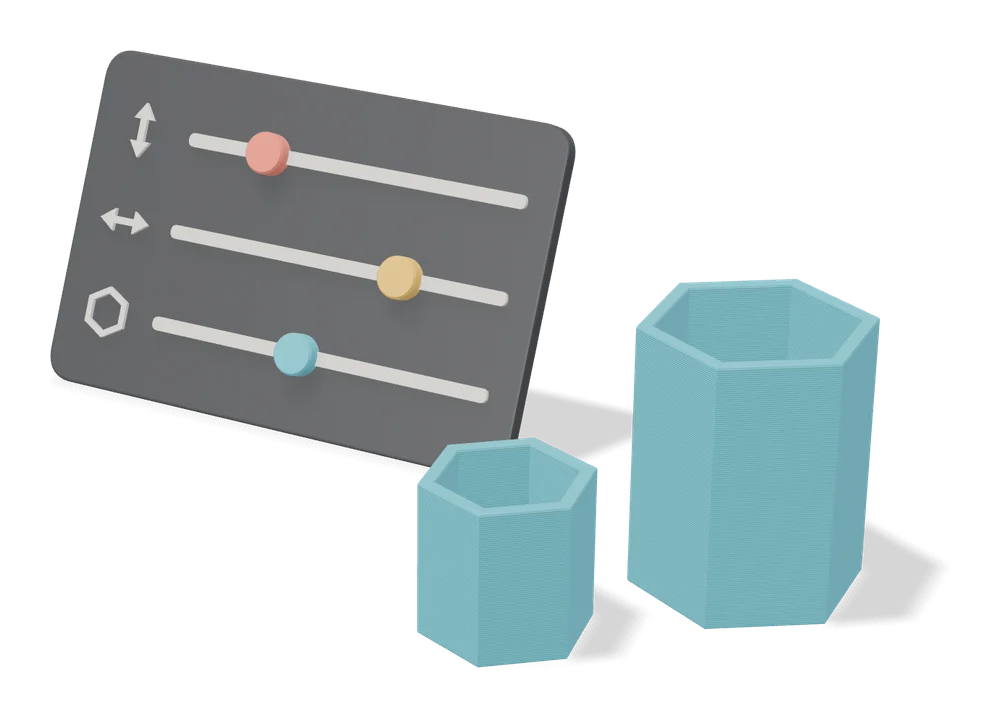
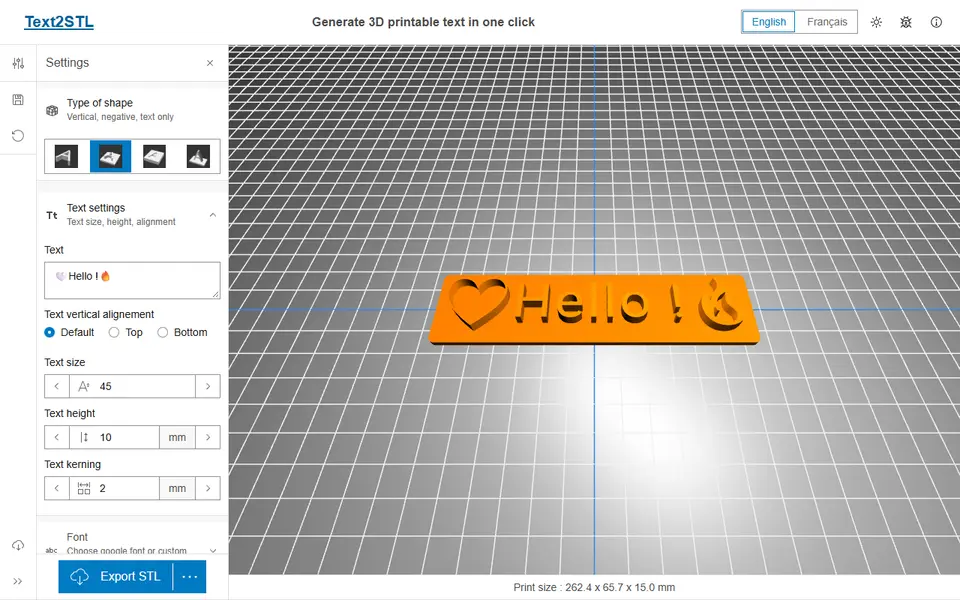
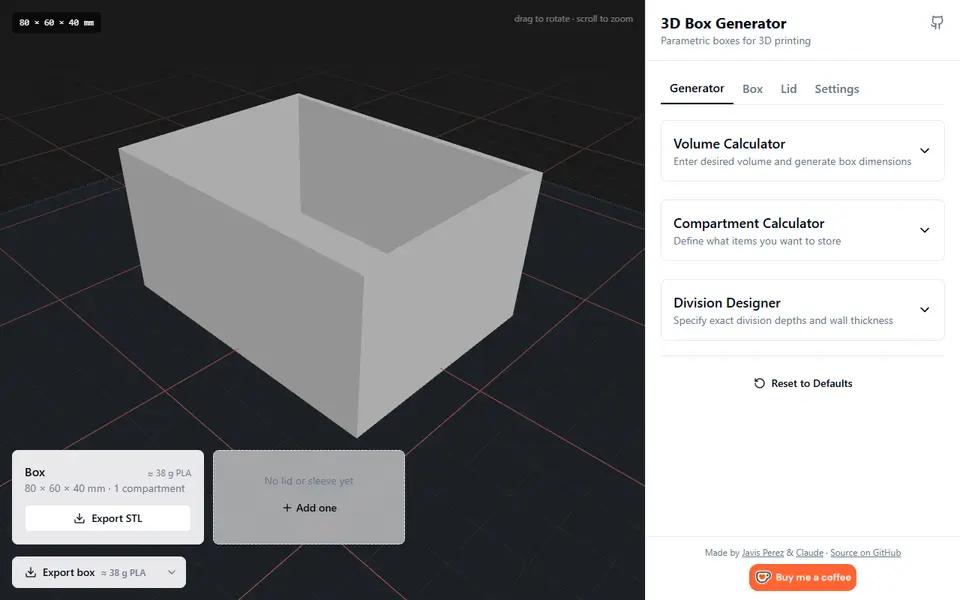
For the things most people make in Tinkercad, a generator is faster. You type a name, set a size or upload a picture, and download a file that is ready to slice, often without an account. Text2STL makes 3D text, the MyLaserTools Keychain Generator makes two-color name keychains, and the 3D Box Generator makes boxes with lids and dividers.
Tinkercad is Autodesk’s free browser app for 3D design, electronics and coding, which it says is trusted by over 100 million people. You build a model from basic shapes, then export it for printing as STL, OBJ or glTF. That is a good way to learn how models work. For a keychain or a box, it is more work than the job needs.
This page is for people who use Tinkercad to get a print done, not to learn modeling. If you want to learn modeling, skip to the CAD apps to learn next.
Quick answer
- Names and 3D text: Text2STL. Any Google Font, four shape types, STL or OBJ, free with no account.
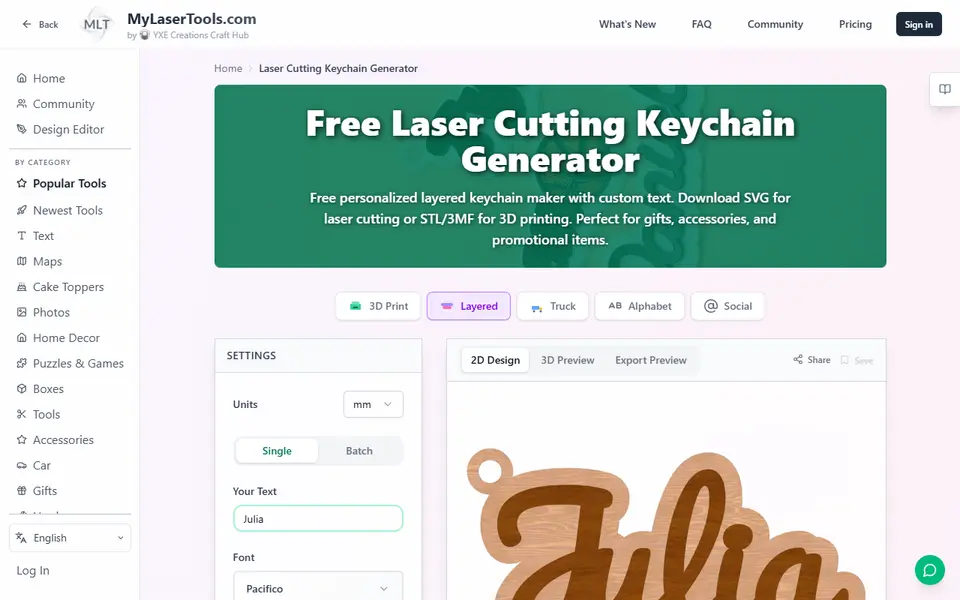
- Name keychains: MyLaserTools Keychain Generator. A two-color keychain as STL, 3MF or SVG, free with no account.
- Boxes with lids and dividers: 3D Box Generator. Three lid styles, up to 10 dividers each way and text on the lid.
- Name signs: printpal 3D Name Sign Generator. A big initial with the name inlaid in its face, as a two-part STL.
- Cookie cutters: ImageToStl Cookie/Pastry Cutter. Upload an outline and download the cutter.
- Storage bins: Perplexing Labs Gridfinity Generator. Gridfinity bins and baseplates in the browser.
- QR codes: QRCode2STL. Wi-Fi, vCard and Spotify codes, free with no account.
- Gears: STLGears. Eight gear types from a few numbers.
- Vases: PrintPal Vase Generator. Presets, textures and a solid version for vase mode.
- Photo lithophanes: ItsLitho. Upload a photo and download a lithophane STL.
- Signs on a Bambu Lab printer: Make My Sign (MakerLab). Templates, icons and a multicolor 3MF, free with a MakerWorld account.
When is a generator better than Tinkercad?
When the object is a common one and only the details change. A generator already knows how a keychain, a box or a cookie cutter is built, so you only supply what makes yours different:
- Text comes out right. Text2STL lets you pick from hundreds of Google Fonts or your own font, and keychain and sign generators add the plate behind the letters for you.
- Standard sizes are built in. A Gridfinity bin has to match a 42 mm grid, and two gears have to share a tooth size. The generator gets that right, so the part fits the first time.
- Changes take seconds. A second name or a box 10 mm wider is a new number and a new download, not a rebuilt model.
- Multicolor files are ready. Tools such as the MyLaserTools Keychain Generator and Make My Sign export a 3MF with the colors already assigned. Tinkercad’s print export offers STL, OBJ and glTF, and since a September 2025 update an OBJ keeps the colors of your shapes, so you assign the filaments in your slicer.
- Most need no account. Every tool in the quick answer except Make My Sign runs without signing in. Tinkercad works with an account, made with an email address or a Google, Apple, Microsoft or Facebook login, and children under 13 need a parent or a teacher’s class.
Which generator replaces which Tinkercad project?
| If you would make this in Tinkercad | Use this generator | Account | Exports |
|---|---|---|---|
| A name in 3D letters | Text2STL | No | STL, OBJ |
| A name keychain | MyLaserTools Keychain Generator | No | STL, 3MF, SVG |
| A box or a tray with dividers | 3D Box Generator | No | STL |
| A gift box, round or hexagonal | Designer Bee Box Generator | No | STL |
| A name sign for a door or desk | printpal 3D Name Sign Generator | No | STL |
| A cookie cutter from a drawing | ImageToStl Cookie/Pastry Cutter | No | STL, 3MF, OBJ, STEP |
| A drawer organizer | Perplexing Labs Gridfinity Generator | No | STL |
| A QR code for your Wi-Fi | QRCode2STL | No | STL |
| A gear | STLGears | No | STL |
| A vase or a pen pot | PrintPal Vase Generator | No | STL |
| A photo that glows when backlit | ItsLitho | No | STL |
| A phone or tablet stand | Wave Parametric Device Stand | MakerWorld | 3MF |
Every tool here is free to use. Check the license before you sell prints: some allow it, and some MakerWorld models do not. Can you sell prints made with generators? has the details.
If you would rather keep one site open, a few sites bundle many generators. Genstrio has 12 free, open-source tools for enclosures, gears, Gridfinity bins, signs and more, and exports STEP as well as STL and 3MF, so you can keep editing a part in FreeCAD or Fusion later. 3D-Machine has 14 free home and gift generators with no account; it opens in German, with an EN switch at the top. MakerNest has six simple ones, such as a name keychain, a sign and a cookie cutter, and asks for a free account to download the STL.
When is Tinkercad still the right tool?
A generator only makes the thing it was built for. Tinkercad, or another modeling app, is still the better choice when:
- The shape is a one-off. A bracket for one odd pipe, a replacement for a broken clip, or a mount for a gadget nobody else owns.
- You are combining things. A name on top of a downloaded model, or two parts joined into one.
- You want to learn. Building from shapes teaches how models are put together, which is the point for many classrooms.
For organic shapes such as a figurine or a pet, neither a generator nor Tinkercad is the easy route. An AI generator turns a photo into a mesh; see the best AI 3D generators for printing.
If you want to learn modeling, what comes after Tinkercad?
A real CAD program, where you draw a sketch, give it exact sizes and change them later. We do not review modeling programs, so these are pointers, not rankings. Each has a free version for hobby use:
- FreeCAD is free and open source, for Windows, macOS and Linux. It is a parametric modeler for precise parts that reads and writes STEP and STL, and its license allows any use, including commercial.
- Onshape Free runs in the browser and on tablets and phones. The free plan is for personal, non-commercial use, and every document you make is public.
- Autodesk Fusion for personal use is free for home projects that bring in less than $1,000 a year. It runs on Windows and macOS, with fewer file formats than the paid version and up to 10 active, editable documents.
- SketchUp Free runs in the browser and exports STL. It is not for commercial use.
If you want to sell what you design, FreeCAD is the safe choice: the free versions of Onshape, Fusion and SketchUp are all for non-commercial use.
How to go from a generator to a print
- Pick the generator for your object from the table above, or browse every category.
- Type your text or sizes and check the preview. Measure first with calipers if the part has to fit something.
- Download the STL or 3MF and open it in your slicer.
- Slice with your usual profile and print.
New to all of this? How to 3D print without CAD explains the difference between generators, MakerWorld customizers and AI tools.
Frequently asked questions
What is the best free alternative to Tinkercad for real CAD?
FreeCAD, if you want no limits: it is free and open source for Windows, macOS and Linux, and its license allows commercial use. Onshape Free runs in the browser but makes every document public and is for non-commercial use only. Autodesk Fusion for personal use is free for home projects that bring in less than $1,000 a year. All three are harder to learn than Tinkercad.
Is there anything easier than Tinkercad?
Yes, for common objects. A generator skips the modeling step: you type a name, pick a size or upload a picture, and download a finished STL or 3MF. Text2STL, the MyLaserTools Keychain Generator, the 3D Box Generator and the ImageToStl cookie cutter tool all run in the browser for free with no account. For a shape no generator makes, Tinkercad is still one of the easiest modeling apps.
Do I need Tinkercad to 3D print?
No. A printer needs a file, usually an STL or 3MF, and a slicer to turn it into instructions. You can download that file from a model site, make it in a generator or model it yourself. SkipTheCAD lists 550 generators, and 277 of them work without an account.
What you'll need
Matte PLA that hides layer lines
Matte filament hides layer lines and cuts glare, so raised lettering on signs and nameplates stays readable from any angle and a drawer full of bins looks uniform.
- Bambu Lab PLA Matte (affiliate link) Wide color range with AMS-ready RFID, ideal for multi-color signs.
- Polymaker Panchroma Matte PLA (formerly PolyTerra) (affiliate link) The former PolyTerra line under a new name: soft matte look and good value for printing Gridfinity in bulk. In Europe? Buy from 3DJake (affiliate link)
- SUNLU Matte PLA (affiliate link) Low-cost matte option for large batches of bins and baseplates. In Europe? Buy from 3DJake (affiliate link)
Multicolor PLA and color sets
Dual- and tri-color silks give a single-nozzle printer color shifts with no extra hardware, and a matched color set is what lets HueForge and color lithophanes blend thin layers into a full image.
- Bambu Lab PLA Silk Multi-Color (affiliate link) Co-extruded dual and tri colors that shift with the viewing angle; great for keychains and name tags.
- SUNLU Multi-Color Silk PLA (dual/tri/four-color) (affiliate link) Budget dual-, tri- and four-color silk for colorful prints without an AMS. In Europe? Buy from 3DJake (affiliate link)
- Bambu Lab PLA CMYK Lithophane Bundle (affiliate link) Four 1 kg spools (cyan, magenta, yellow, white) made for color lithophanes and handy for HueForge-style layering.
Key rings for printed keychains
A sturdy metal split ring is what turns a printed name tag into a keychain that survives life in a pocket; printed plastic loops wear through quickly.
- Bambu Lab Split Ring Keychain 25 mm (10 pcs) Silver 25 mm rings sized for printed tags; easy to add to a filament order.
- 25 mm split key rings with chains and jump rings (bulk) (affiliate link) Bulk packs with chains and jump rings suit craft-market batches and gift sets.
Some of these are affiliate links: we may earn a small commission, at no extra cost to you. More about that
Every generator in this guide
Keychains
MyLaserTools Keychain & Cake Topper Generators
Type a name and get a two-color keychain, bag tag or cake topper as STL, 3MF or SVG
Boxes
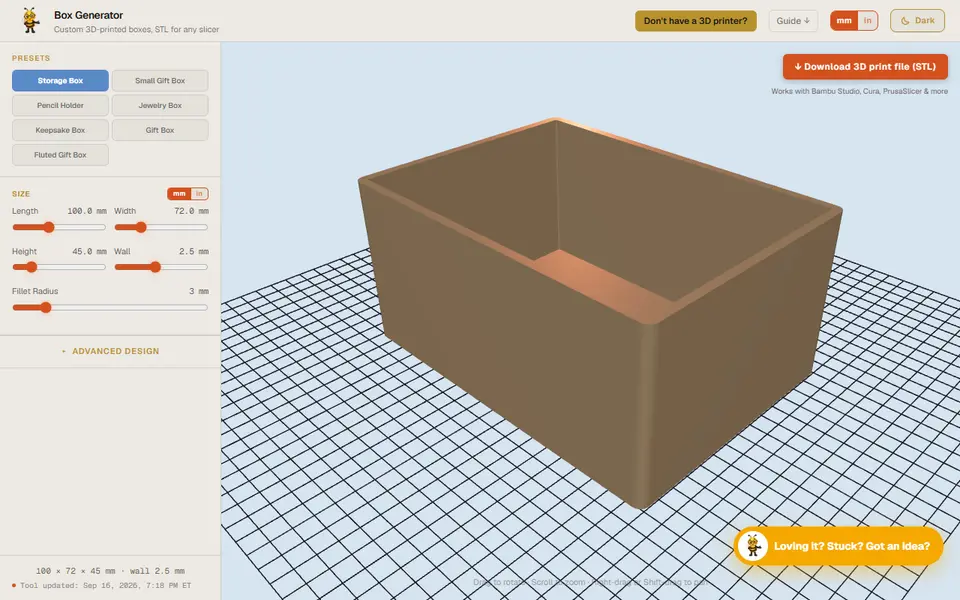
Designer Bee Box Generator
Free browser box generator with hinged or sliding lids, dividers and gift-box styles
Signs & Text
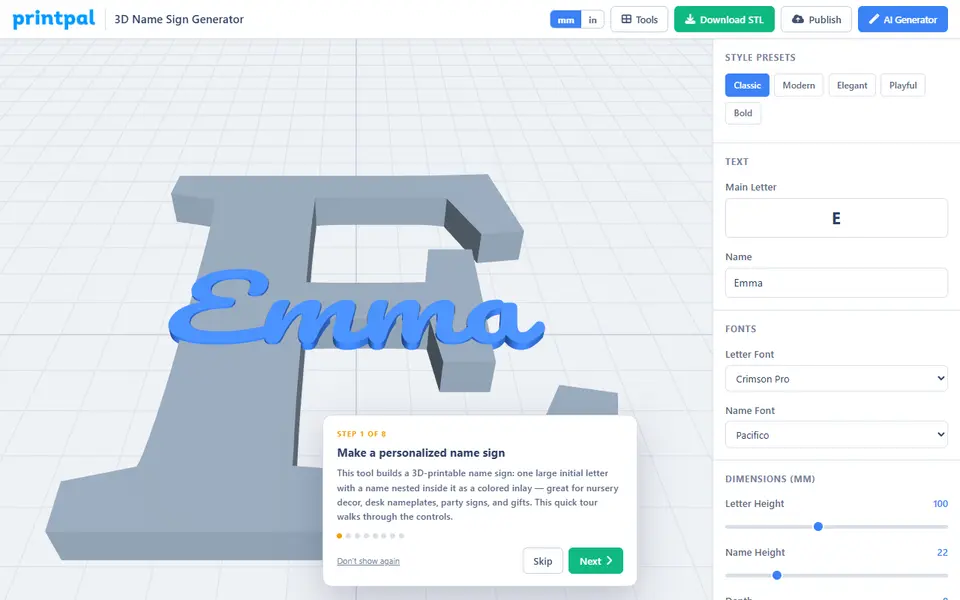
printpal 3D Name Sign Generator
Big initial letter with a name inlaid in its face, exported as a two-part STL
Cookie Cutters
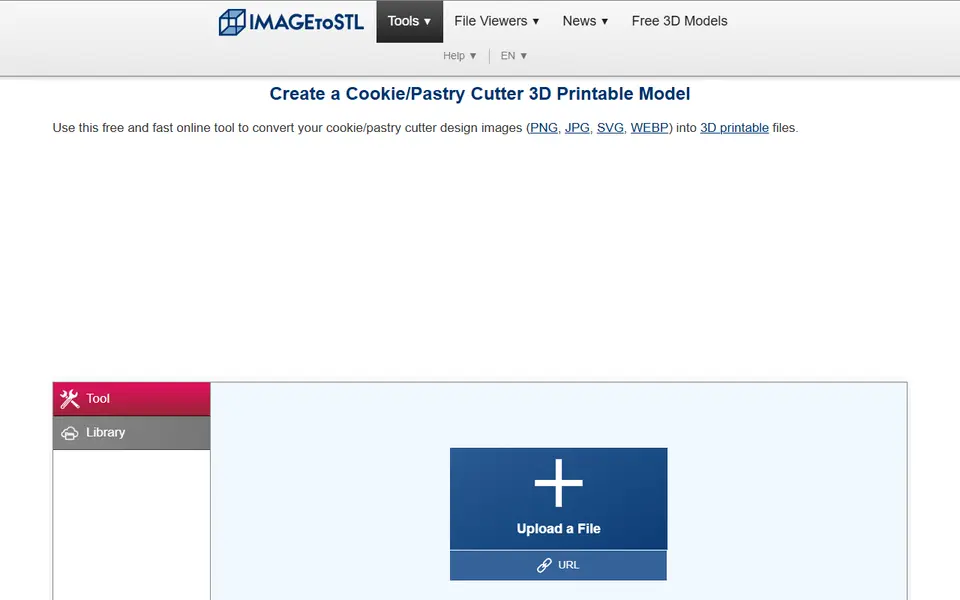
ImageToStl Cookie/Pastry Cutter
Free converter that turns a clean outline image into a cutter STL
Storage
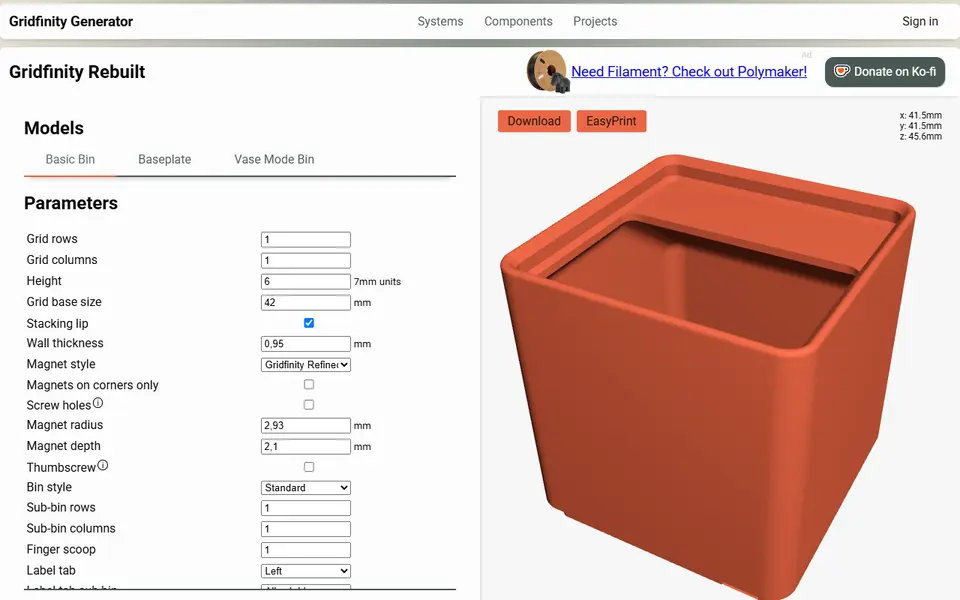
Perplexing Labs Gridfinity Generator
Browser generator for Gridfinity bins, baseplates, openGrid, Multiboard and HSW parts
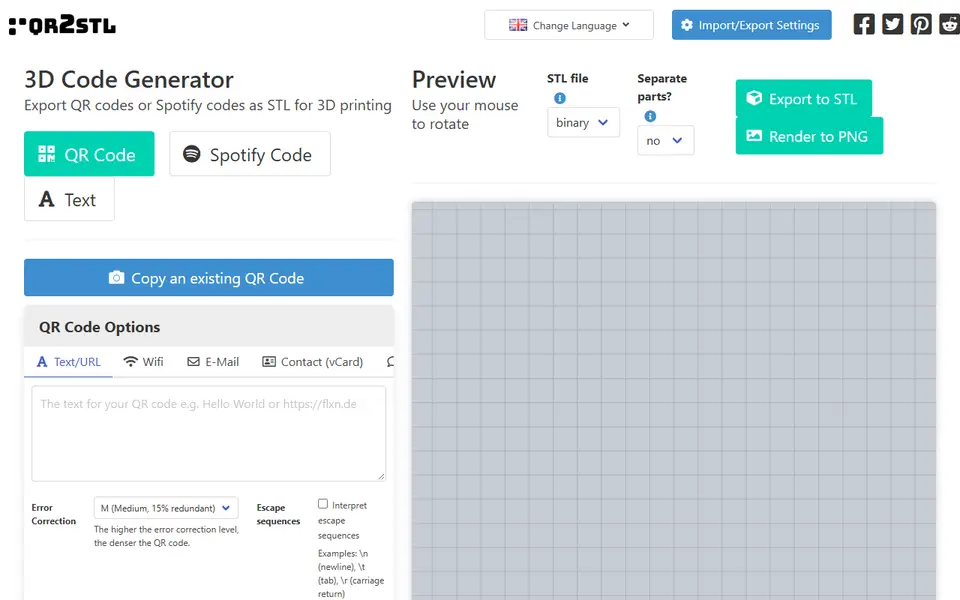
QR & NFC Codes
QRCode2STL
Open-source web app for printable QR codes, Spotify codes and NFC-ready tags
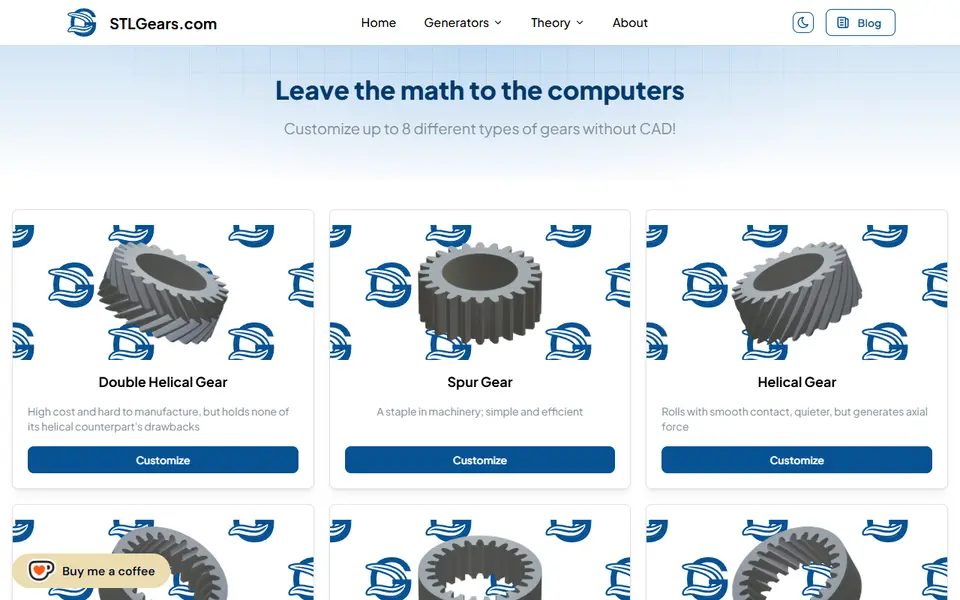
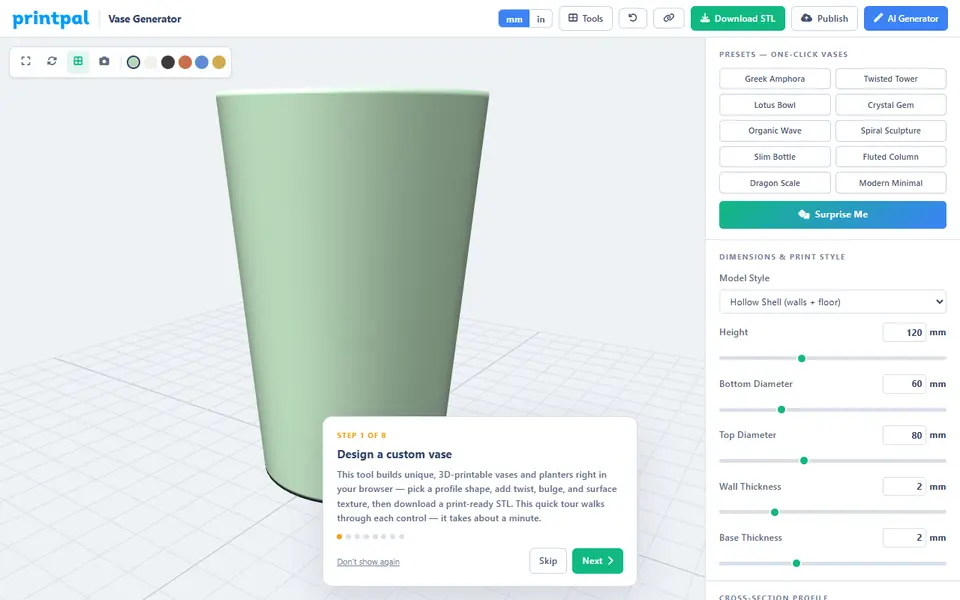
Vases & Lamps
PrintPal Vase Generator
Free browser vase maker with presets, profile curves and surface textures
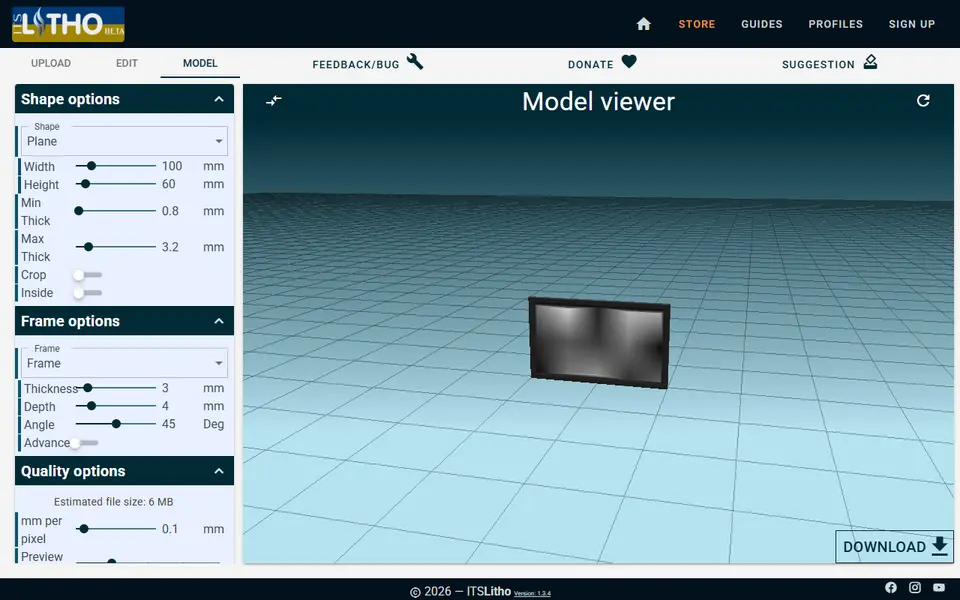
Lithophanes
ItsLitho
Browser lithophane designer with many shapes, an image editor and a backlit preview
Signs & Text
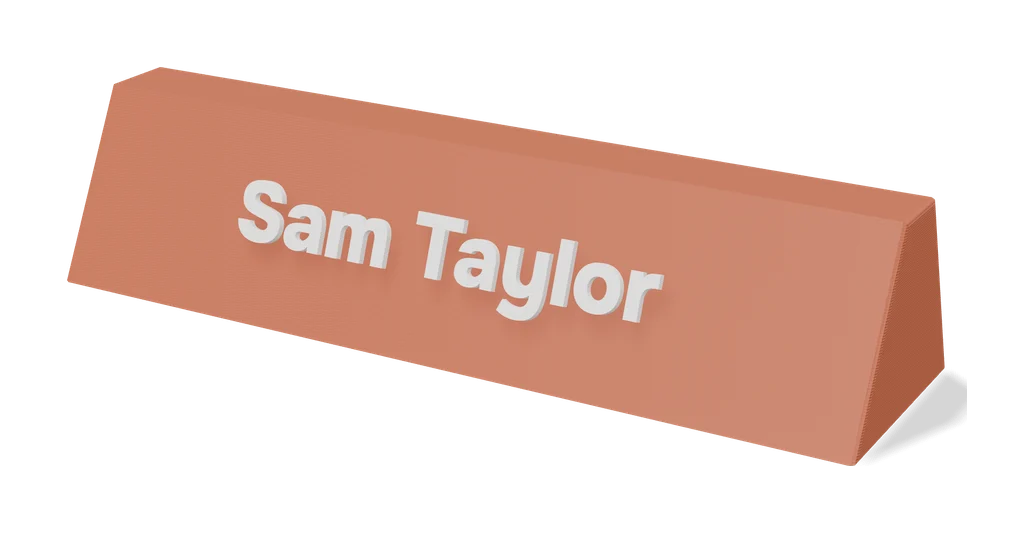
Make My Sign (MakerLab)
Bambu Lab's browser editor for flat name plates, badges, signs and tags
Storage
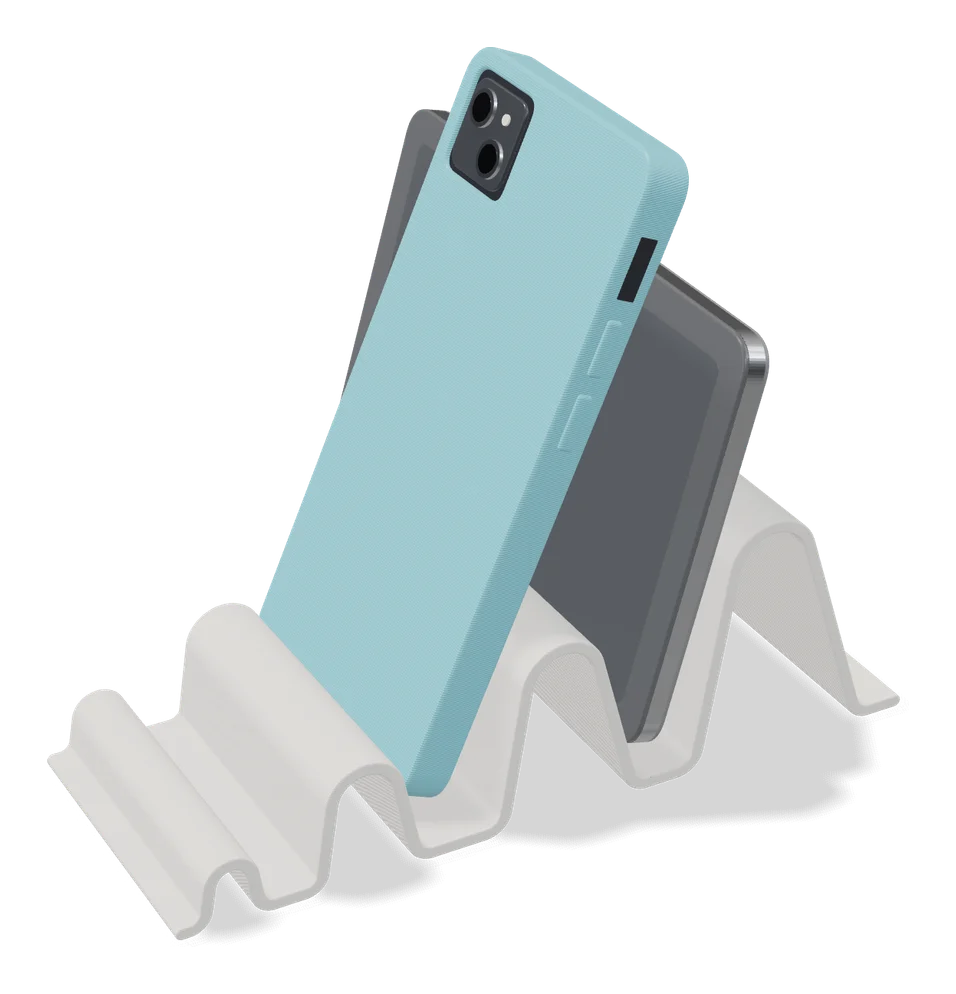
Wave - Parametric Device Stand (1-4 Slots)
Vertical desk stand with 1 to 4 slots sized to your laptop, tablet or handheld
Get the next guide in your inbox
Every two weeks: the newest no-CAD generators, one guide and a print tip. Free, no spam, unsubscribe any time.