Signs & Text · Comparison
Best Text to STL Generators: Free 3D Text, No CAD
Free text to STL generators compared on fonts, custom font upload, base plates, two-color export, accounts and price. Most run in the browser with no sign-up.
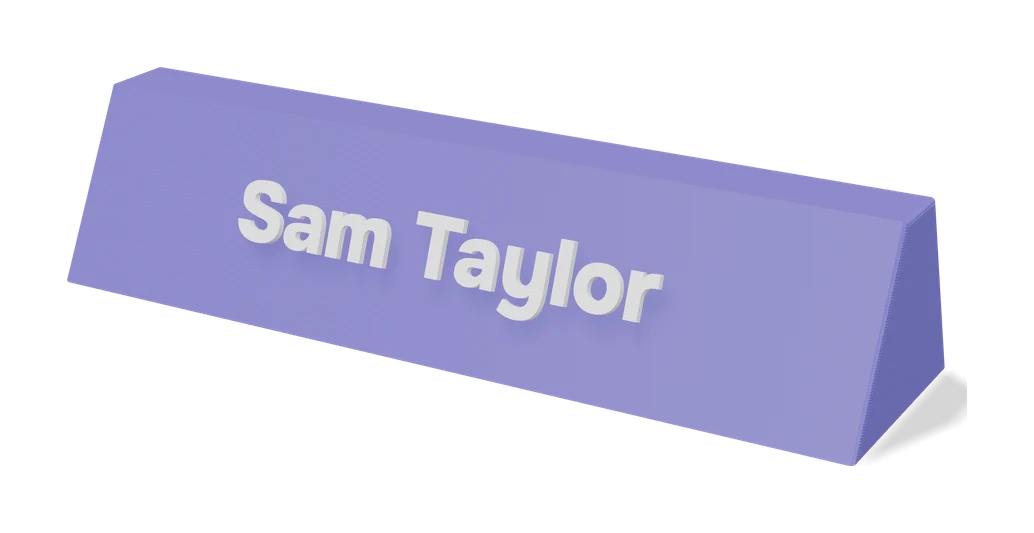
Quick comparison
| Generator | Best for | Price | Account | Exports | Multicolor | Link |
|---|---|---|---|---|---|---|
| 01 Text2STL | Quick 3D lettering and simple name plates | Free No paid tier | Not needed | STL, OBJ | No | Open Text2STL |
| 02 printpal 3D Text Generator | Quick text plates and keychains with your own font | Free Text generator is free with no account | Not needed | STL | Yes | Open printpal 3D Text Generator |
| 03 WordCAD | Layered multi-color name signs and word art on AMS printers | Free Free for any use with no account | Not needed | 3MF, STL | Yes | Open WordCAD |
| 04 Vextrude 3D Text Generator | 3D lettering in non-Latin scripts | Free No account | Not needed | STL, 3MF, OBJ, GLB, PLY, PNG | No | Open Vextrude 3D Text Generator |
| 05 Meshy 3D Text Generator | Quick 3D letters in a decorative font | Free Free with no sign-up, watermark or usage cap | Not needed | STL, OBJ, GLB, PNG | No | Open Meshy 3D Text Generator Affiliate link |
| 06 TechDraw AI Text to STL | Quick name plates, keyrings and stencils | Free Free with no account, size limit or watermark | Not needed | STL, 3MF, OBJ | No | Open TechDraw AI Text to STL |
| 07 3D Name Craft (3D PrintCraft) | Custom name signs and two-color inlay lettering | Free Name Craft is free with no account | Not needed | STL, 3MF | Yes | Open 3D Name Craft (3D PrintCraft) |
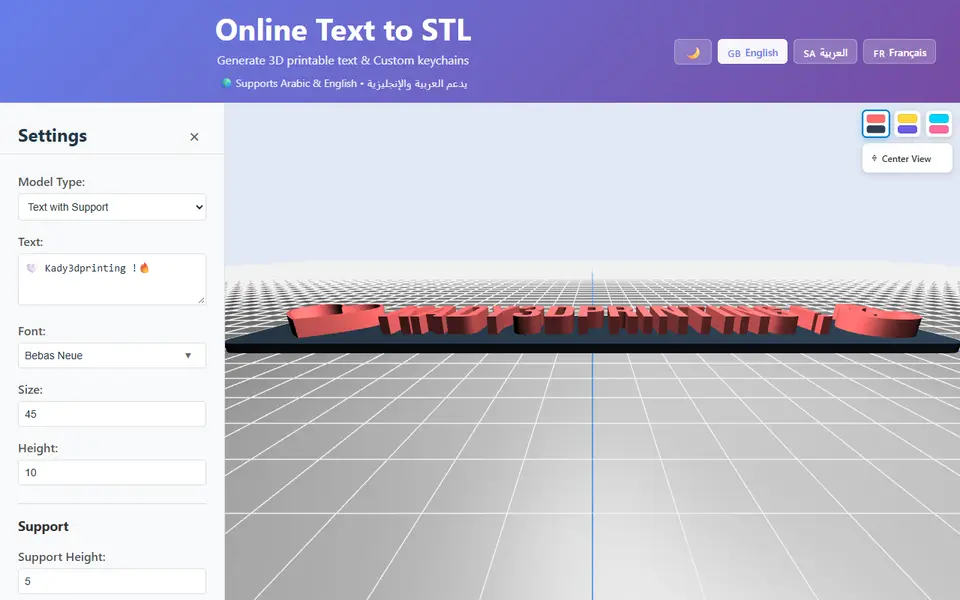
| 08 Kady Text to STL | Arabic and bilingual name keychains and small text signs | Free Free to use with no registration | Not needed | STL, OBJ | No | Open Kady Text to STL |
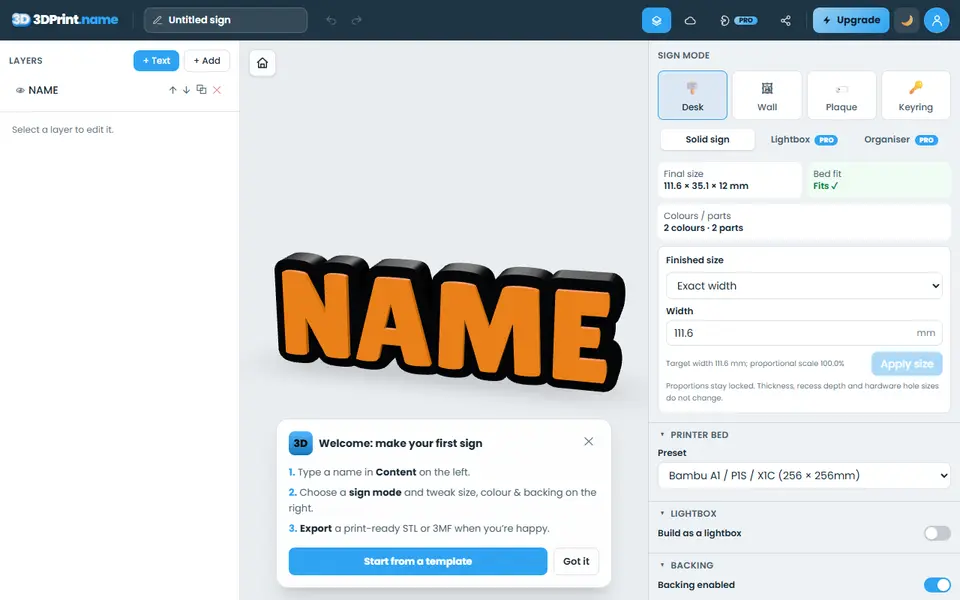
| 09 3dprint.name | Personalized desk signs, door plaques and name keyrings | Freemium Free plan with unlimited single-color STL export and no account | Not needed | STL, 3MF | Yes | Open 3dprint.name |
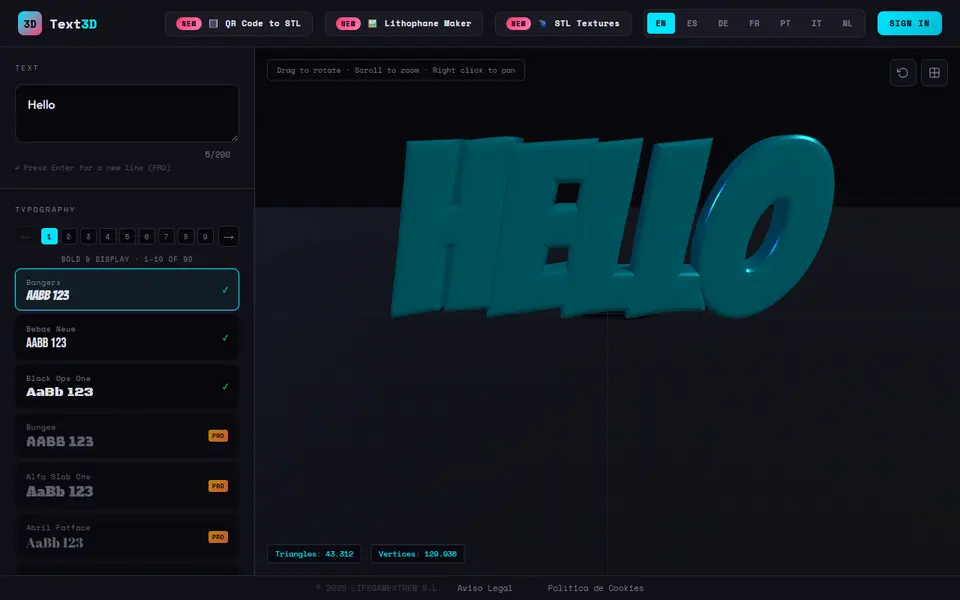
| 10 Text3D Maker | Cake toppers and simple name keychains | Freemium Free: 3 fonts and 2 downloads with a Google sign-in | Needed | STL, 3MF | Yes | Open Text3D Maker |
The best free text to STL generator for most people is Text2STL: it runs in the browser with no account, offers more than 1,000 Google Fonts, takes your own font file and puts the text on a plate or cuts it into one. For two-color text, printpal’s 3D Text Generator exports the letters and the plate as separate STLs, and WordCAD gives a 3MF with each color already split into parts.
This guide is about plain 3D lettering: a word, a name or a short phrase. For finished signs such as desk name plates, house numbers, nursery signs or braille, see the sign and 3D text generators guide. For names on a key ring, see the name keychain generators guide.
Quick answer
- Best overall: Text2STL. More than 1,000 Google Fonts or your own, four shape types, free with no account.
- Best for two-color text: printpal 3D Text Generator. Your own TTF or OTF font, text and plate as separate STLs.
- Best for an AMS: WordCAD. Up to seven colored outlines, a 3MF with every color as a named part.
- Best for non-Latin scripts: Vextrude 3D Text Generator. Font presets for 21 languages and curved text.
- Best printability checks: TechDraw AI Text to STL. Flags loose letters and strokes thinner than your nozzle.
- Best for Arabic: Kady Text to STL, with 18 Arabic fonts.
Every text tool we list is on the sign and 3D text generators page.
Text to STL generators compared
| Tool | Fonts | Own font | Base plate | Two colors | Export | Account | Price |
|---|---|---|---|---|---|---|---|
| Text2STL | 1,000+ Google Fonts | Yes | Plate, text cut into a plate, or upright on a base | No, one part | STL, OBJ | No | Free |
| printpal 3D Text Generator | 20 | Yes, TTF or OTF | Rounded, square, pill or oval | Yes, text and plate as separate STLs | STL | No | Free |
| WordCAD | 55 | Not listed | Optional plaque or plinth | Yes, up to seven outline colors | 3MF, STL per color | No | Free, credit WordCAD.com |
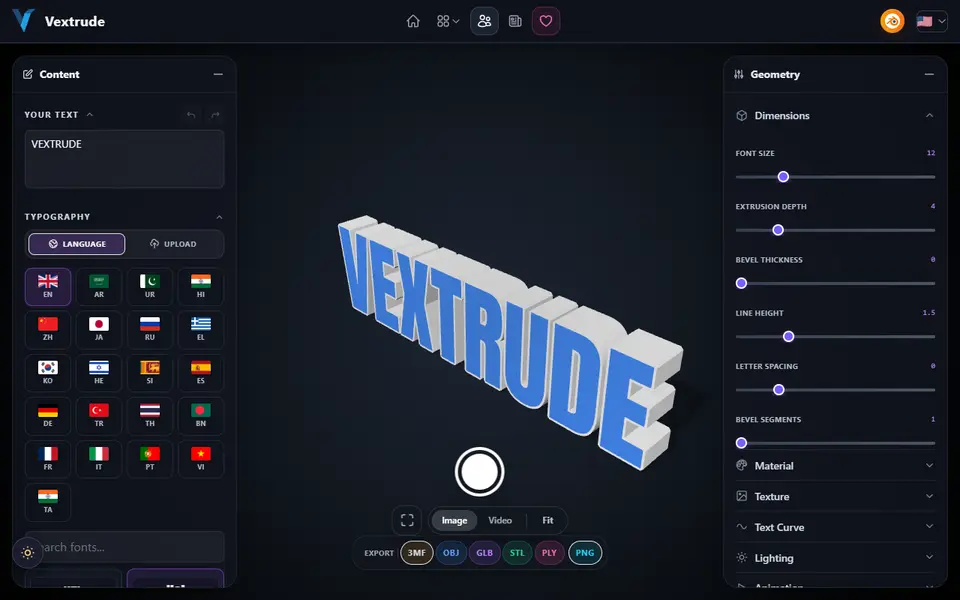
| Vextrude 3D Text Generator | Dozens, with presets for 21 languages | Yes | Optional plaque | No | STL, 3MF, OBJ, GLB, PLY, PNG | No | Free |
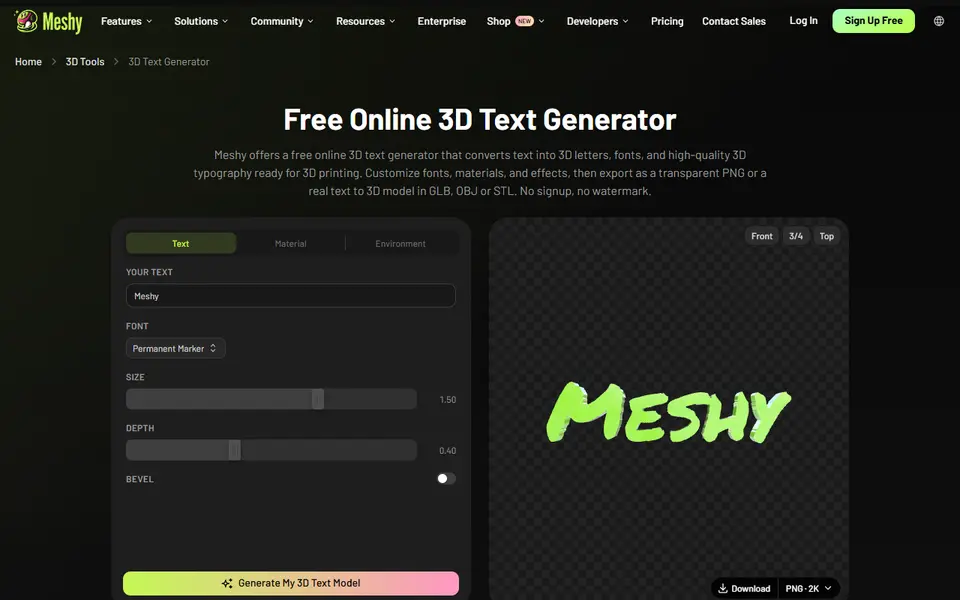
| Meshy 3D Text Generator | 20 | Not yet | None, letters only | No, one STL | STL, OBJ, GLB, PNG | No | Free |
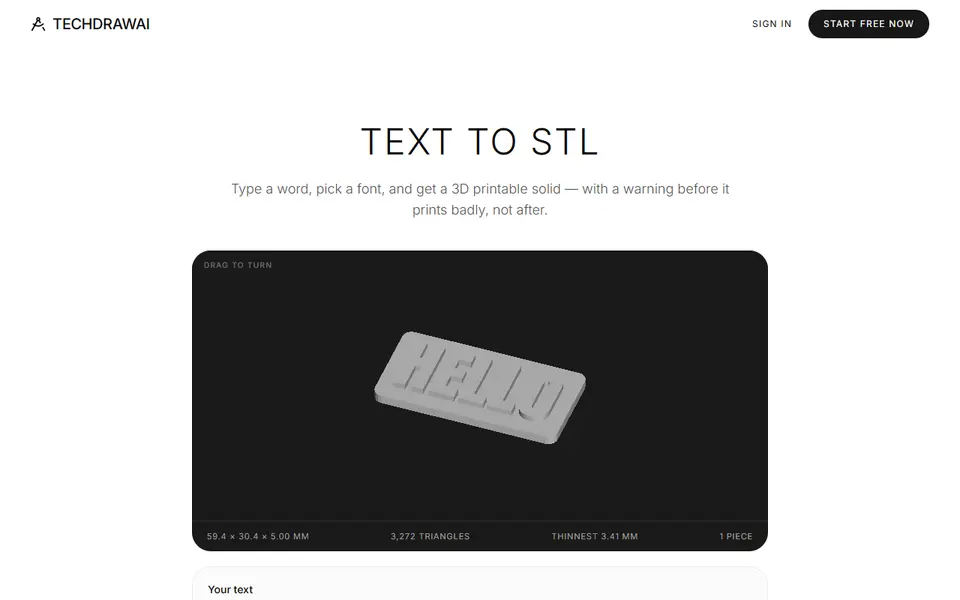
| TechDraw AI Text to STL | 17 | No | Plate, engraved plate or cut-through stencil | No, one merged mesh | STL, 3MF, OBJ | No | Free |
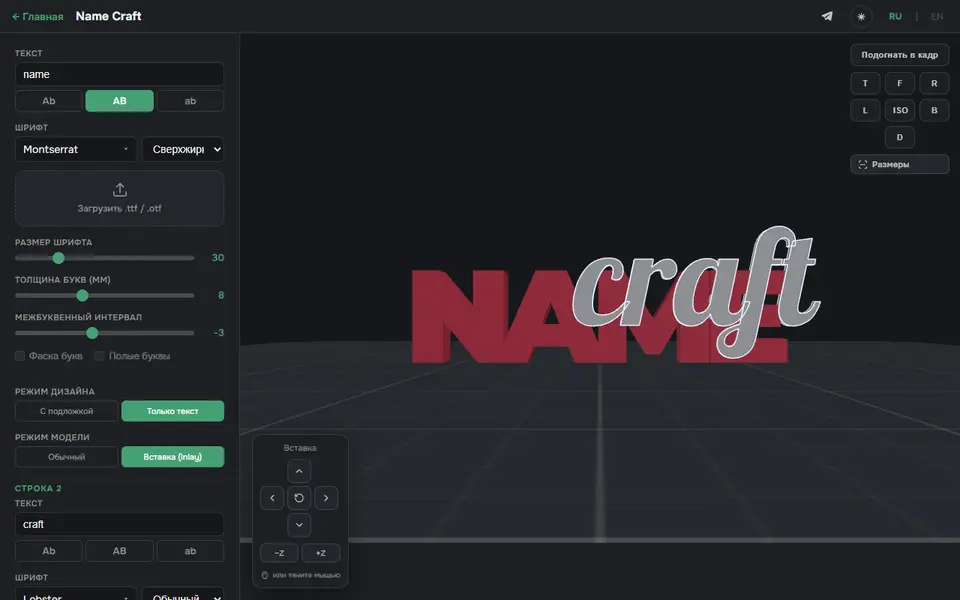
| 3D Name Craft | Google Fonts (1,800+ says the site) | Yes, TTF or OTF | Optional plate | Yes, two-part inlay | STL, 3MF | No | Free |
| Kady Text to STL | About 1,955 Google Fonts, 18 Arabic at the top | Not listed | Rounded plate or text cut into a plate | No, one file | STL, OBJ | No | Free |
| 3dprint.name | 9 on the free plan | Pro only | Halo or rounded plaque | Pro only (colored 3MF, split STL) | STL, 3MF on Pro | No | Free, Pro £2.99 a month |
| Text3D Maker | 3 free, 90 on Pro | Not listed | Two-color border | Yes, with the border on | STL, 3MF | Google sign-in to download | 2 free downloads, Pro one-time EUR 4.99 |
Checked on September 25 and 26, 2026 (Meshy on October 10) against each tool’s own pages. How we check explains what we looked at.
Which text to STL generator is best for plain lettering?
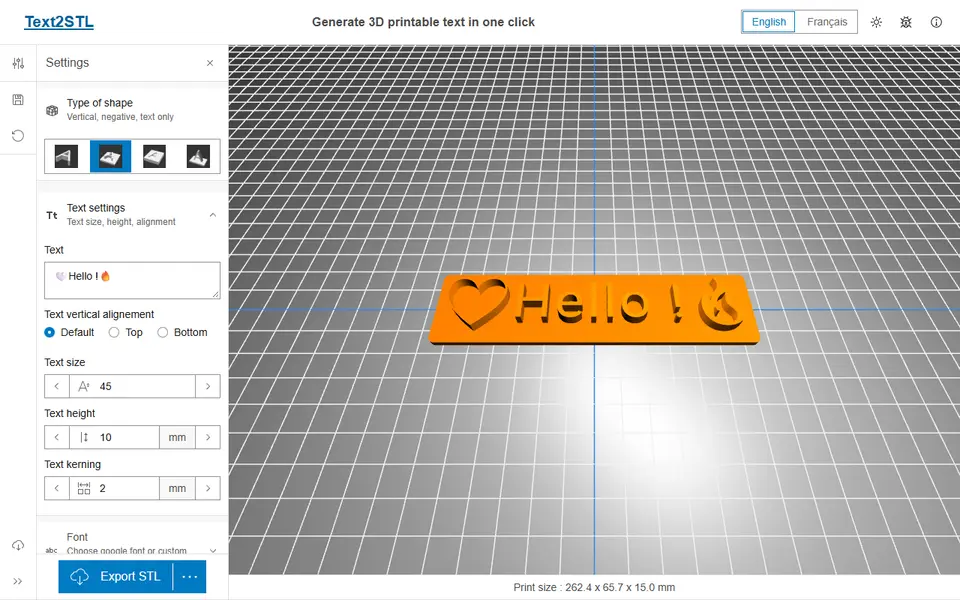
Text2STL covers most jobs. You pick a Google Font by category or script, or load your own font, type your text and choose one of four shapes: plain extruded letters, text on a support plate, text cut into a plate, or upright text on a base. You set the font size, text height, support size and padding, and the model updates in a 3D preview. The export is a single STL or OBJ, so a second color means a filament change in your slicer. The developer notes that some fonts and emoji do not render correctly.
TechDraw AI Text to STL is the pick if you want the tool to catch problems before you print. It counts loose pieces, flags strokes thinner than your nozzle and warns when the middle of a letter like O would drop out of a stencil. You set the size by capital letter height, from 3 to 120 mm, and it exports STL, 3MF or OBJ. It only has 17 built-in fonts, with no upload.
Meshy’s 3D Text Generator is a quick way to decorative letters: type up to 20 characters, pick one of 20 fonts such as Bungee, Lobster or Press Start 2P, set the size, depth and an optional bevel, and export STL, OBJ or GLB with no account. Its FAQ allows commercial use of the exports, including prints for sale, with no attribution. It makes loose letters only, with no plate, hole or stand, and no font upload yet. The large Generate button on the page leads to Meshy’s AI workspace, which uses credits, not to the free text tool.
Which generator is best for two-color 3D text?
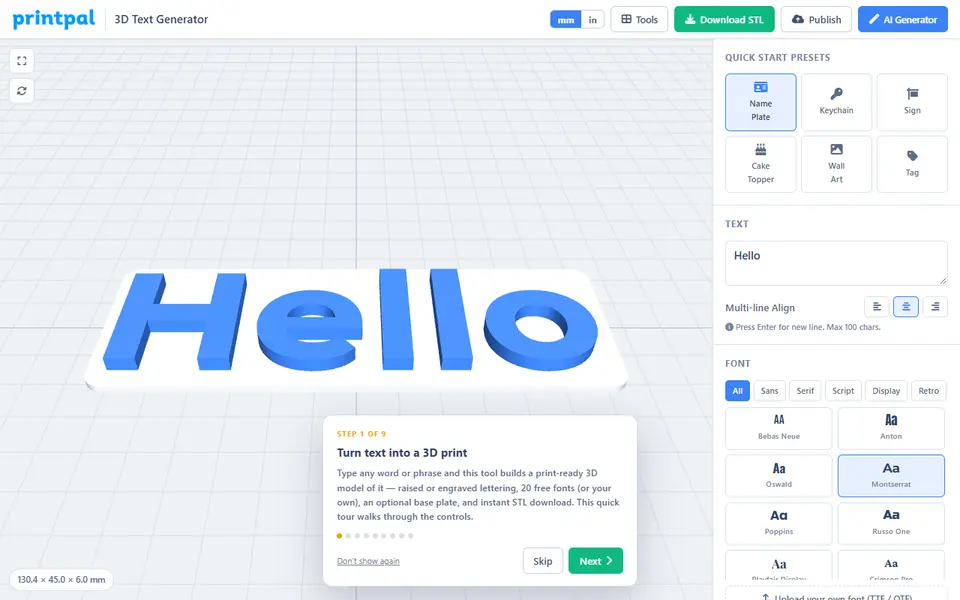
printpal’s 3D Text Generator is the simplest route. It has 20 fonts, loads your own TTF or OTF file without uploading it, and puts the text on a rounded, square, pill or oval plate, either standing on top or cut into it. A separate button downloads the text and the plate as two STLs in a ZIP. It also joins the dots on i and j to their letters and can add a keychain or hanging hole. Text is capped at 100 characters, and the site says the files can be used commercially.
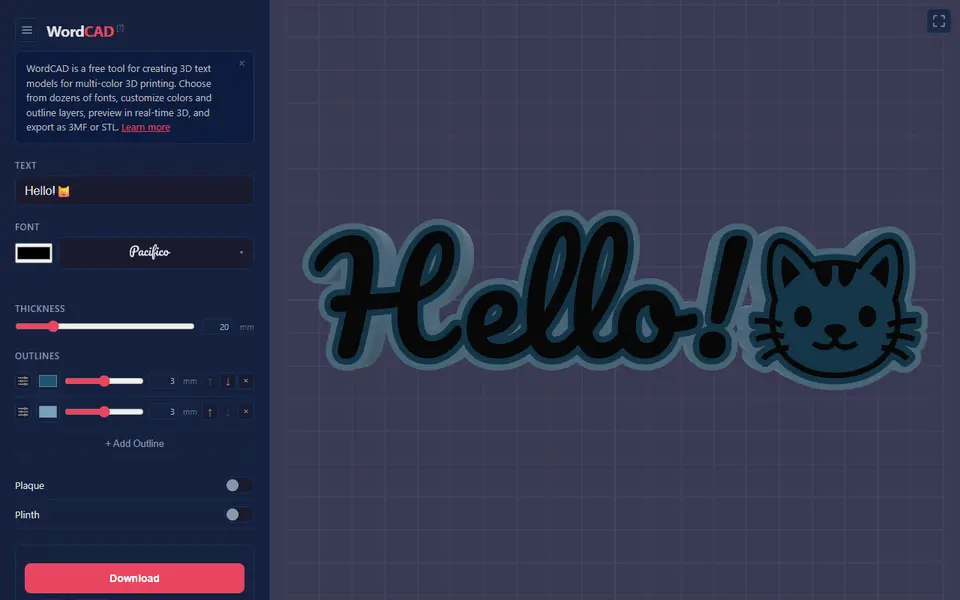
With an AMS, WordCAD saves the most work. You type one line of up to 80 characters, pick one of 55 fonts and stack up to seven outline rings around the letters, each with its own color, width and depth. The 3MF keeps every color as a named part, so in Bambu Studio you only assign filaments; the STL option gives a ZIP with one file per color. Designs are CC BY 4.0, so you may sell prints if you credit WordCAD.com.
3D Name Craft builds a two-part inlay: the second line of text becomes an insert, and the tool cuts a matching pocket into the sign with an adjustable fit gap. It takes Google Fonts or your own TTF or OTF file, and the site’s terms let you sell what you print. The page opens in Russian; an EN button switches the controls to English.
3dprint.name lets you design in two colors on the free plan, but the free STL merges them into one mesh. Colored 3MF and one STL per color need Pro, at £2.99 a month.
Which text generator handles Arabic, Chinese and other scripts?
The Vextrude 3D Text Generator has font presets for 21 languages, including Arabic, Urdu, Hebrew, Hindi, Chinese, Japanese, Korean, Thai and Russian, and a switch for right-to-left text. It can also bend text along an arc, wave, helix or bridge curve, and exports STL, 3MF and OBJ, all in the browser with no upload.
For Arabic, Kady Text to STL detects the script and shapes it so the joined letters run right to left, with 18 Arabic fonts listed first. It also has a name keyring mode that sets the height and spacing of each letter. WordCAD has 18 fonts that cover scripts such as Korean, Japanese, Chinese, Thai and Arabic, if you want those in several colors.
3D letters for cake toppers and keychains
Text3D Maker has a keychain ring, a stick for cake toppers and a two-color border built in, and a Pro Alphabet Pack that downloads all 26 letters as separate files. Downloads need a Google sign-in, and the free version allows three fonts and two downloads in total. Pro is a one-time EUR 4.99 for 90 fonts and unlimited downloads.
For name keychains with a proper ring and layered colors, the name keychain generators guide compares the tools made for that job.
Tips for printable 3D text
- Keep strokes wider than your nozzle, usually 0.4 mm. TechDraw AI checks this for you.
- Look for loose pieces such as the dots on i and j, or join them to the letters. printpal does it automatically.
- Print flat and face up for a clean top surface on the letters.
- Check the license before you sell. See selling prints made with generators.
Frequently asked questions
How do I turn text into an STL for free?
Open a free browser generator such as Text2STL, type your text, pick a font and choose whether the letters stand alone, sit on a plate or are cut into one. Then download the STL. Text2STL, printpal's 3D Text Generator, Vextrude, TechDraw AI and WordCAD all do this for free with no account.
Can I use my own font?
Yes, in several free tools. Text2STL, printpal's 3D Text Generator, Vextrude and 3D Name Craft let you load your own font file, and printpal says the font stays on your device. TechDraw AI only offers its 17 built-in fonts, and 3dprint.name keeps custom fonts for its Pro plan.
How do I print 3D text in two colors?
Pick a tool that exports the letters and the base as separate parts. WordCAD gives a 3MF with every color as a named part, printpal gives a ZIP with the text and the plate as separate STLs, and 3D Name Craft makes a two-part inlay sign. With a single STL, add a pause or filament change in your slicer at the layer where the letters start.
Which text to STL generator works for Arabic, Chinese or other scripts?
Vextrude has font presets for 21 languages, including Arabic, Hebrew, Hindi, Chinese, Japanese, Korean and Thai, plus a right-to-left switch. Kady Text to STL shapes Arabic so joined letters run right to left, with 18 Arabic fonts. WordCAD has 18 fonts that cover scripts such as Korean, Japanese, Chinese, Thai and Arabic.
What you'll need
Matte PLA that hides layer lines
Matte filament hides layer lines and cuts glare, so raised lettering on signs and nameplates stays readable from any angle and a drawer full of bins looks uniform.
- Bambu Lab PLA Matte (affiliate link) Wide color range with AMS-ready RFID, ideal for multi-color signs.
- Polymaker Panchroma Matte PLA (formerly PolyTerra) (affiliate link) The former PolyTerra line under a new name: soft matte look and good value for printing Gridfinity in bulk. In Europe? Buy from 3DJake (affiliate link)
- SUNLU Matte PLA (affiliate link) Low-cost matte option for large batches of bins and baseplates. In Europe? Buy from 3DJake (affiliate link)
Multicolor filament systems
An automatic filament changer prints multi-color signs, keychains and HueForge pieces without you standing by to swap filament at every color layer.
- Bambu Lab AMS lite (affiliate link) Four-spool open unit for the A1 series; the cheapest way into Bambu multicolor.
- Bambu Lab AMS 2 Pro (affiliate link) Enclosed four-spool unit with built-in filament drying for Bambu's enclosed printers.
- Creality CFS (Creality Filament System) (affiliate link) Creality's multicolor unit for K2-series printers; expands to 16 colors with RFID and moisture-proof storage.
Key rings for printed keychains
A sturdy metal split ring is what turns a printed name tag into a keychain that survives life in a pocket; printed plastic loops wear through quickly.
- Bambu Lab Split Ring Keychain 25 mm (10 pcs) Silver 25 mm rings sized for printed tags; easy to add to a filament order.
- 25 mm split key rings with chains and jump rings (bulk) (affiliate link) Bulk packs with chains and jump rings suit craft-market batches and gift sets.
Some of these are affiliate links: we may earn a small commission, at no extra cost to you. More about that
Every generator in this guide
Signs & Text
printpal 3D Text Generator
Free raised or engraved text generator with custom fonts and keychain holes
Signs & Text
Vextrude 3D Text Generator
Browser 3D text maker with fonts for 21 languages and curved text, exports STL and 3MF
Signs & Text
Meshy 3D Text Generator
Free browser tool that turns a word into 3D letters in 20 fonts, exported as STL, OBJ or GLB, no account
Signs & Text
TechDraw AI Text to STL
Typed text to a plate, loose letters, engraved sign or stencil, with print warnings
Signs & Text
3D Name Craft (3D PrintCraft)
Type one or two lines of text and export a name sign as STL or a two-part inlay 3MF
Signs & Text
Kady Text to STL
3D text, signs and name keychains in Arabic or English, saved as STL or OBJ
Signs & Text
3dprint.name
Type a name and export a desk sign, door plaque, wall sign or keyring as an STL
Get the next guide in your inbox
Every two weeks: the newest no-CAD generators, one guide and a print tip. Free, no spam, unsubscribe any time.