Signs & Text · Comparison
Best Sign and 3D Text Generators: Names, Numbers, Braille
Sign and 3D text generators compared: name plates, nursery signs, house numbers, stencils, braille and dual-text illusions. Most are free, many need no account.
Quick comparison
| Generator | Best for | Price | Account | Exports | Multicolor | Link |
|---|---|---|---|---|---|---|
| 01 Text2STL | Quick 3D lettering and simple name plates | Free | Not needed | STL, OBJ | No | Open Text2STL |
| 02 printpal 3D Text Generator | Quick text plates and keychains with your own font | Free | Not needed | STL | Yes | Open printpal 3D Text Generator |
| 03 Meshy 3D Text Generator | Quick 3D letters in a decorative font | Free | Not needed | STL, OBJ, GLB, PNG | No | Open Meshy 3D Text Generator Affiliate link |
| 04 Make My Sign (MakerLab) | Multicolor name plates and flat signs | Free | Needed | 3MF, STL | Yes | Open Make My Sign (MakerLab) |
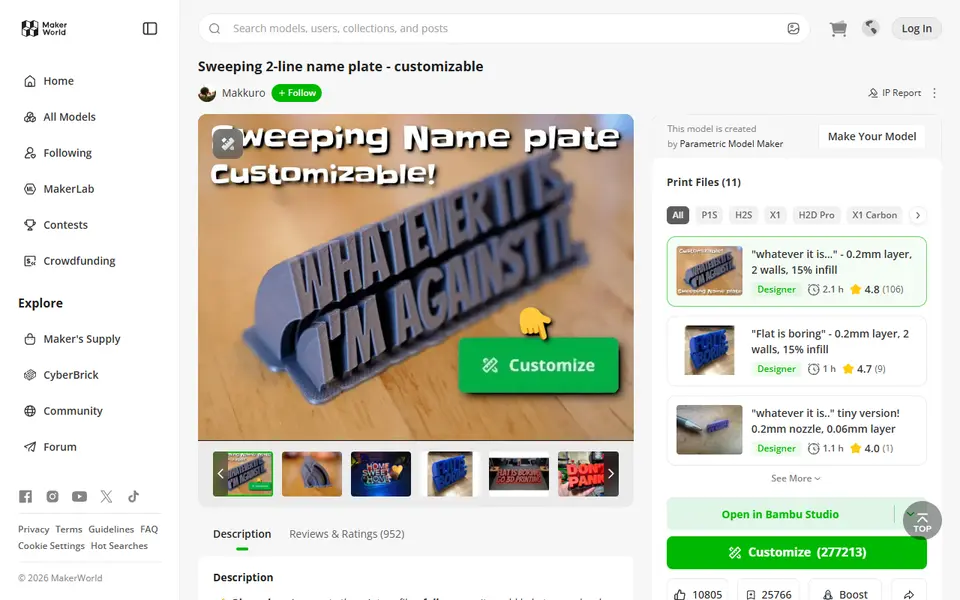
| 05 Sweeping 2-Line Name Plate | Fun office desk name plates | Free | Needed | 3MF, STL | No | Open Sweeping 2-Line Name Plate |
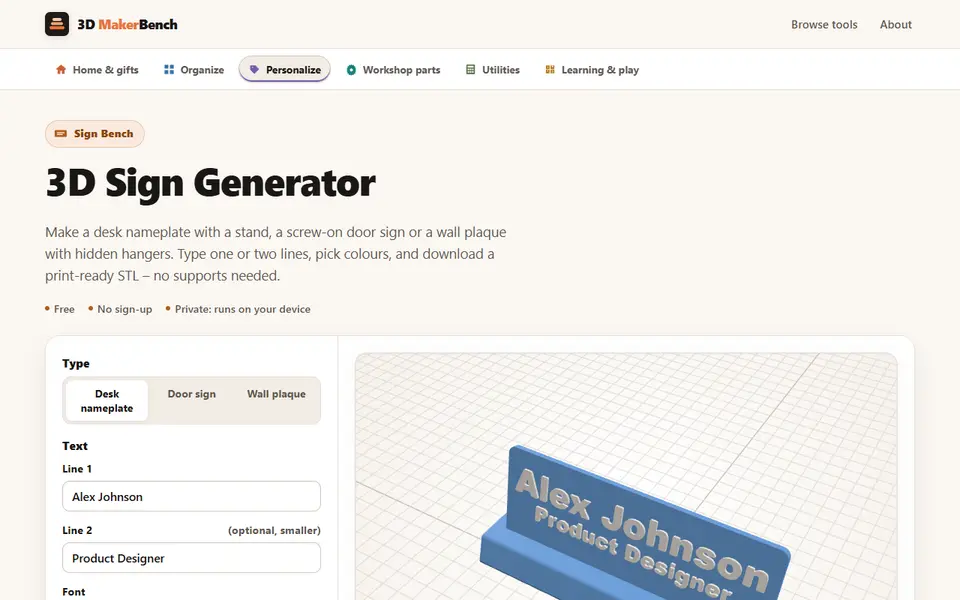
| 06 3D Sign Generator (3D MakerBench) | A two-color name sign for a desk, door or wall | Free | Not needed | STL | Yes | Open 3D Sign Generator (3D MakerBench) |
| 07 Layered Initial and Name Sign | Nursery and kids' room name decor | Free | Needed | STL, 3MF | Yes | Open Layered Initial and Name Sign |
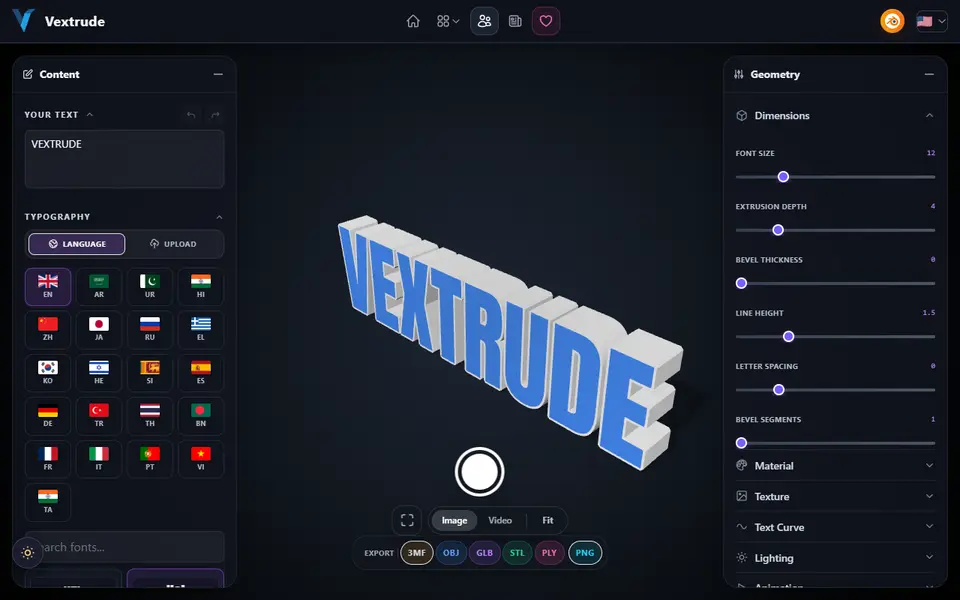
| 08 Vextrude 3D Text Generator | 3D lettering in non-Latin scripts | Free | Not needed | STL, 3MF, OBJ, GLB, PLY, PNG | No | Open Vextrude 3D Text Generator |
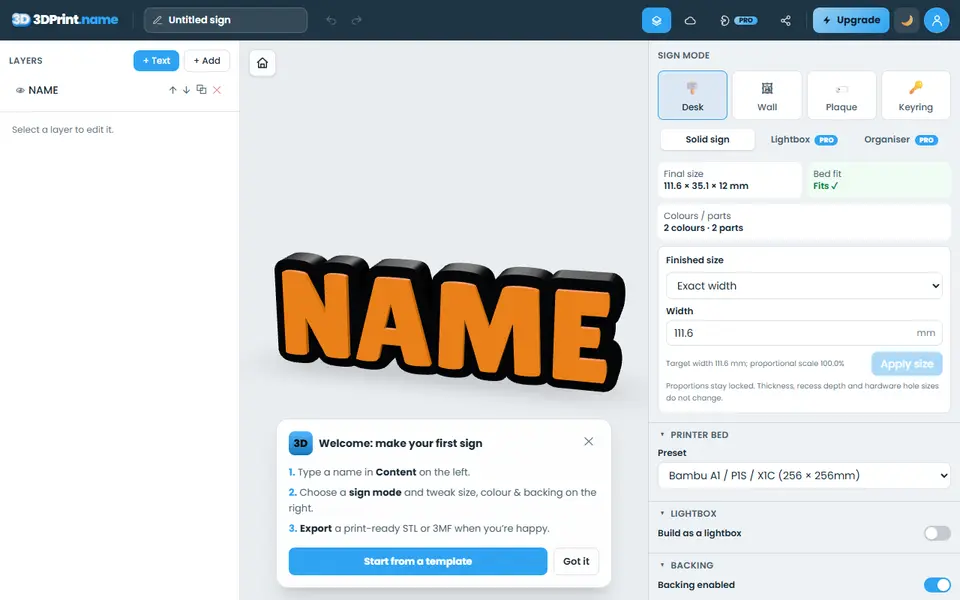
| 09 3dprint.name | Personalized desk signs, door plaques and name keyrings | Freemium | Not needed | STL, 3MF | Yes | Open 3dprint.name |
| 10 ColorPlate | A colored logo sign printed face down | Free | Not needed | STL, 3MF, PNG | Yes | Open ColorPlate |
| 11 House / Office Number Plate Generator | House numbers and address plates | Free | Needed | 3MF, STL | Yes | Open House / Office Number Plate Generator |
| 12 Customizable Spray Stencil Text Box | Spray-painted labels on crates and workshop gear | Free | Needed | 3MF, STL | No | Open Customizable Spray Stencil Text Box |
| 13 QuickSTL 3D Stencil Maker | Spray stencils from existing logos | Free | Not needed | STL | No | Open QuickSTL 3D Stencil Maker |
| 14 BrailleGen | Tactile braille labels and signs | Free | Not needed | STL | No | Open BrailleGen |
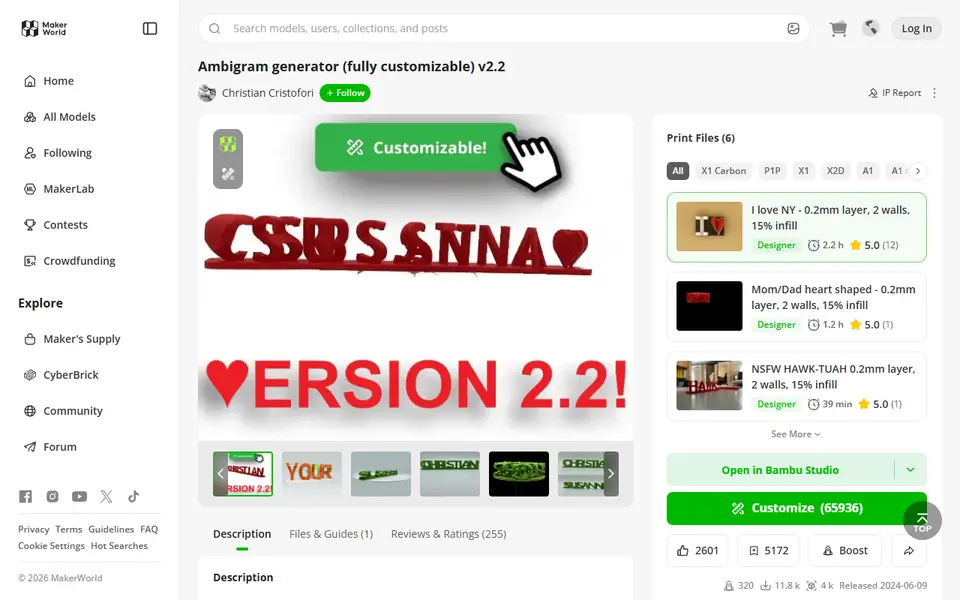
| 15 Ambigram Generator | Two-name gifts for couples and families | Free | Needed | 3MF, STL | No | Open Ambigram Generator |
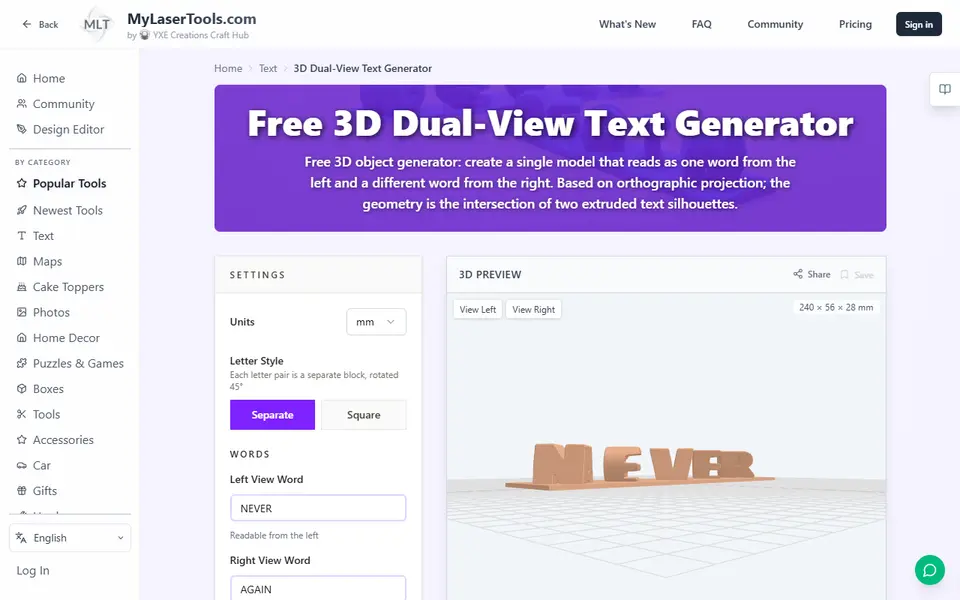
| 16 MyLaserTools 3D Dual-View Text Generator | Two-word illusion gifts with a wide choice of fonts | Free | Not needed | STL, 3MF | No | Open MyLaserTools 3D Dual-View Text Generator |
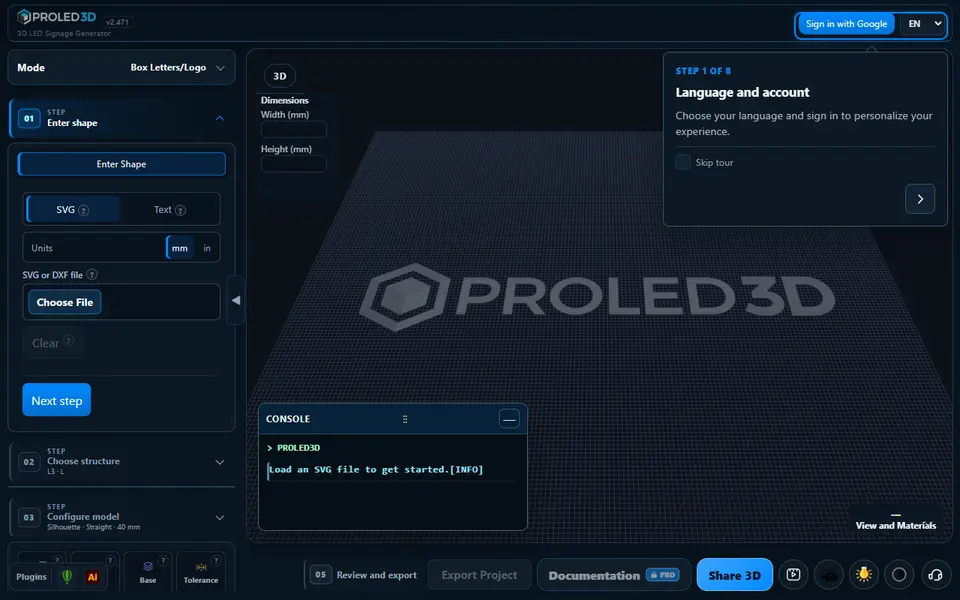
| 17 PROLED3D | Backlit shop signs and LED channel letters | Freemium | Needed | STL | No | Open PROLED3D |
The best sign generator depends on the sign. For plain 3D lettering, Text2STL is free, runs in the browser with no account and offers more than 1,000 Google Fonts. For a two-color name plate you are allowed to sell, printpal’s 3D Text Generator takes your own font and exports the letters and the base as separate parts. On a Bambu Lab printer with an AMS, Make My Sign in MakerLab builds a multicolor 3MF.
Below, the tools are sorted by job and compared on documented features.
Quick answer
- Best for plain 3D text: Text2STL. Free, with no account.
- Best two-color text without an account: printpal 3D Text Generator. Text and base as separate STLs.
- Best for an AMS: Make My Sign (MakerLab). Templates, icons and a multicolor 3MF.
- Best desk name plate: Sweeping 2-Line Name Plate, a curved plate with more than 270,000 customizations on MakerWorld.
- Best nursery name sign: Layered Initial and Name Sign.
- Best for non-Latin scripts: Vextrude 3D Text Generator, with font presets for 21 languages.
- Best house number: House / Office Number Plate Generator. Six plate styles and one color change.
- Best stencils: Customizable Spray Stencil Text Box for typed text, QuickSTL 3D Stencil Maker for a logo.
- Best braille sign: BrailleGen.
- Best dual-text illusion: Ambigram Generator.
- Best backlit shop letters: PROLED3D.
Every sign and text tool we list is on the sign and 3D text generators page.
Which 3D text generator should I use for plain lettering?
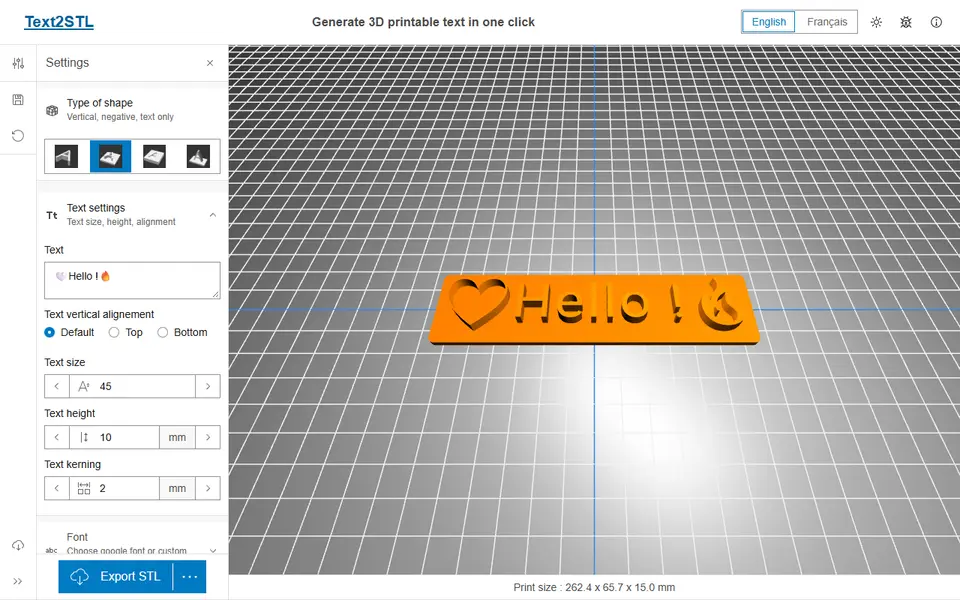
Use Text2STL when you just need clean letters. You pick a Google Font or load your own font file, type the text and choose one of four shapes: loose letters, letters on a plate, text cut into a plate, or upright text on a base. It exports one STL or OBJ, so a second color means a filament change in your slicer.
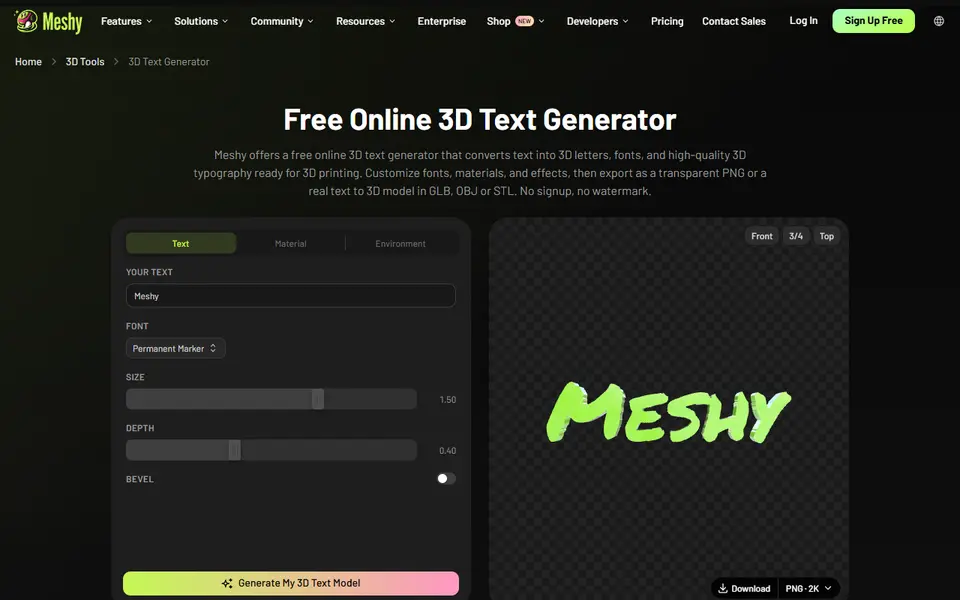
The Meshy 3D Text Generator is another free option with no account, for a word or short phrase of up to 20 characters in one of 20 decorative fonts, such as Bungee, Lobster or Press Start 2P. It exports STL, OBJ or GLB, plus a transparent PNG, and its FAQ allows commercial use of the exports, including prints for sale, with no attribution. You get loose letters only: there is no base plate, hole or stand, and no font upload yet. The large Generate button on the page leads to Meshy’s AI workspace, which uses credits, not to the free text tool.
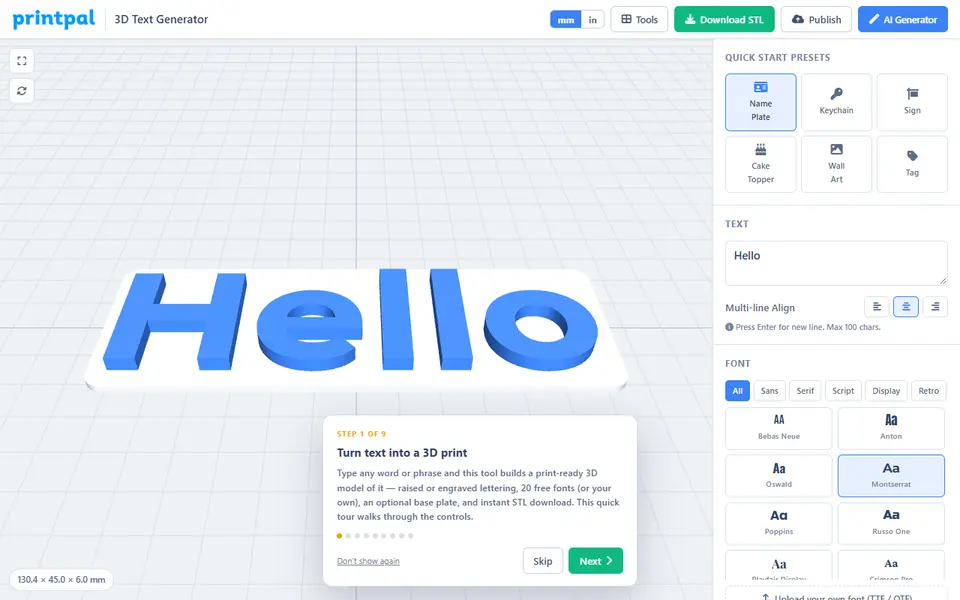
printpal’s 3D Text Generator is the better pick for a two-color sign. It has 20 built-in fonts, loads your own TTF or OTF file without uploading it anywhere, joins the dots on i and j to their letters, and adds a keychain or hanging hole. A separate button downloads the text and the plate as two STLs in a ZIP, and its FAQ says the files may be used commercially. Text is capped at 100 characters.
For Arabic, Hebrew, Hindi, Thai, Chinese or Korean lettering, use the Vextrude 3D Text Generator. It has font presets for 21 languages, bends text along an arc, wave, helix or bridge curve, and exports STL, 3MF and OBJ, all in the browser with no account. To make text follow the outline of a picture instead, SilhouType lets you trace a curve point by point over your own image, such as the edge of a mountain or a pet, and sets the text along it. Its STL is just the letters, 1 mm thick with no base, so treat it as a starting point for a sign or stencil, or use the SVG export. Kady Text to STL is another no-account option, with 18 Arabic fonts that join the letters right to left.
3dprint.name flags thin strokes, floating letters and signs too big for your bed, and a button fixes them. Single-color STL export is free with no account. Pro costs £2.99 a month for colored 3MF files, one STL per color and your own fonts.
What is the best desk name plate generator?
The Sweeping 2-Line Name Plate is the most used, with more than 270,000 customizations on MakerWorld. One or two lines of text sweep around a curve, and you can add a heart, a star, a tool or a social media logo at either end. Its CC BY-NC-SA license rules out selling the prints without the designer’s permission.
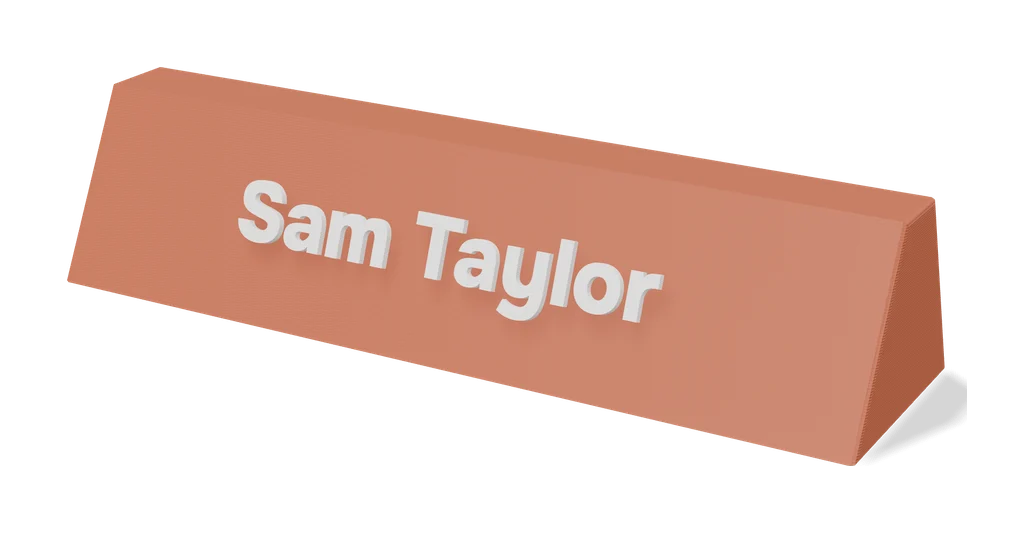
For a flat plate with icons, Make My Sign in Bambu Lab’s MakerLab lets you place text, icons and shapes on a base plate, starting from a template or a blank canvas. MakerLab lists it as multicolor friendly, so the 3MF opens in Bambu Studio ready for an AMS, and MakerWorld’s FAQ puts no commercial restrictions on what you make with it. It needs a free Bambu Lab account.
Without any account, the 3D Sign Generator (3D MakerBench) makes a desk nameplate with a separate stand that holds it at a lean you choose, 15 degrees by default. The same tool makes door signs and wall plaques. You type one or two lines in one of four fonts, and the preview shows the layer for a filament change; a two-color ZIP of separate STLs suits an AMS or MMU. It is text only, with no logos or icons, and the maker confirmed by email that you may sell the prints.
How do I make a layered name sign for a nursery?
Use a generator that sets a script name into a big first letter and exports the two as separate parts. You print each part in its own color and press them together, so you do not need an AMS. The Layered Initial and Name Sign on MakerWorld is the most used, with more than 297,000 customizations. It handles compound names such as Emma Rose, and a flat-base option trims round letters like O and S so the sign stands. Plan for a big print: the designer’s example profiles use about 117 to 345 g of PLA and 2.5 to 7 hours.
The Customizable Name Sign Generator has a dot connector for i and j, but only two font styles. Without a MakerWorld account, the printpal Name Sign Generator does the same job in the browser, joins the dots automatically and downloads the letter and the name as one STL or as separate parts. Its FAQ allows selling the prints. The Layered Initial and Name Sign needs the designer’s paid membership for that, and the Customizable Name Sign Generator’s license does not allow it.
How do I make a house number sign?
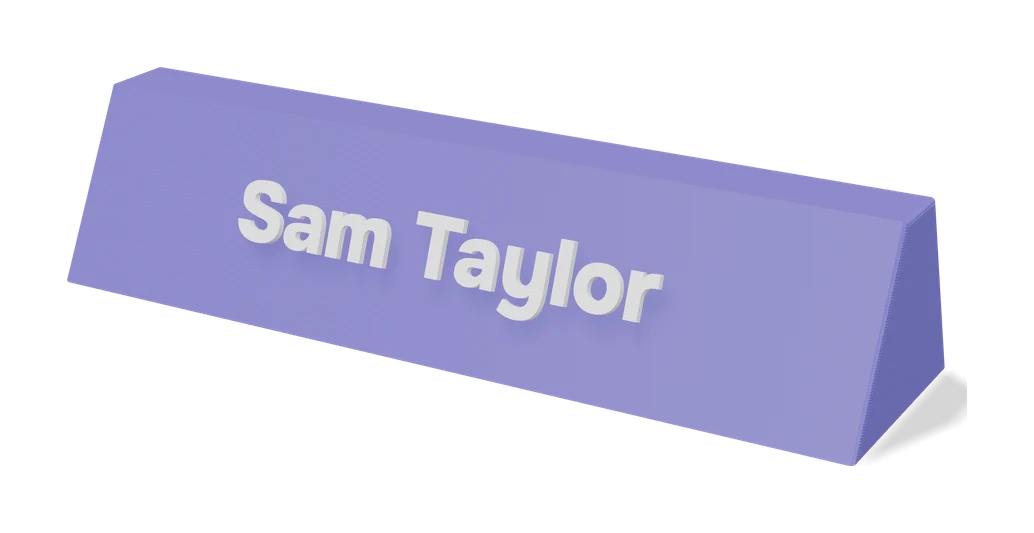
Use the House / Office Number Plate Generator: type your number and street, pick one of six plate styles, and print with one color change between the plate and the raised text. It has more than 26,000 customizations on MakerWorld. If you want screw holes or a keyhole slot built in, the wall sign mode of 3dprint.name adds them, along with recesses for magnets or adhesive strips. The 3D MakerBench sign tool also has a door sign with countersunk holes for 3 to 3.5 mm wood screws or a flat back for mounting tape, and a thicker wall plaque in a rectangle, arch or oval with hidden keyhole slots.
- Check the size you need. In the US, the International Fire Code, which many towns adopt, asks for address characters at least 4 inches (102 mm) high with a 1/2 inch (12.7 mm) stroke. Local rules vary.
- Make sure the plate fits your bed. Check the finished size in the preview.
- Choose an outdoor filament. PETG handles sun and heat better than PLA. ASA is the other common outdoor choice.
- Add the color change. In your slicer, add a pause or filament change at the first layer of the raised text, or let an AMS do it.
How do I turn a logo into a multicolor sign?
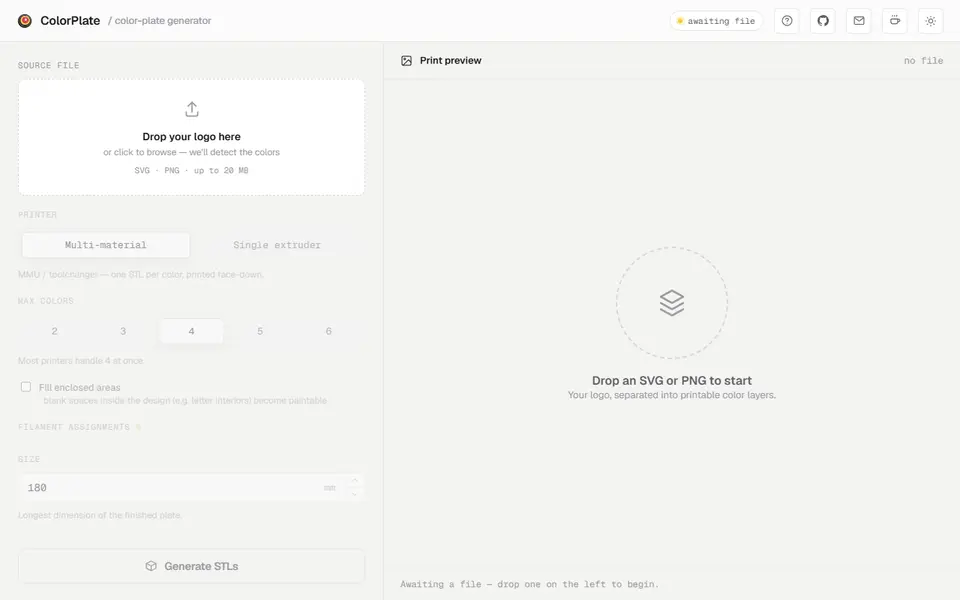
ColorPlate takes an SVG or PNG logo, finds its colors and lets you keep up to six, each assigned to a filament. It splits the design into color areas that sit side by side with no gaps or overlaps, and adds a solid backing plate in one color behind them. The plate prints face down, and the backing keeps the back of the print clean. It warns when parts of a color are thinner than your nozzle can print. Without an AMS or MMU, its single extruder mode stacks the colors by height into one STL with a list of the layers to change filament at. The ZIP holds one STL per color, the backing STL and a 3MF. It is free, open source and needs no account, but your file is processed on its server, and it works best with clean, flat-colored artwork rather than photos.
Which stencil generator should I use?
For typed text, the Customizable Spray Stencil Text Box makes up to three lines and adds the bridges for you, in three bridge styles, or none if you pick a true stencil font such as Allerta Stencil. The Multi-Line Stencil Generator goes up to five lines with 11 bridged stencil fonts, and its version 2 adds an SVG logo and a paddle handle. Both are MakerWorld models whose license rules out selling prints.
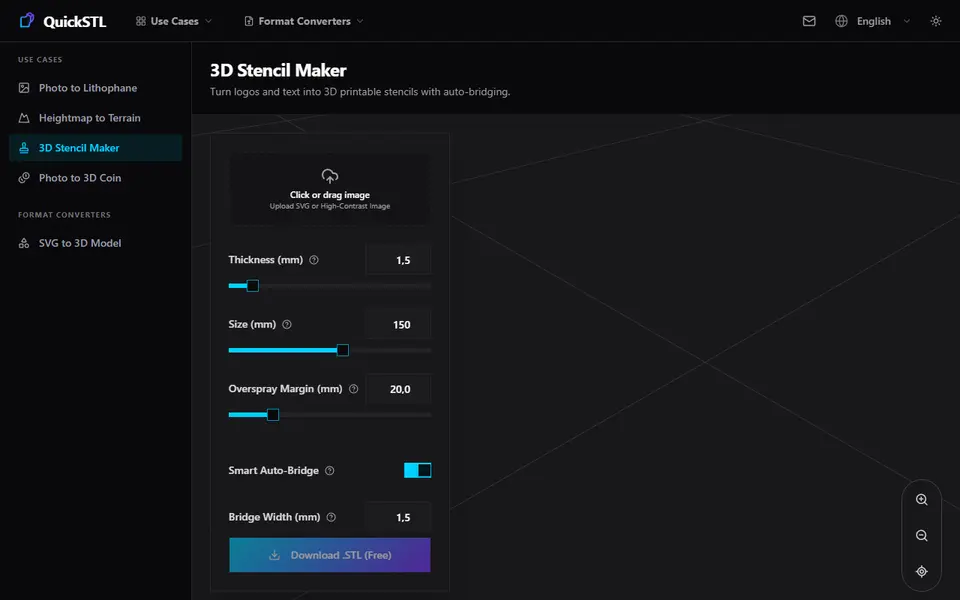
For a logo you already have, use the QuickSTL 3D Stencil Maker. Upload an SVG or a high-contrast image, set the bridge width and the number of bridges per island, and download the STL for free with no sign-up.
Which generator makes braille signs?
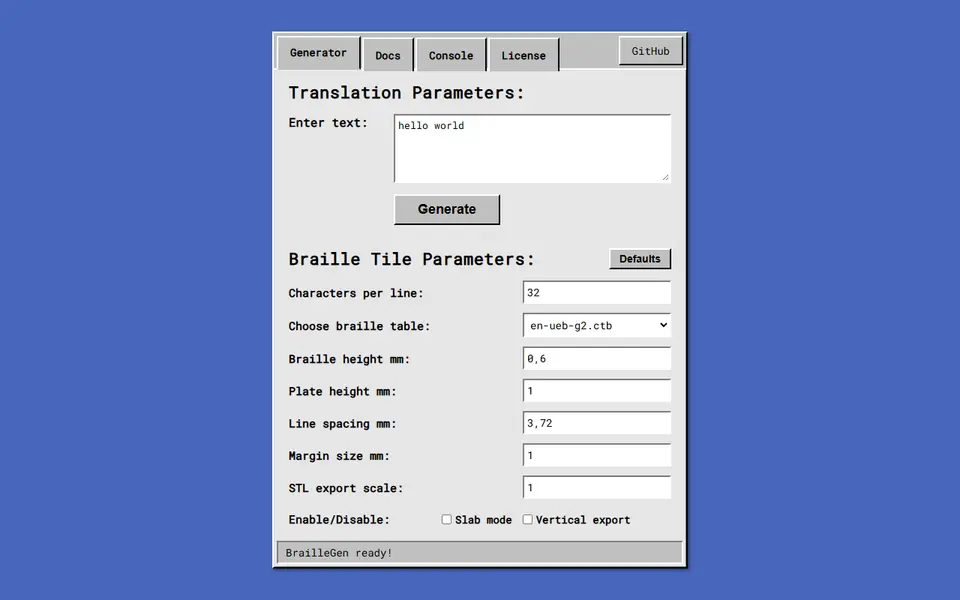
BrailleGen is the most complete. It translates with the liblouis library, so you get English UEB in Grade 1 or contracted Grade 2, plus Spanish and French tables. You set the dot height, plate thickness, line spacing and characters per line. It is free, open source and runs in the browser.
InBraille, from a university lab in Brazil, has a dots-only mode that exports just the dots, so you can merge them onto a sign you already have. Its North American mode spells words letter by letter without capital or number signs, so have English signs checked by a braille reader. Shapiful can turn the same text into lettering, braille or a QR code, but downloads need a free account.
Which dual text illusion generator is best?
The Ambigram Generator on MakerWorld gives the most control. You choose how the two words are seen (left and right, front and top, or front and a 45 degree angle), pick a rectangle, rounded rectangle, circle or heart base, and use any font on MakerWorld. It has close to 66,000 customizations. Dual Text Illusion v2.0 adds a curved base and fills the gap next to a shorter word with a heart, a star or an emoji.
Without an account, the MyLaserTools 3D Dual-View Text Generator has 180 fonts, exports STL or 3MF and includes a commercial license for the prints. TextTango exports STEP as well as STL, which helps if you want to add a hole in CAD later, but its free hosting often goes down.
Can I make a light-up sign?
Yes. PROLED3D builds real channel letters, the backlit letters you see on shop fronts. You type in one of 14 bold fonts or load an SVG, and it makes the printed base, the face, and DXF outlines for cutting the acrylic panels. It needs a Google sign-in, only 4 of its 27 letter structures export on the free plan, and Premium costs $10 a month. It is made for sign makers.
For a simpler glowing name, the Custom LED Name Light Box and the Lightbox Name Generator on MakerWorld turn a name into a letter-shaped box with a cable hole for LEDs, which you buy separately. More are on the vase, planter and lamp generators page.
Tips for readable printed signs
- Use strong contrast, such as dark letters on a light plate.
- Print in matte filament. It hides layer lines and cuts glare on raised letters.
- Keep strokes wider than your nozzle (0.4 mm on most printers), and look for loose pieces in the preview.
- Print flat and face up, so the letters get a clean top surface.
- Check the license before you sell. Many MakerWorld sign models are for personal use only. See selling prints made with generators.
Frequently asked questions
What is a dual text illusion, and how do I make one?
It is one row of 3D letters that reads as one word from one side and as a different word from a side at right angles. Each pair of letters is extruded at right angles and only the volume they share is kept. Type both words into a generator such as the Ambigram Generator on MakerWorld or the MyLaserTools 3D Dual-View Text Generator in your browser. Bold capitals and words of similar length work best.
How big should the numbers on a house number sign be?
Big enough to read from the street. In the US, the International Fire Code, which many towns adopt, asks for address characters at least 4 inches (102 mm) high with a 1/2 inch (12.7 mm) stroke, in a color that contrasts with the background. Local rules vary, so check yours. Print an outdoor sign in PETG or ASA rather than standard PLA.
How do I stop the dots on i and j falling off a printed name?
Use a generator that joins them to the rest of the name. printpal's 3D Text Generator and Name Sign Generator have an auto-connect option, and the Customizable Name Sign Generator on MakerWorld has a dot connector. With any other tool, look for loose pieces in the preview before you download, or pick a script font where the dots touch the letters.
What you'll need
Matte PLA that hides layer lines
Matte filament hides layer lines and cuts glare, so raised lettering on signs and nameplates stays readable from any angle and a drawer full of bins looks uniform.
- Bambu Lab PLA Matte (affiliate link) Wide color range with AMS-ready RFID, ideal for multi-color signs.
- Polymaker Panchroma Matte PLA (formerly PolyTerra) (affiliate link) The former PolyTerra line under a new name: soft matte look and good value for printing Gridfinity in bulk. In Europe? Buy from 3DJake (affiliate link)
- SUNLU Matte PLA (affiliate link) Low-cost matte option for large batches of bins and baseplates. In Europe? Buy from 3DJake (affiliate link)
PETG for functional and outdoor prints
PETG handles heat, sunlight and repeated flexing better than PLA, so Gridfinity bins in a hot garage or signs mounted outdoors keep their shape.
- Bambu Lab PETG Basic (affiliate link) Upgraded formula that Bambu says matches PLA Basic for strength while staying impact-tough; low price per spool in multi-roll bundles.
- Polymaker PETG (affiliate link) High-flow replacement for PolyLite PETG: strong, low-odor and quick to print. In Europe? Buy from 3DJake (affiliate link)
- Overture High Speed PETG (affiliate link) Good-value PETG in a large color range for functional parts in bulk.
Multicolor filament systems
An automatic filament changer prints multi-color signs, keychains and HueForge pieces without you standing by to swap filament at every color layer.
- Bambu Lab AMS lite (affiliate link) Four-spool open unit for the A1 series; the cheapest way into Bambu multicolor.
- Bambu Lab AMS 2 Pro (affiliate link) Enclosed four-spool unit with built-in filament drying for Bambu's enclosed printers.
- Creality CFS (Creality Filament System) (affiliate link) Creality's multicolor unit for K2-series printers; expands to 16 colors with RFID and moisture-proof storage.
Some of these are affiliate links: we may earn a small commission, at no extra cost to you. More about that
Every generator in this guide
Signs & Text
printpal 3D Text Generator
Free raised or engraved text generator with custom fonts and keychain holes
Signs & Text
Meshy 3D Text Generator
Free browser tool that turns a word into 3D letters in 20 fonts, exported as STL, OBJ or GLB, no account
Signs & Text
Make My Sign (MakerLab)
Bambu Lab's browser editor for flat name plates, badges, signs and tags
Signs & Text
Sweeping 2-Line Name Plate
Hugely popular curved desk name plate you customize in MakerWorld's browser editor
Signs & Text
3D Sign Generator (3D MakerBench)
Free desk nameplates with a stand, door signs and wall plaques with raised text, as STL or a two-color ZIP
Signs & Text
Layered Initial and Name Sign
Big serif initial with a script name set into it, built from the name you type
Signs & Text
Vextrude 3D Text Generator
Browser 3D text maker with fonts for 21 languages and curved text, exports STL and 3MF
Signs & Text
3dprint.name
Type a name and export a desk sign, door plaque, wall sign or keyring as an STL
Signs & Text
ColorPlate
Free logo to multicolor plate: one STL per color plus a backing plate, or a filament-swap version, no account
Signs & Text
House / Office Number Plate Generator
Two-color house number and address plate generator with six styles
Signs & Text
Customizable Spray Stencil Text Box
Parametric spray-paint text stencils with automatic bridges, up to three lines
Signs & Text
QuickSTL 3D Stencil Maker
Turns a logo or lettering image into a spray stencil with automatic bridges
Signs & Text
BrailleGen
Open-source web app that turns text into printable Grade 1 or Grade 2 braille tiles
Signs & Text
Ambigram Generator
Dual-text illusion block that shows one name from one side and another from the other
Signs & Text
MyLaserTools 3D Dual-View Text Generator
Turns two words into one 3D object that reads as each word from a different side
Signs & Text
PROLED3D
LED channel letters and 3D signs from text or SVG, exported as STL and DXF parts
Get the next guide in your inbox
Every two weeks: the newest no-CAD generators, one guide and a print tip. Free, no spam, unsubscribe any time.