Tripo AI
Turn text, images or sketches into detailed 3D models with STL, 3MF and OBJ export
Opens tripo3d.ai
About Tripo AI
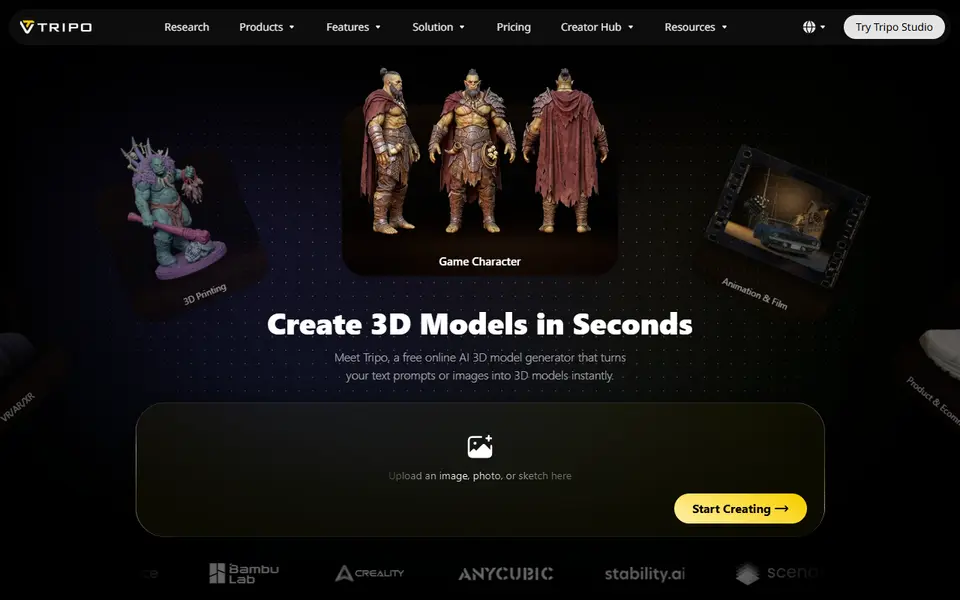
Tripo AI is one of the best-known AI 3D generators, and it now has a specific 3D printing workflow. You give it a text prompt, a photo or a sketch, and it builds a detailed mesh in a minute or two. Models can reach very high polygon counts, which helps with organic shapes like creatures, characters and collectibles.
For printing, Tripo offers smart segmentation that splits a larger model into parts sized for your print bed, and it exports STL, 3MF and OBJ for slicing, plus GLB, FBX and USD for other 3D apps. The site also hosts small helper utilities such as an STL repair tool and an STL editor, and Tripo is one of the engines in MakerWorld's Image to 3D tool.
The free plan gives 200 credits a month (roughly 13 models) with public, non-commercial models and limited exports. Paid plans start at $20 a month billed yearly and add private models, commercial use and batch work. Tripo suits makers who print characters and display pieces and want a solid free tier to experiment with.
What you can make
- Character figurines
- Creature and monster models
- Collectibles and display pieces
- Multi-part models split for the print bed
How to use it
- Create an account and open Tripo Studio
- Enter a prompt or upload an image or sketch
- Pick a result and split it into parts if needed
- Export STL or 3MF and slice it
Good
- Generous free monthly credits
- Splits large models into bed-sized parts
- Handles organic detail like faces, fur and creatures well
Not so good
- Free models are public and non-commercial
- Exports and history are limited on the free plan
- Serves many industries, so printing is only one of many features
What you'll need to print it
Materials and parts that give the best results with Tripo AI.
Matte PLA for signs and Gridfinity
Matte filament hides layer lines and cuts glare, so raised lettering on signs and nameplates stays readable from any angle and a drawer full of bins looks uniform.
- Bambu Lab PLA MatteWide colour range with AMS-ready RFID, ideal for multi-colour signs.
- Polymaker Panchroma Matte PLA (formerly PolyTerra)The former PolyTerra line under a new name: soft matte look and good value for printing Gridfinity in bulk.
- SUNLU Matte PLALow-cost matte option for large batches of bins and baseplates.
Resin for detailed prints
The right resin decides whether the fine detail in AI-generated models and terrain survives printing, and tougher ABS-like blends resist cracking when you remove supports.
- Siraya Tech Fast ABS-like ResinPrints quickly, cures tough rather than brittle, low odour; a go-to for miniatures and figurines.
- Siraya Tech Blu Tough ResinEngineering-grade tough resin for functional parts that need to survive drops.
- ELEGOO ABS-Like Resin 3.0Affordable, widely available ABS-like resin in many colours for LCD printers.
Some of these are affiliate links: we may earn a small commission, at no extra cost to you. More about that
Read next
Alternatives to Tripo AI
All ai to 3d generators
AI to 3D
MakerLab Image to 3D Model
MakerWorld's AI photo-to-3D tool with a choice of Meshy, Tripo, Rodin and more