Meshy
AI text-to-3D and image-to-3D with print-ready STL, 3MF and multicolor export
Opens meshy.ai
About Meshy
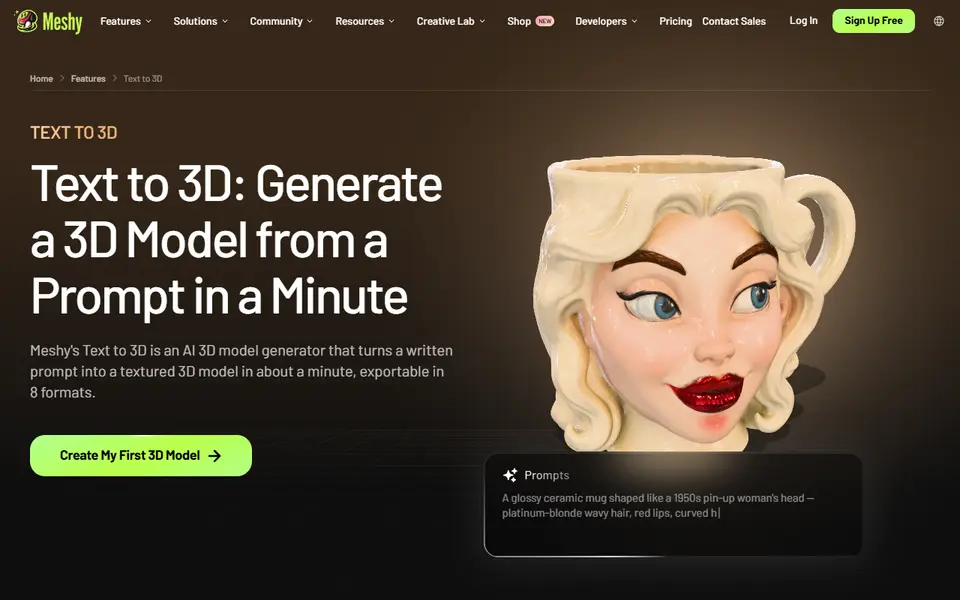
Meshy is a browser-based AI generator that turns a written prompt or a single photo into a textured 3D model. It started as a tool for game and animation assets, but it now has a dedicated 3D printing workflow: models are checked for printability, repaired automatically when needed, and can be split into parts that fit your build plate.
For printing, the standout feature is multicolor export. Meshy maps the model's texture to a small number of filament colors and writes a 3MF you can open in Bambu Studio, OrcaSlicer or other slicers, which suits AMS and other multi-material setups. You can also download STL, OBJ, GLB, FBX and USDZ. The same engine is one of the options inside MakerWorld's Image to 3D tool.
The free plan gives 100 credits a month, enough to try a handful of models, and free-plan models fall under a CC BY 4.0 license. Meshy suits hobbyists who want figurines, busts, toys and decorative pieces without learning to sculpt, and who accept that fine details and thin parts may still need a check in the slicer.
What you can make
- Figurines and miniatures
- Character busts
- Toys and collectibles
- Multicolor 3MF prints
- Decorative objects
How to use it
- Sign in and choose Text to 3D or Image to 3D
- Type a prompt or upload a clear photo
- Pick the best preview and refine it
- Export STL, or a multicolor 3MF, and slice it
Good
- Multicolor 3MF export that maps textures to filament colors
- Automatic printability check, repair and part splitting
- Monthly free credits with no credit card needed
Not so good
- Free-plan models use a CC BY 4.0 license and a slower queue
- Thin or fine details can still fail and need slicer checks
- Credits run out quickly when you iterate a lot
What you'll need to print it
Materials and parts that give the best results with Meshy.
Multicolour PLA for keychains and HueForge
Dual- and tri-colour silks give a single-nozzle printer colour shifts with no extra hardware, and a matched colour set is what lets HueForge and colour lithophanes blend thin layers into a full image.
- Bambu Lab PLA Silk Multi-ColorCo-extruded dual and tri colours that shift with the viewing angle; great for keychains and name tags.
- SUNLU Multi-Color Silk PLA (dual/tri/four-colour)Budget dual-, tri- and four-colour silk for colourful prints without an AMS.
- Bambu Lab PLA CMYK Lithophane BundleFour 1 kg spools (cyan, magenta, yellow, white) made for colour lithophanes and handy for HueForge-style layering.
Multicolour filament systems
An automatic filament changer prints multi-colour signs, keychains and HueForge pieces without you standing by to swap filament at every colour layer.
- Bambu Lab AMS liteFour-spool open unit for the A1 series; the cheapest way into Bambu multicolour.
- Bambu Lab AMS 2 ProEnclosed four-spool unit with built-in filament drying for Bambu's enclosed printers.
- Creality CFS (Creality Filament System)Creality's multicolour unit for K2-series printers; expands to 16 colours with RFID and moisture-proof storage.
Resin for detailed prints
The right resin decides whether the fine detail in AI-generated models and terrain survives printing, and tougher ABS-like blends resist cracking when you remove supports.
- Siraya Tech Fast ABS-like ResinPrints quickly, cures tough rather than brittle, low odour; a go-to for miniatures and figurines.
- Siraya Tech Blu Tough ResinEngineering-grade tough resin for functional parts that need to survive drops.
- ELEGOO ABS-Like Resin 3.0Affordable, widely available ABS-like resin in many colours for LCD printers.
Some of these are affiliate links: we may earn a small commission, at no extra cost to you. More about that
Read next
Alternatives to Meshy
All ai to 3d generators
AI to 3D
MakerLab Image to 3D Model
MakerWorld's AI photo-to-3D tool with a choice of Meshy, Tripo, Rodin and more