Vases & Lamps · Comparison
Best Vase, Planter and Lampshade Generators Compared
Vases, planters with drip trays, liner pots and lampshades: the best no-CAD generators compared on features, price and file formats. Most are free.
Quick comparison
| Generator | Best for | Price | Account | Exports | Multicolor | Link |
|---|---|---|---|---|---|---|
| 01 PrintPal Vase Generator | Decorative vases with bold textures | Free | Not needed | STL | No | Open PrintPal Vase Generator |
| 02 Make My Vase (MakerLab) | Quick decorative vases for Bambu printers | Free | Needed | 3MF | No | Open Make My Vase (MakerLab) |
| 03 3dSynth | Textured vase-mode vases, planters and lamp shades | Freemium | Not needed | STL, OBJ, GLB | No | Open 3dSynth |
| 04 VASEWORKS | Quick vase-mode prints with a filament and time estimate | Free | Not needed | STL | No | Open VASEWORKS |
| 05 PotGen | Custom-sized planters with a matching saucer | Free | Not needed | STL | No | Open PotGen |
| 06 Parametric Liner Pot Generator | Liner pots that fit your existing planters | Free | Needed | STL, 3MF | No | Open Parametric Liner Pot Generator |
| 07 Your Ideal Planter: Customizable Size | Functional planters for specific spots | Free | Needed | STL, 3MF | No | Open Your Ideal Planter: Customizable Size |
| 08 Parametric Woven Pot | Decorative planters in exact sizes | Free | Needed | STL, 3MF | No | Open Parametric Woven Pot |
| 09 Meshcast Planter Generator | Turning a figurine or statue into a small plant pot | Freemium | Not needed | STL, 3MF | No | Open Meshcast Planter Generator Affiliate link |
| 10 LumHaus (MakerLab) | Complete desk and pendant lamps | Freemium | Needed | 3MF, STL | No | Open LumHaus (MakerLab) |
| 11 LumaForm | Custom vase-mode lampshades for E27 and E14 lamps | Paid | Not needed | STL | No | Open LumaForm |
| 12 Voronoi Lamp Generator | A Voronoi pendant shade or night light cover | Free | Not needed | STL, SVG | No | Open Voronoi Lamp Generator |
| 13 Make My Lantern (MakerLab) | Figure-shaped tea light lanterns and night-light gifts | Free | Needed | STL, 3MF | No | Open Make My Lantern (MakerLab) |
| 14 VaseMaker | Unusual vase shapes and slip-casting molds | Free | Not needed | STL | No | Open VaseMaker |
| 15 Lathe | Shaping a vase or lamp shade by hand instead of by numbers | Free | Not needed | STL | No | Open Lathe |
| 16 VaseMorph | Quick decorative vases and bowls from random starting shapes | Free | Not needed | STL, OBJ | No | Open VaseMorph |
| 17 Vase Creator | One-off vases and plant pots shaped by hand, without CAD | Free | Not needed | OBJ | No | Open Vase Creator |
A vase is one of the most satisfying things to print: one shape, a few hours, and something on the shelf that nobody else has. A generator gets you there from a profile, a texture and a few sizes. The same kind of tool makes planters that fit one particular plant and lampshades for a lamp you already own.
This guide compares the strongest vase, planter and lamp generators on documented features and our own check of each tool page. We have not printed them. For photo lampshades and other backlit prints, see the lithophane generator guide.
Quick answer
- Best free vase generator: PrintPal Vase Generator. Presets, textures and up to 720 degrees of twist in the browser, with no account.
- Best for Bambu Lab printers: Make My Vase in MakerLab, with a spiral vase mode option and a draw mode for your own profile.
- Best for textured vase-mode prints: 3dSynth, which can write the vase-mode G-code for your printer.
- Best planter with a matching tray: PotGen. Free, no account.
- Best liner pot: Parametric Liner Pot Generator on MakerWorld.
- Best for a whole lamp: LumHaus, which designs the shade and the base together.
- Best free lampshade without an account: Voronoi Lamp Generator, which shows the shadow pattern before you print. You add the lamp fitting yourself.
Every vase, planter and lamp tool we list is on the vase, planter and lamp generators page. If vase mode is new to you, that page also answers what vase mode is and whether a vase-mode print holds water.
What is the best free vase generator?
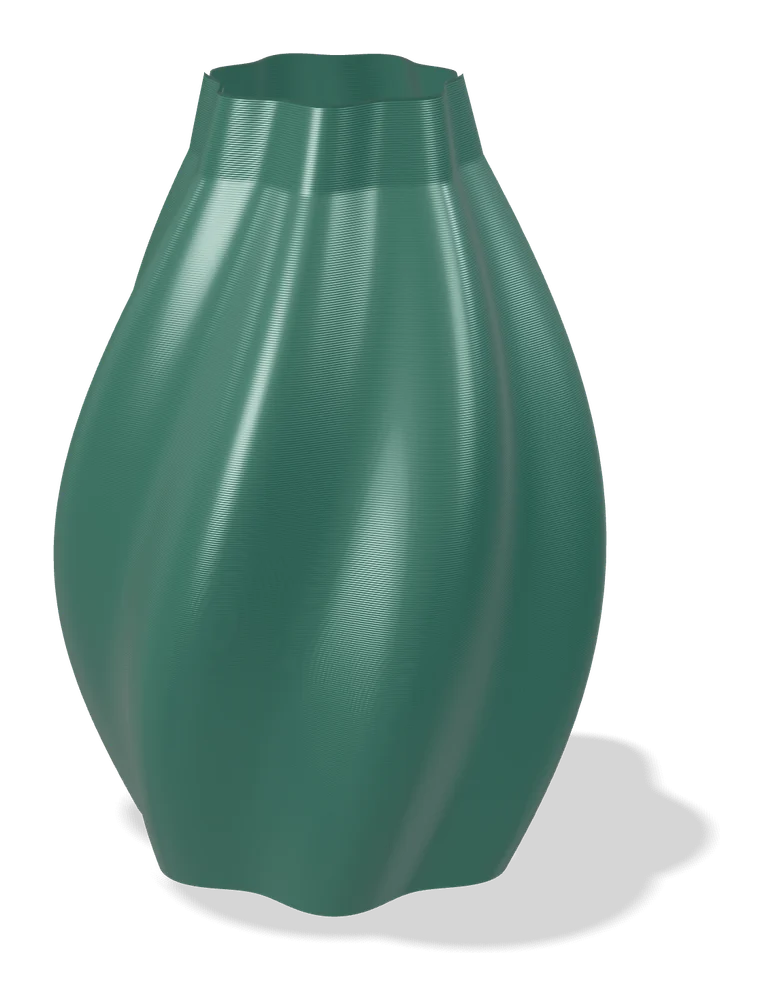
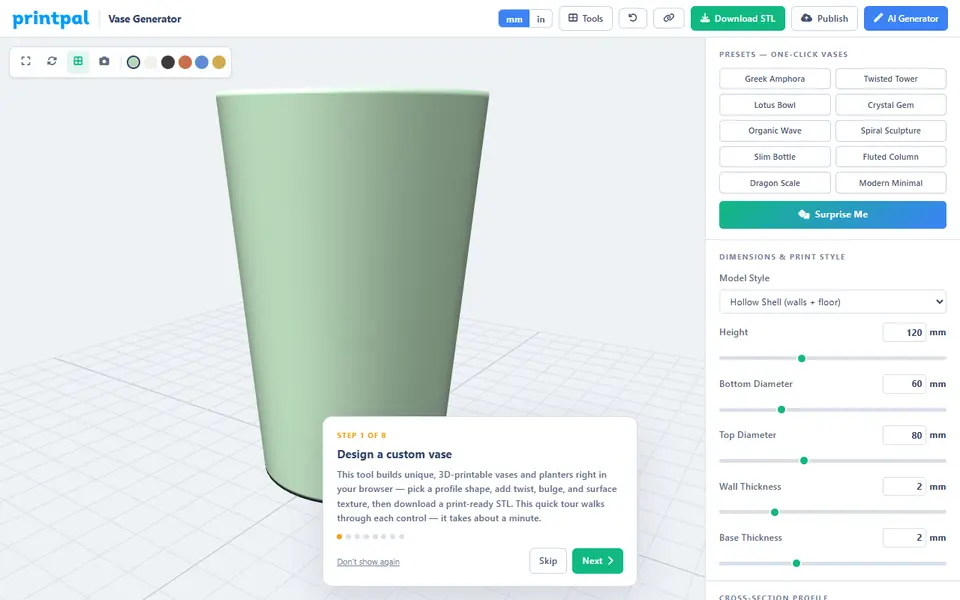
Open PrintPal Vase Generator first. It runs entirely in your browser with no sign-up and no limits. You start from a preset such as a Greek amphora, a twisted tower or a lotus bowl, or build your own from a profile curve and a cross-section, which can be your own SVG. Surface styles run from ribs and honeycomb to dragon scales, and the twist goes up to 720 degrees. A Solid output is meant for vase mode, and the page shows the estimated PLA weight before you download. It exports STL only.
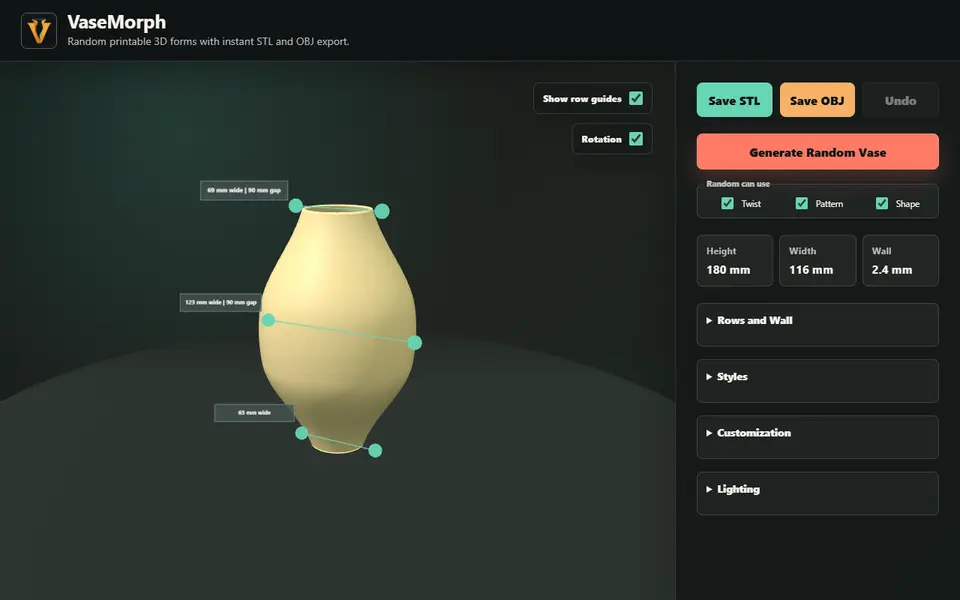
VaseMorph is better for browsing ideas. Press the random button, keep what you like, then tune the pattern, ridges and twist with sliders. It saves STL or OBJ with no account, but you set sizes by dragging guides on the model rather than typing millimeters.
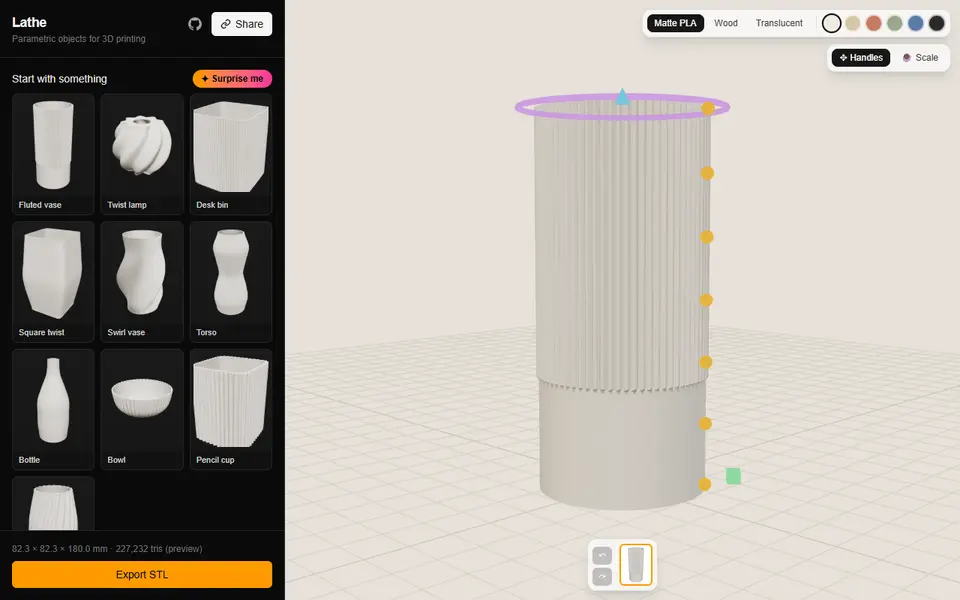
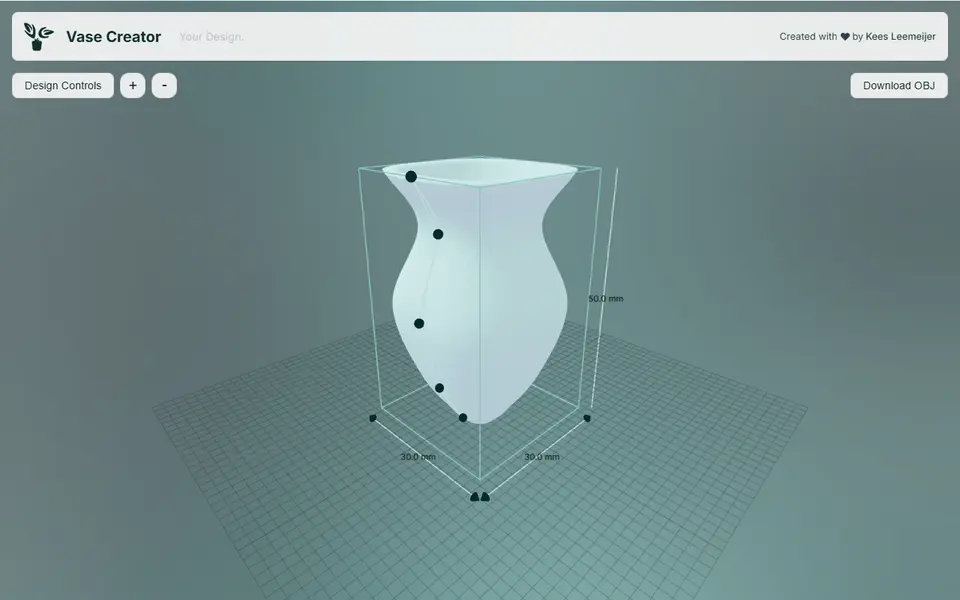
To shape an outline by hand, use Vase Creator. You drag points along the side profile, set the wall thickness and size the drainage hole, so it doubles as a simple plant pot maker. It is free and open source, but it exports OBJ only, which most slicers open directly. Lathe goes a step further: you drag the profile points, the height, the radius and a twist ring on the 3D model itself, starting from ten shapes such as a fluted vase, a twist lamp or a pencil cup. Pattern swatches add ribs, flutes or facets, a slider turns the round cross-section into a rounded square, and you choose a walled shell or a solid for vase mode. It exports STL with no account, and a design lives in the link. If you like math, Metikumi Function Playground builds round vases from wave and noise blocks on a small grid, with example designs to start from.
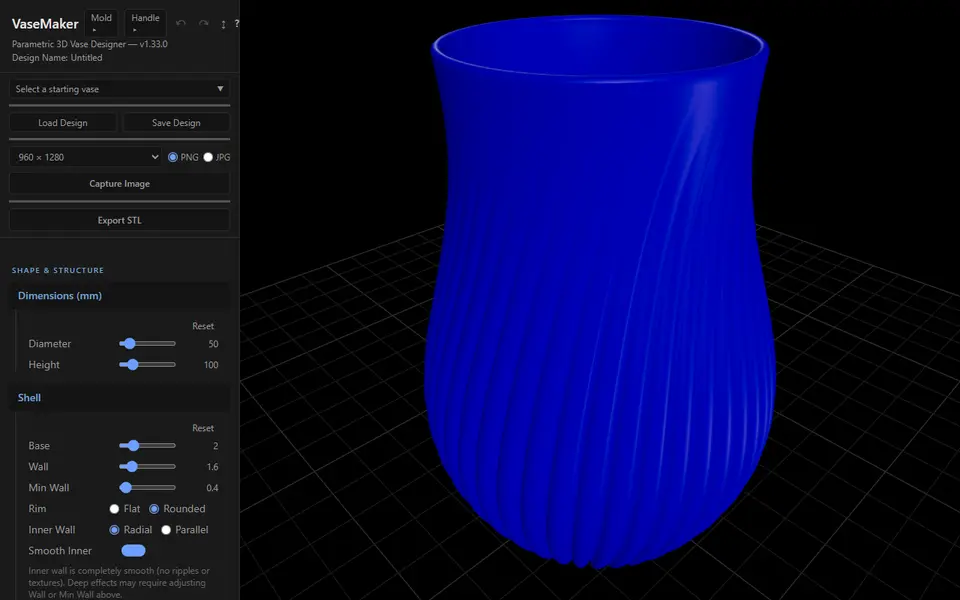
For shapes that are not round, VaseMaker sweeps one of 29 cross-sections, from a heart or a gear to a superformula, along a profile curve, and can morph from one shape at the bottom to another at the top. Its 13 textures include Voronoi and your own SVG pattern, and a texture can be cut through the wall for a perforated lantern. Two extra tools, MoldMaker and HandleMaker, turn the vase into a master and cottle for a plaster slip-casting mold and design a cup handle with its own mold, so it also suits potters. It is free with no account and exports STL, but the many panels take a while to learn. twirly is the opposite: a short set of sliders for one family of ribbed, twisting shapes, which can close at the top into a rounded or pointed tip for ornaments such as an ice-cream swirl or a sea urchin shell. It is free with no account, and a design shares as a link.
Which vase generator works best with a Bambu Lab printer?
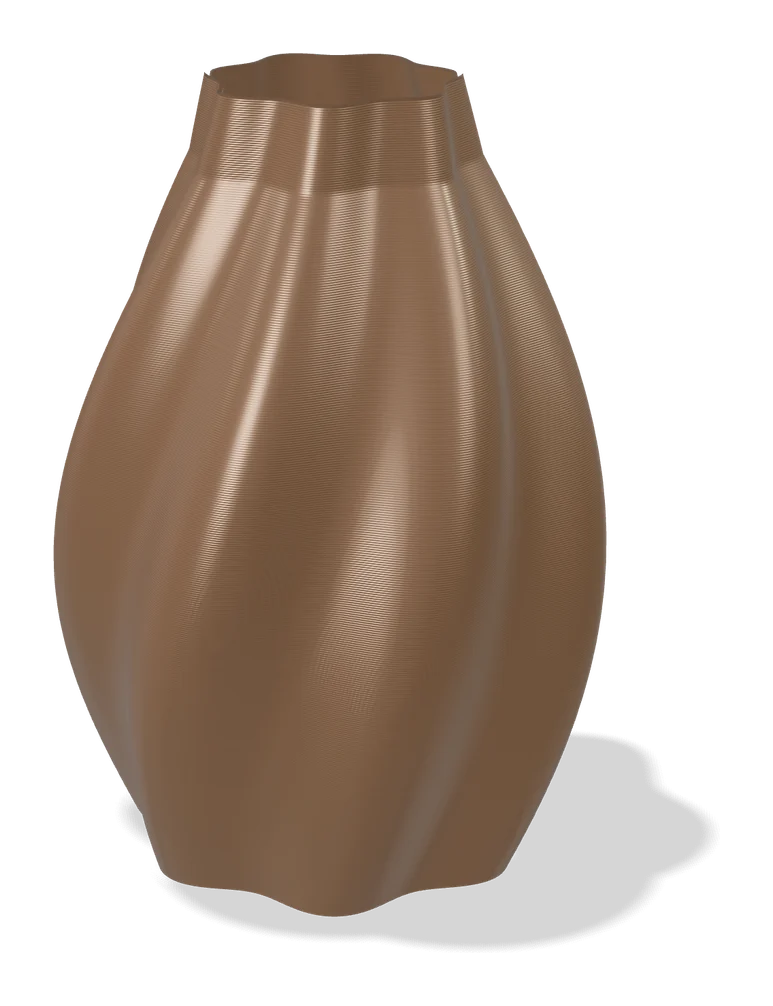
Make My Vase is Bambu Lab’s own vase designer in MakerLab. You shape a vase from a starting form and pattern while a 3D preview updates, and a spiral vase mode option prepares the model for vase mode printing. A draw mode lets you sketch your own profile, and a filament preview shows the vase in the color you plan to use. It exports a 3MF and needs a free MakerWorld account. The vases print on any FDM printer, but the workflow is built around Bambu Studio.
How do I get a textured vase-mode print?
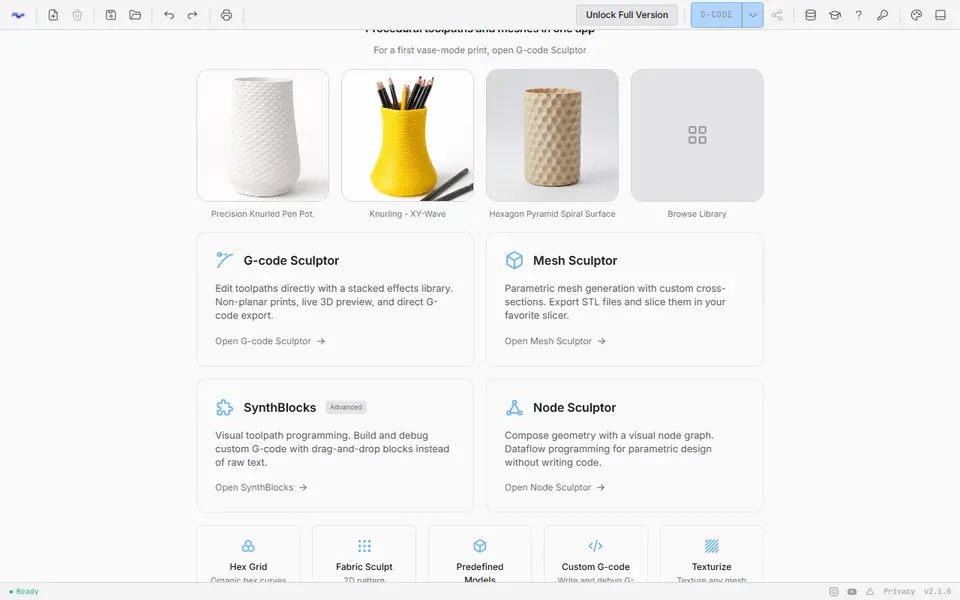
Use 3dSynth. You pick your printer, material and nozzle from built-in profiles, draw a profile curve and stack effects such as ripples, noise, knurling, Voronoi cut-outs and twists. Its G-code Sculptor then writes spiral vase-mode G-code for your machine, so you skip the slicer, or saves the shape as an STL. A second module, Mesh Sculptor, builds a mesh for your usual slicer. The same tools make planters and lampshades.
The web app is free with no account, but free exports stop at two stacked effects. A one-time Premium license costs $39; it removes that cap, adds project saving and unlocks the desktop app. Because the G-code comes straight from 3dSynth, you set the layer height, speed and temperature yourself.
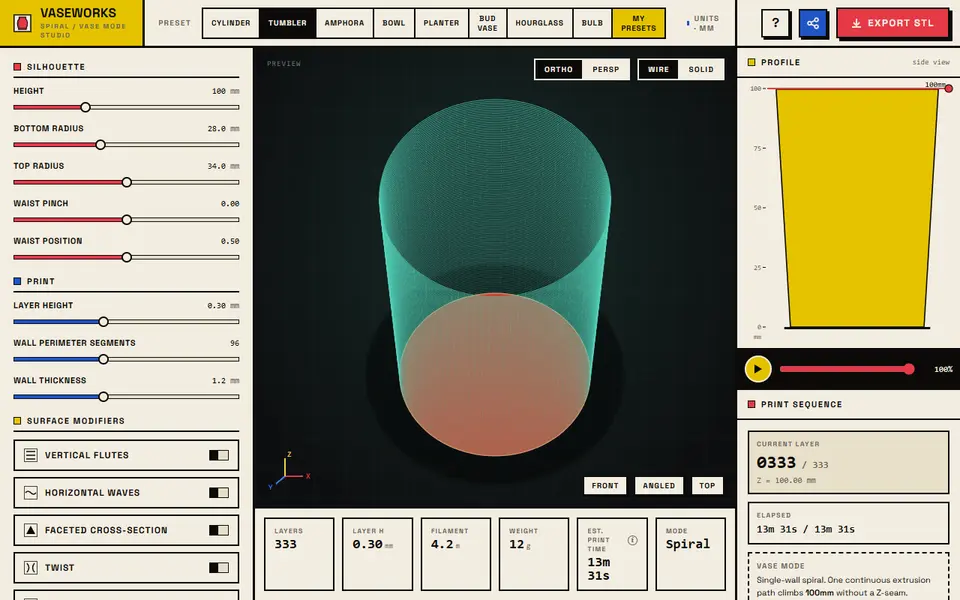
For a free vase-mode tool that keeps your usual slicer, try VASEWORKS. You start from eight presets and add flutes, waves, facets, twist or spiral ribs, and as you change the shape it shows the layer count, filament length, weight and an estimated print time, with a playback of how the spiral wall climbs. It exports a single-wall STL for spiralize mode in Bambu Studio, PrusaSlicer or Cura, with no account. The profile is round with a single waist, so you get less shape control than with a profile curve editor.
How do I make a planter that fits my plant?
Measure the pot the plant came in, then choose a generator by the kind of pot you want.
- Measure the nursery pot or the spot on the windowsill: height, top diameter and base.
- Pick the pot type: a pot with its own saucer, a liner that sits inside a decorative pot you already own, or a textured pot on feet.
- Turn on drainage and add a tray or saucer to catch the water.
- Fill it with water in the sink before the plant moves in.
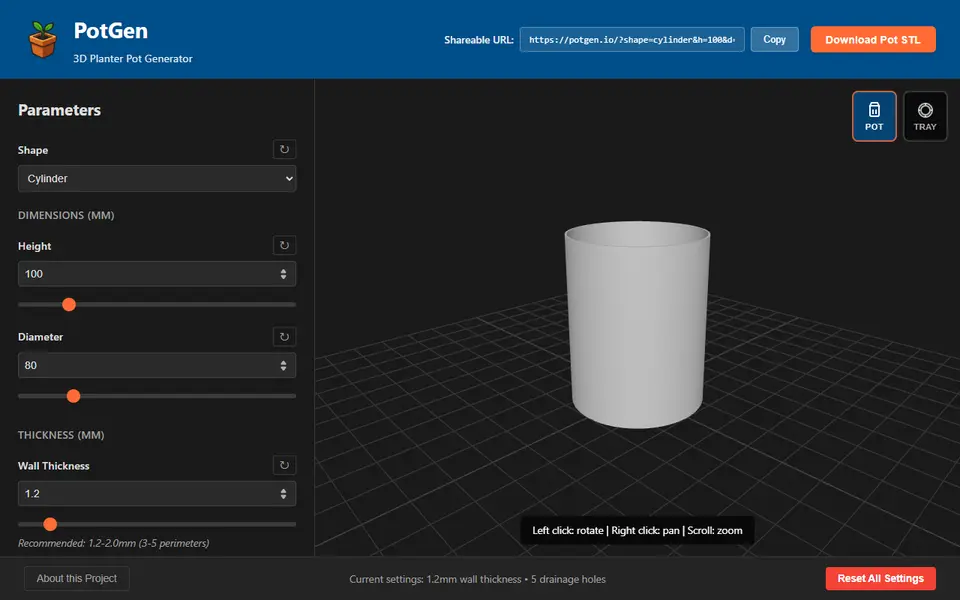
For a pot with a matching drip tray, use PotGen. It makes round, square or rectangular pots with patterns, surface finishes and up to eight drainage holes, and its Tray button builds a saucer that fits, each as its own STL. It is free, needs no account, and keeps your settings in the page address so you can share a design.
For a liner, the Parametric Liner Pot Generator on MakerWorld sizes a pot to the plant and to the decorative pot it will sit in. Built-in limits stop unstable shapes, and it prints without supports. Your Ideal Planter keeps the wall thickness sensible at any size, builds in drainage and makes a saucer with raised standoffs, though its creator labels it experimental. For looks, the Parametric Woven Pot has a woven texture that scales with the pot and seven foot styles that you can swap later. All three need a free MakerWorld login, and their licenses rule out selling prints.
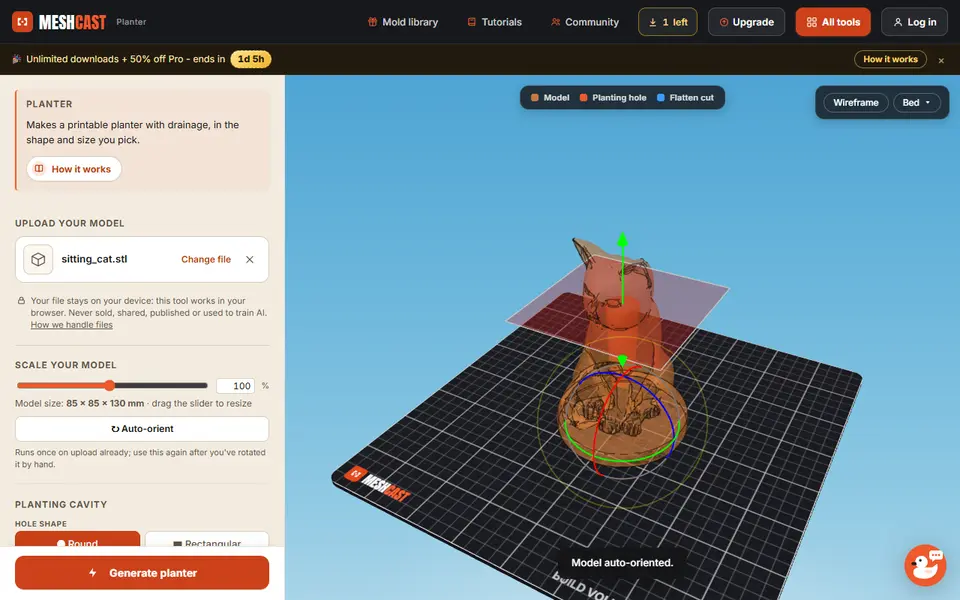
To turn a figure into a planter, upload it to the Meshcast Planter Generator. It cuts a planting cavity into your STL, OBJ or 3MF and can add a drainage hole, feet and a drip tray. A free account gives five downloads to start and then three a week, with a small Meshcast engraving on each file, and selling what you print needs Pro at $20 a month or the one-time Founder plan.
For a plant that needs less watering, 3D-Machine, a free hobby site from a German maker, has a two-part self-watering flower pot with a water reservoir and a wick tube, next to a vase generator made for vase mode. Switch the site to English with the EN button at the top. It needs no account and exports STL or 3MF, and is free for private use. Its maker told us by email that selling prints needs a license, bought on any of their MakerWorld models.
Which generator makes a lampshade or a whole lamp?
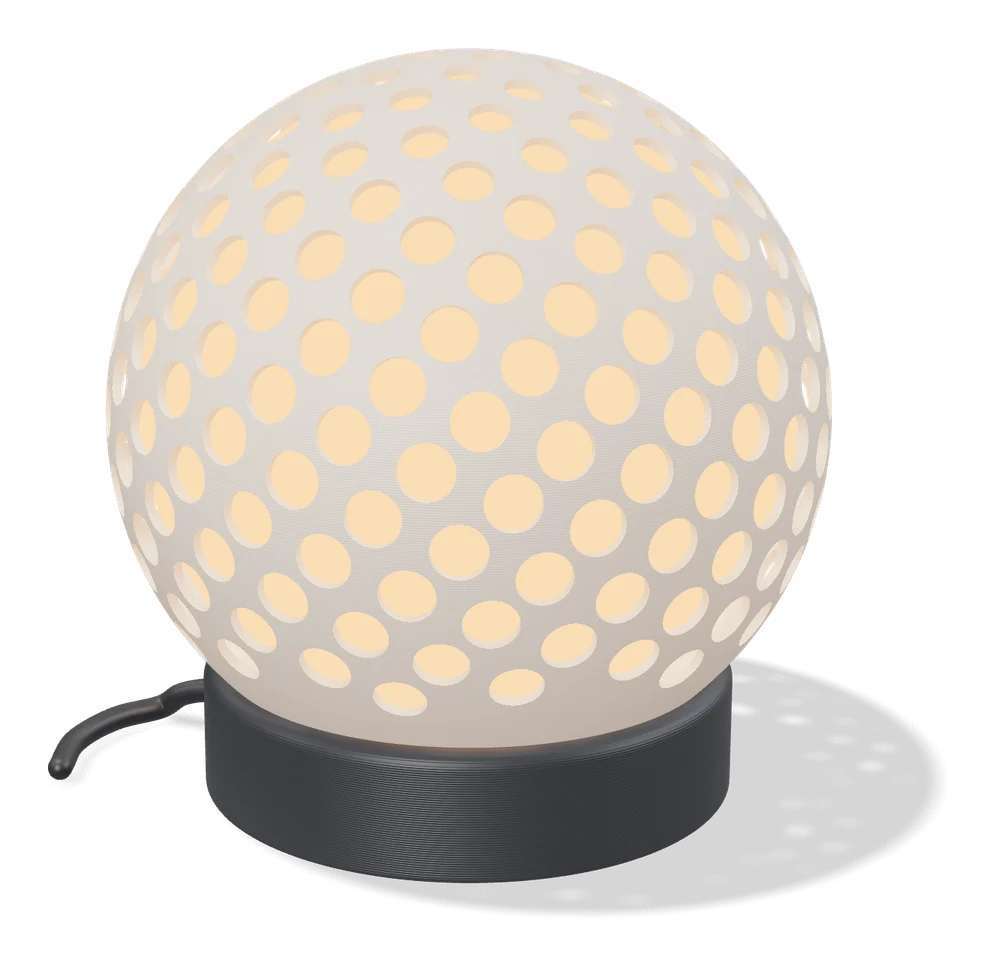
For a complete lamp, use LumHaus in MakerLab. You pick a silhouette, tune the proportions and add a texture, then match the shade to a base with a socket fitting. The tool checks the whole assembly before it exports a 3MF or STL. The core design and export are free with a MakerWorld account, and custom profiles, extra socket presets and the full texture library are optional one-time unlocks. You buy the socket, cable and bulb yourself.
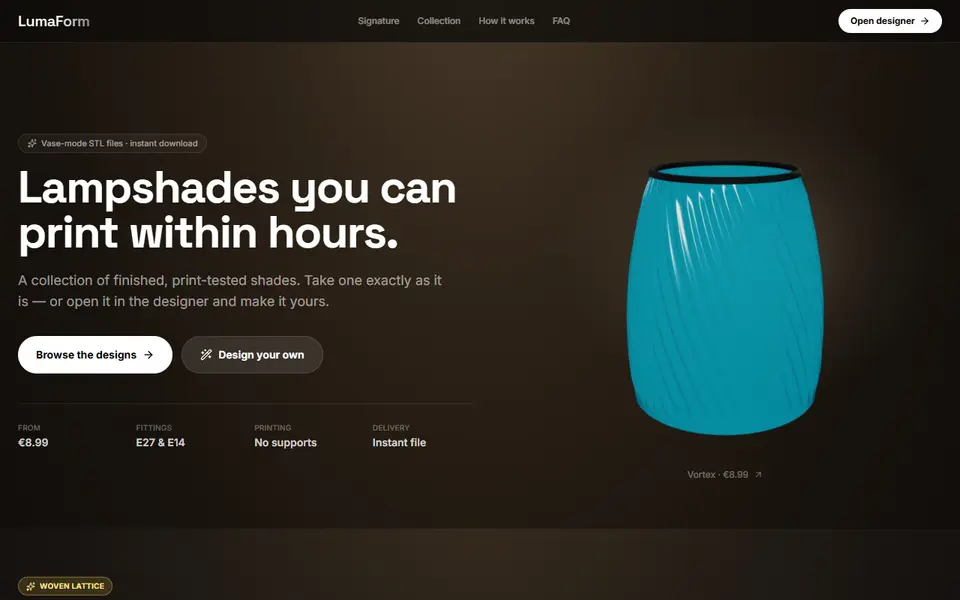
For a shade that fits a lamp you already own, LumaForm designs vase-mode lampshades with E27 and E14 fitting presets, a bulb clearance zone and a review step that flags steep areas before you pay. Designing is free, but every download is a purchase, €14.99 at the regular price for a standard shade, and the license covers private use only.
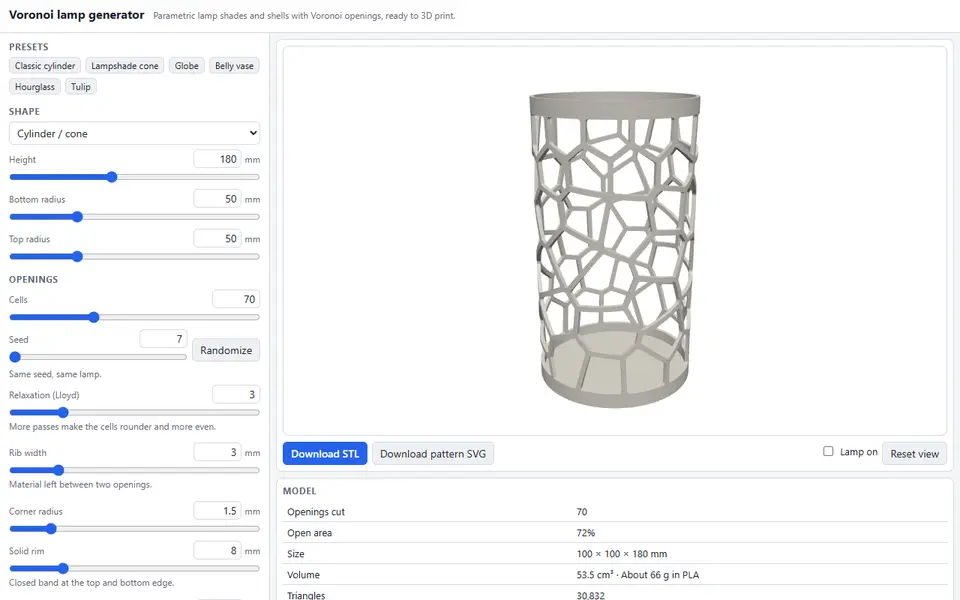
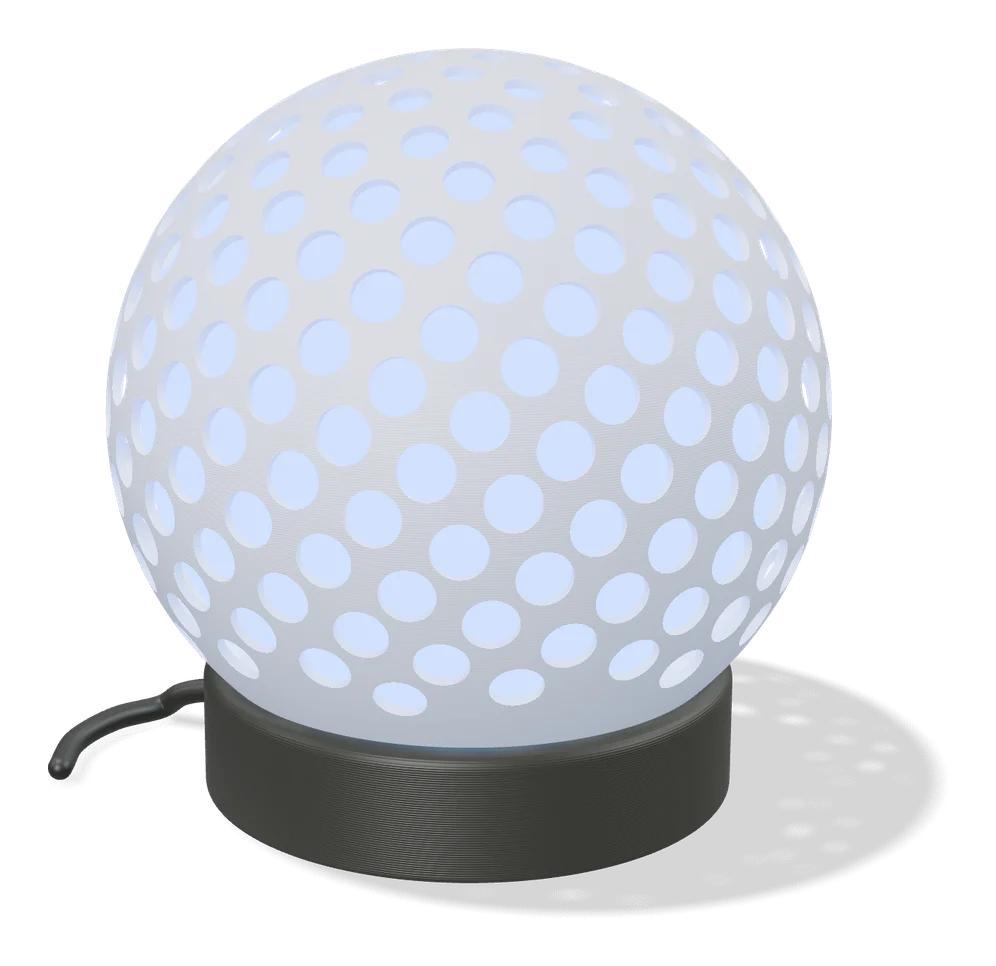
For a free shade with no account, the Voronoi Lamp Generator cuts the wall of a cylinder, cone, globe or vase shape into irregular Voronoi cells. Its Lamp on preview puts a light inside and casts the pattern onto the floor, so you see the shadow before you print. You set the number of cells, rib width and a solid rim, and the panel shows the open area, PLA weight and whether the model is watertight. It also gives the wall rolled out flat as an SVG. There is no socket or fitting mount, so you add the hardware yourself, and the tool is brand new.
A few more tools make lights that work well as gifts. Make My Lantern turns a picture of an animal or object into a hollow lantern with a cut-out pattern, sized for Bambu Lab’s LED tea lights or its LED lamp kit. The Lightbox Name Generator turns a name into a small light box with a hole for LED wiring. Shadecaster makes a small dome that sits over a tea light and projects a silhouette you upload, such as a name, a logo or an animal, as a shadow around the room. It is free with no account, but there is no 3D preview, and it needs a clean, high-contrast image. The 3D-Machine site also has a mandala wall lamp with LED holders and a battery compartment.
Before you put a bulb in any printed shade, read the category answer on whether a 3D printed lampshade is safe. For a lamp that shows your own photos, a lithophane shade is the better fit: Litho-Lamp and Lithophane Maker both make them. For a gift, the Photo Moon Lamp Generator blends your photo into a moon lithophane that sits on a stand for an LED tea light or USB puck, or hangs from a pendant holder. The lithophane guide compares the rest.
Tips before you print
- Match the filament to the job. Silk PLA gives vases a glossy finish, translucent filament lets a lampshade glow, and PETG handles heat and sunlight better than PLA.
- Try a new texture small. Scale the vase down or print a short section before you commit to a tall one.
- Buy the electrical parts separately. None of these generators include the socket, cable or bulb, so plan for an LED bulb from the start.
Frequently asked questions
Which vase generators work without an account?
PrintPal Vase Generator, VaseMorph, Vase Creator, PotGen, 3dSynth and Metikumi Function Playground all run in the browser with no sign-up and let you download the file. Meshcast Planter Generator allows one download without an account, then needs a free account with a weekly allowance. Make My Vase, LumHaus and the MakerWorld planter customizers need a free MakerWorld login.
Can I make a planter with a drainage hole and a saucer?
Yes. PotGen sets up to eight drainage holes and makes a drip tray that fits the pot, each as its own STL. Your Ideal Planter on MakerWorld builds in drainage and makes a matching saucer with raised standoffs. Meshcast Planter Generator adds a drainage hole, feet and a drip tray to a model you upload, but all three options start switched off.
Can I sell vases, planters or lamps made with these generators?
Only with some of them. The 3dSynth terms say you keep full ownership of the designs and G-code you make, and Make My Lantern allows commercial use and asks for a credit when you share the result publicly. The maker of PotGen confirmed by email that you can sell prints of its pots and trays. Meshcast needs its paid Pro or Founder plan for selling prints, LumaForm sells a private-use license only, and the MakerWorld planter customizers in this guide use licenses that rule out selling prints.
What you'll need
Silk PLA for a glossy finish
Silk PLA's glossy, metallic sheen turns simple vase-mode prints and ornaments into gift-worthy pieces with no painting or post-processing.
- Bambu Lab PLA Silk+ (affiliate link) Stronger layer adhesion than typical silk blends, so thin-walled ornaments are less brittle.
- Polymaker Panchroma Silk PLA (affiliate link) Successor to PolyLite Silk, reformulated to print faster and more reliably. In Europe? Buy from 3DJake (affiliate link)
- eSUN PLA-Silk (affiliate link) Long-running, affordable silk with a strong shine in many colors. In Europe? Buy from 3DJake (affiliate link)
Translucent filament for lampshades and light boxes
Translucent filament diffuses light instead of blocking it, so lampshades glow evenly, and it lets HueForge prints mix colors through stacked thin layers.
- Bambu Lab PLA Translucent (affiliate link) Frosted-glass finish aimed at lampshades, vases and light boxes.
- Polymaker Panchroma Translucent PLA (affiliate link) Polymaker publishes a TD value for it, which you can enter straight into HueForge. In Europe? Buy from 3DJake (affiliate link)
- Bambu Lab PETG Translucent (affiliate link) Clearer and more heat-tolerant than PLA, so it suits shades that sit near a bulb.
PETG for functional and outdoor prints
PETG handles heat, sunlight and repeated flexing better than PLA, so Gridfinity bins in a hot garage or signs mounted outdoors keep their shape.
- Bambu Lab PETG Basic (affiliate link) Upgraded formula that Bambu says matches PLA Basic for strength while staying impact-tough; low price per spool in multi-roll bundles.
- Polymaker PETG (affiliate link) High-flow replacement for PolyLite PETG: strong, low-odor and quick to print. In Europe? Buy from 3DJake (affiliate link)
- Overture High Speed PETG (affiliate link) Good-value PETG in a large color range for functional parts in bulk.
Some of these are affiliate links: we may earn a small commission, at no extra cost to you. More about that
Every generator in this guide
Vases & Lamps
PrintPal Vase Generator
Free browser vase maker with presets, profile curves and surface textures
Vases & Lamps
Make My Vase (MakerLab)
Bambu Lab's click-and-drag vase designer with spiral vase mode
Vases & Lamps
3dSynth
Shapes textured vases and lamp shades with sliders, then exports vase-mode G-code or STL
Vases & Lamps
VASEWORKS
Free vase-mode studio that shows layers, filament, weight and print time for vases, tumblers and planters as STL
Vases & Lamps
PotGen
Planter pots and matching drip trays with patterns, drainage holes and custom sizes
Vases & Lamps
Parametric Liner Pot Generator
Popular MakerWorld customizer for plant liner pots sized to your plant
Vases & Lamps
Your Ideal Planter: Customizable Size
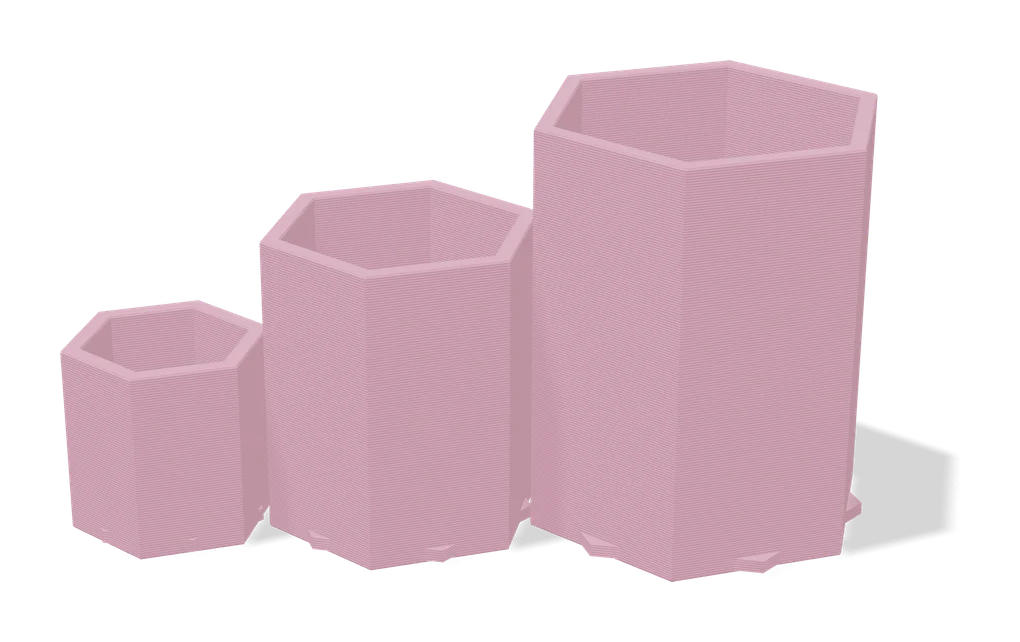
Planter customizer that keeps walls and drainage right at any size
Vases & Lamps
Parametric Woven Pot
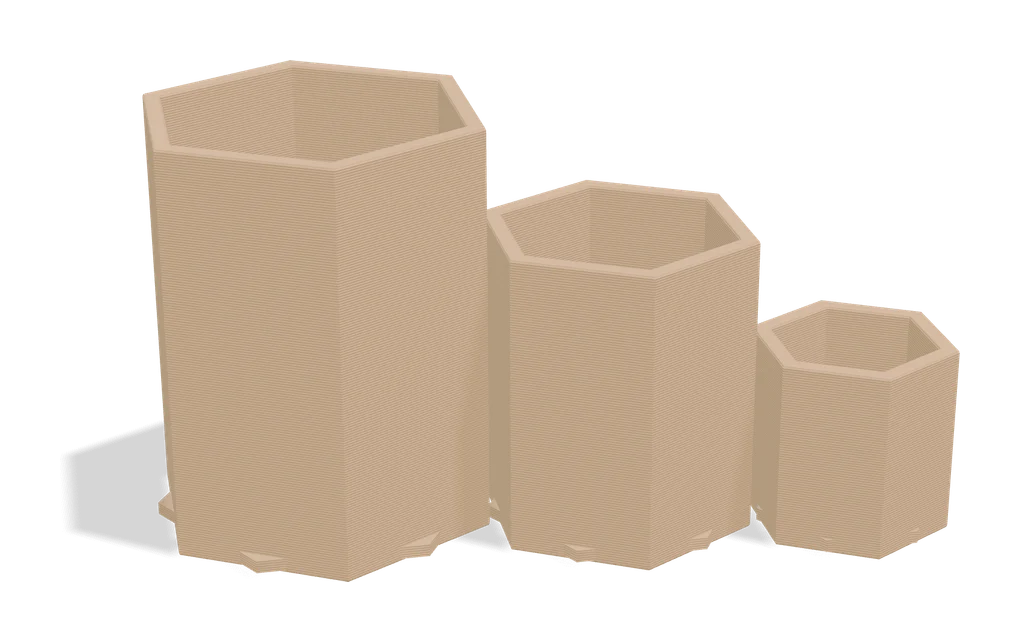
Customizable plant pot with woven texture and seven swappable foot styles
Vases & Lamps
Meshcast Planter Generator
Turns your own STL into a planter with a planting hole, drainage hole, feet and a drip tray
Vases & Lamps
LumHaus (MakerLab)
Design complete printable lamps: shade, base and socket, with live 3D preview
Vases & Lamps
LumaForm
Browser designer for vase-mode lampshades with E27 and E14 fittings, sold as paid STL downloads
Vases & Lamps
Voronoi Lamp Generator
Free lamp shades, globes and vases cut with Voronoi openings, with a light-on shadow preview; STL and flat SVG pattern
Vases & Lamps
Make My Lantern (MakerLab)
Turns a picture of an animal or object into a hollow, patterned lantern shade
Vases & Lamps
VaseMaker
Free vase designer with 29 cross-sections, shape morphing and 13 textures, plus a plaster slip-casting mold maker
Vases & Lamps
Lathe
Fluted vases, twist lamp shades and ribbed desk bins you shape by dragging the profile in 3D; free STL, no account
Vases & Lamps
VaseMorph
Random or slider-tuned vases and bowls with patterns and twist, saved as STL or OBJ
Vases & Lamps
Vase Creator
Shape a vase or plant pot by dragging points on its outline, then download it as an OBJ
Get the next guide in your inbox
Every two weeks: the newest no-CAD generators, one guide and a print tip. Free, no spam, unsubscribe any time.