Boxes & Enclosures · Comparison
Best Box and Enclosure Generators for 3D Printing
Custom-size boxes, hinged and snap-fit boxes, PCB enclosures and deck boxes: the best box generators compared on documented features, most of them free.
Quick comparison
| Generator | Best for | Price | Account | Exports | Multicolor | Link |
|---|---|---|---|---|---|---|
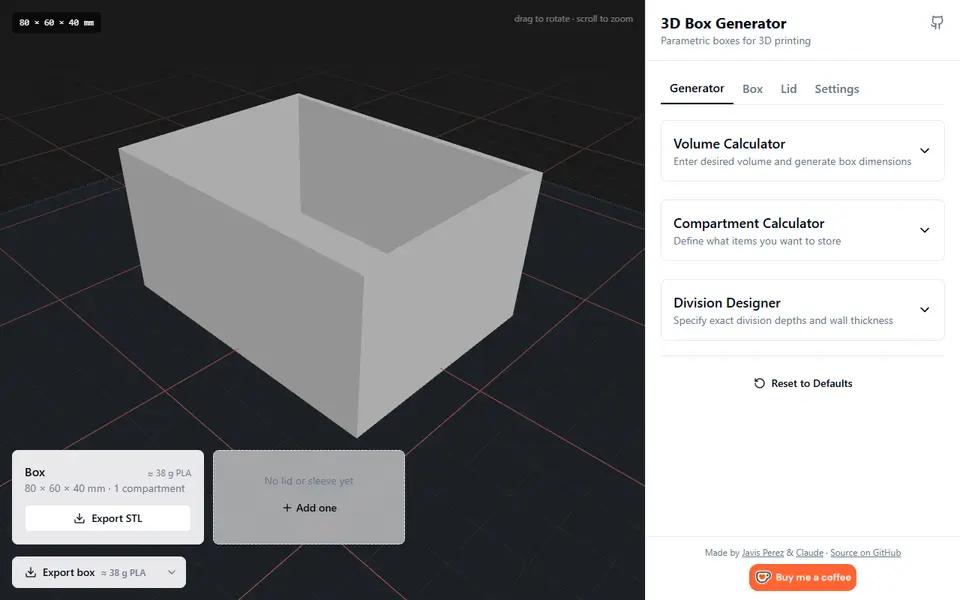
| 01 3D Box Generator | Quick divided boxes with a custom lid | Free | Not needed | STL | No | Open 3D Box Generator |
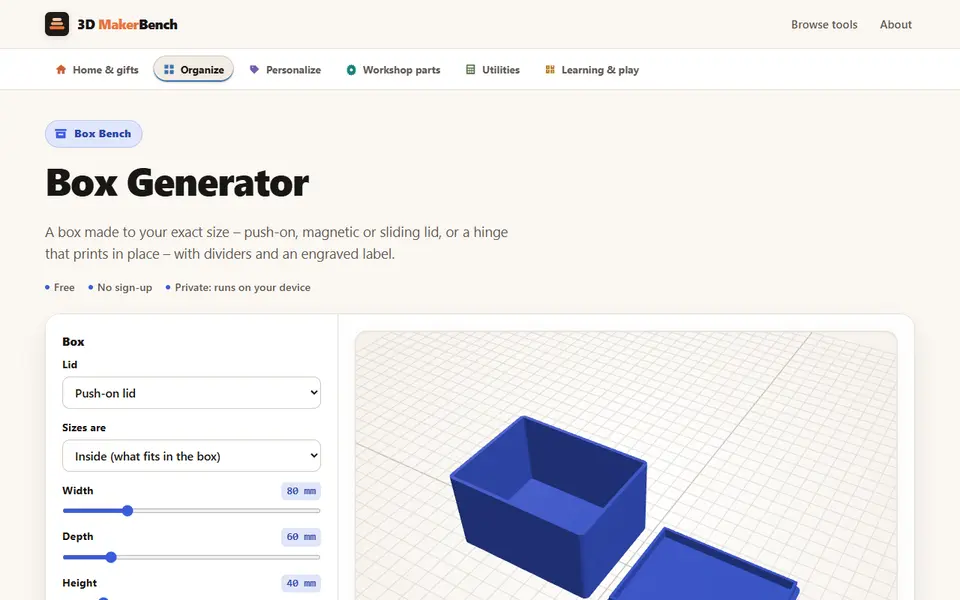
| 02 Box Generator (3D MakerBench) | A plain box sized exactly to what goes in it | Free | Not needed | STL | No | Open Box Generator (3D MakerBench) |
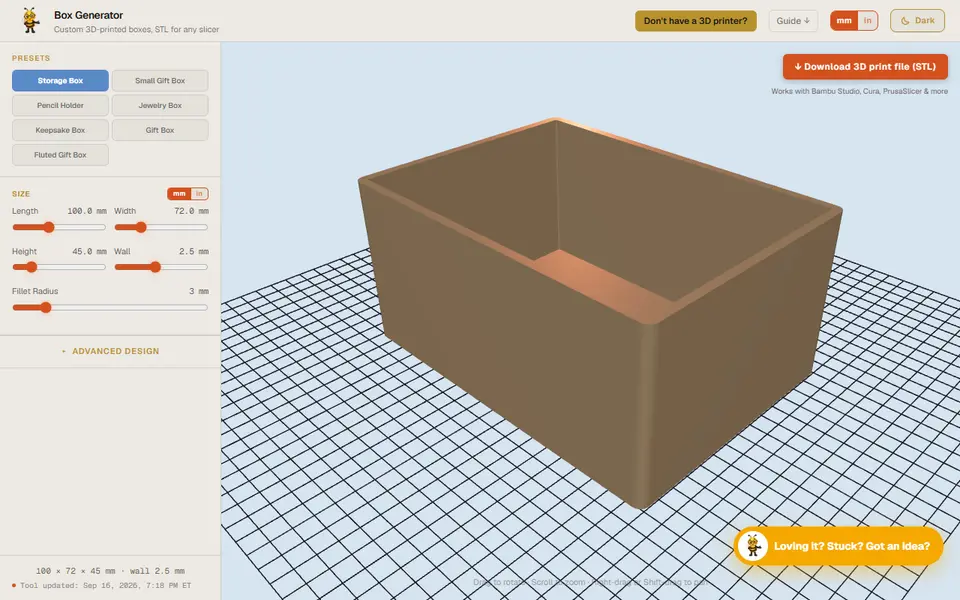
| 03 Designer Bee Box Generator | Gift boxes and classroom projects | Free | Not needed | STL | No | Open Designer Bee Box Generator |
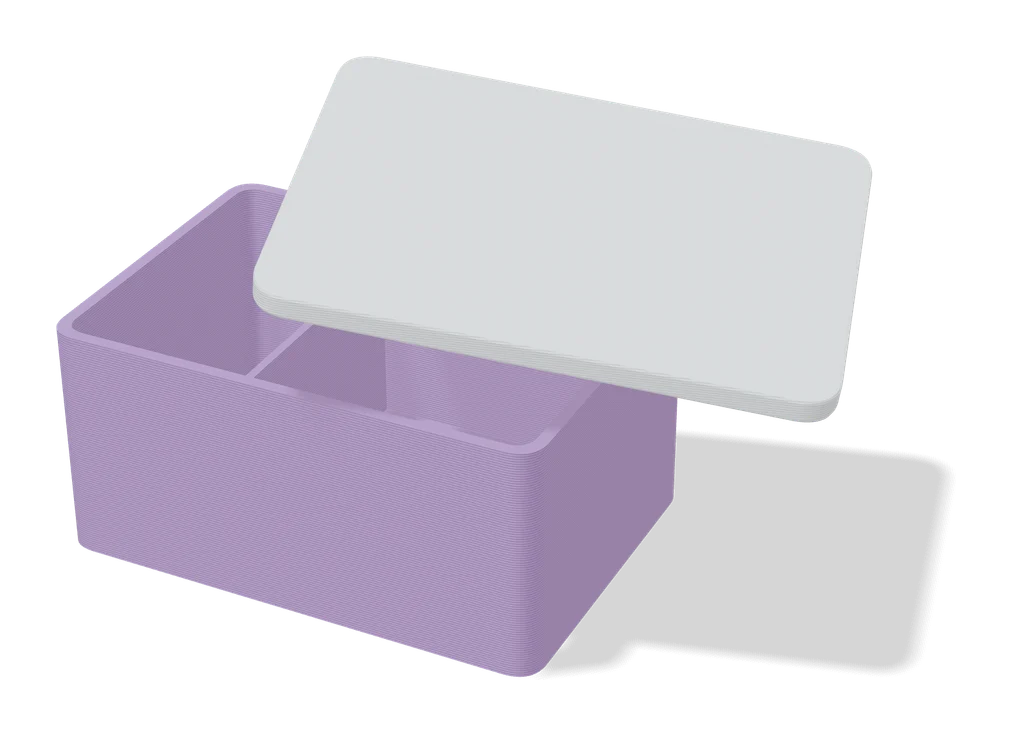
| 04 Customizable Box with Slide Lid | Quick custom storage boxes | Free | Needed | STL, 3MF | No | Open Customizable Box with Slide Lid |
| 05 Any Box Generator | Custom-size hinged boxes for cards, cables and small parts | Free | Needed | STL, 3MF | No | Open Any Box Generator |
| 06 Customizable Snap-Lock Box | Portable cases that stay shut | Free | Needed | STL, 3MF | No | Open Customizable Snap-Lock Box |
| 07 Obloid Hinged Box Generator | One-piece hinged boxes for small parts and gifts | Freemium | Needed | STL, 3MF | Yes | Open Obloid Hinged Box Generator |
| 08 Bento3D | Drawer inserts and parts organizers made to an exact size | Freemium | Not needed | STL, 3MF | No | Open Bento3D |
| 09 OpenBoxHub | A lidded box with lift-out trays in custom shapes | Free | Not needed | STEP, STL | No | Open OpenBoxHub |
| 10 Customizable Foldable Box | Quick custom-size gift and organizer boxes | Free | Needed | 3MF | No | Open Customizable Foldable Box |
| 11 Parametric PCB Enclosure Generator | Cases for Arduino, ESP32 and Pi Pico projects | Free | Needed | STL, 3MF | No | Open Parametric PCB Enclosure Generator |
| 12 alpaco.it Electronics Enclosure Generator | Raspberry Pi, Arduino and ESP32 projects that need a fitted case | Free | Not needed | STL, 3MF | No | Open alpaco.it Electronics Enclosure Generator |
| 13 EnclosureAI (3D MakerBench) | A case that fits a specific Arduino, ESP32 or Raspberry Pi board | Free | Not needed | STL, OBJ | No | Open EnclosureAI (3D MakerBench) |
| 14 ESP32 Box Builder | A tidy enclosure for an ESP32 or sensor build | Free | Not needed | STL | No | Open ESP32 Box Builder |
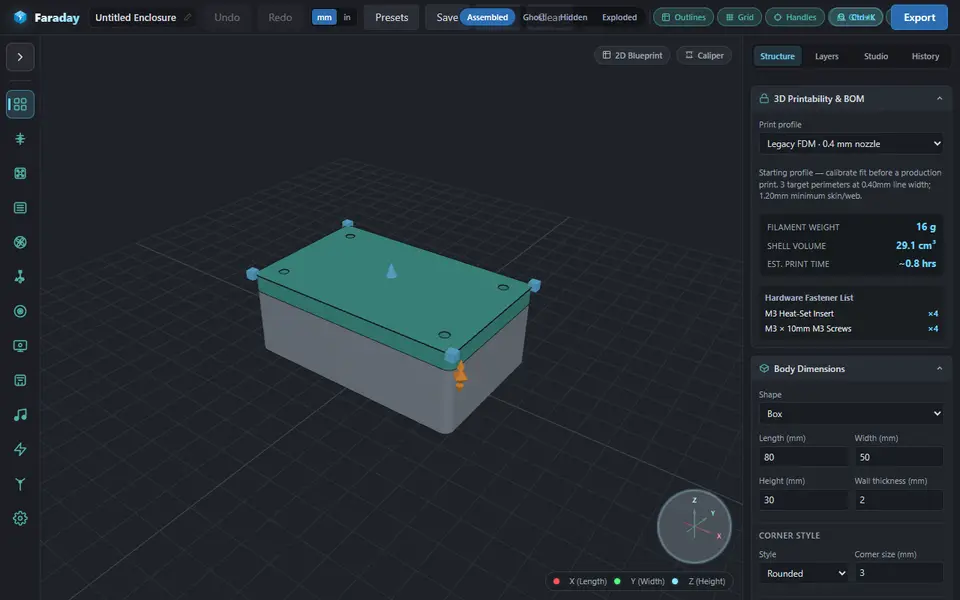
| 15 Faraday Enclosure Generator | Cases for LoRa, SDR and single-board computer projects | Free | Not needed | STL, 3MF | No | Open Faraday Enclosure Generator |
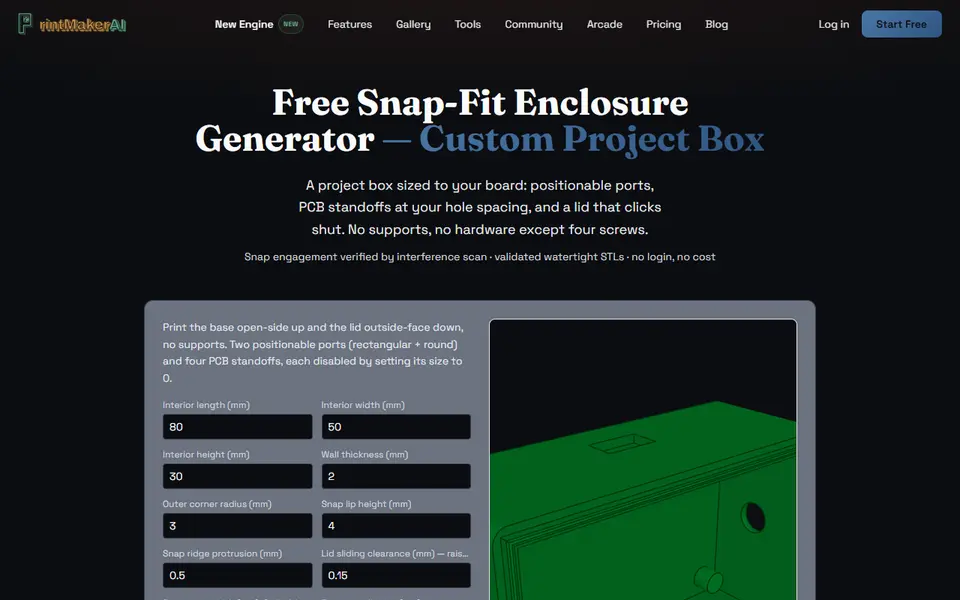
| 16 PrintMakerAI Snap-Fit Enclosure Generator | Snap-shut project boxes for microcontroller and sensor boards | Free | Not needed | STL | No | Open PrintMakerAI Snap-Fit Enclosure Generator |
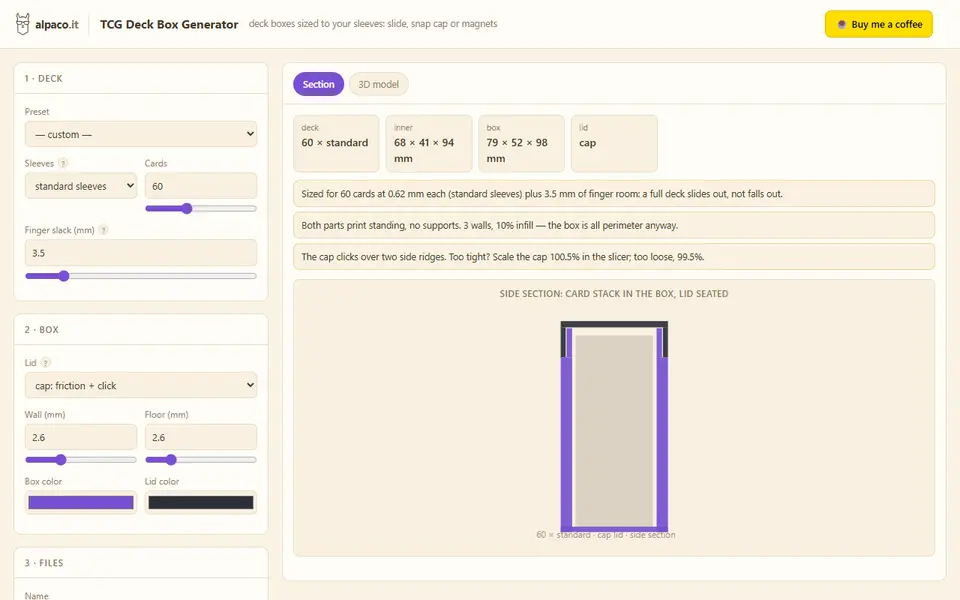
| 17 alpaco.it TCG Deck Box Generator | Card players who want a box that fits their exact sleeved deck | Free | Not needed | STL, 3MF | No | Open alpaco.it TCG Deck Box Generator |
| 18 Parametric Playing Card Box | A snug case for each card game deck | Free | Needed | STL, 3MF | No | Open Parametric Playing Card Box |
A box is the one part everyone needs in an exact size: a case that fits one multimeter, a project box with a hole where the USB port is, a deck box for a Commander deck in double sleeves. Box generators take those measurements and build the walls, lid, hinges and clearances for you.
This guide sorts them by the kind of box you need. We compare them on documented features and our own check of each tool page; we have not printed them, so print a small test box before a big one.
Quick answer
- Best free box generator: 3D Box Generator. No account, three lid styles, up to 10 dividers each way and text on the lid.
- Best for gift boxes and round shapes: Designer Bee Box Generator. Sliding or hinged lids, hexagonal, octagonal and round boxes, and you may sell the prints.
- Best on MakerWorld: Kong 3D’s Customizable Box with Slide Lid. A few numbers, and the boxes stack.
- Best hinged box: Any Box Generator. Four hinge options, a latch or magnets, and twelve surface textures.
- Best compartment tray: Bento3D. Split a tray into any grid of cells; the basic models are free.
- Best electronics enclosure: the Parametric PCB Enclosure Generator on MakerWorld, or the alpaco.it Electronics Enclosure Generator for board presets without an account.
- Best card deck box: alpaco.it TCG Deck Box Generator. Pick your sleeves and card count, and there is nothing to measure.
Every box, case and deck box tool we list is on the box and enclosure generators page. For drawer bins, see the Gridfinity generators guide.
Which box generator should you start with?
For a plain box with a lid, start with the 3D Box Generator. It runs in your browser with nothing uploaded, and it offers a cap lid, a drawer-style sleeve or a hinged lid with pin-less snap hinges, up to 10 dividers in each direction, and engraved or raised text on the lid. Helpers size the box from a target volume or from the items you want to store, and a printer check warns when a part will not fit your bed. It exports STL only.
The 3D MakerBench Box Generator is the other free pick without an account, with five lid choices: push-on, magnetic (eight disc magnets, 6 x 2 mm suggested), sliding, a print-in-place hinge, or none for an open tray. You type the size as inside or outside dimensions, add dividers and an engraved lid label in one of four fonts, and get the box and lid in one STL laid out to print without supports. It makes rectangular boxes only, and the maker allows selling the prints.
The Designer Bee Box Generator is the pick for a present. It makes rectangular, hexagonal, octagonal and round boxes with sliding or one-piece hinged lids, plus ribbon, bow and fluted-wall styles, and its FAQ says you may sell what you make. It needs no account either.
For an open tray split into many cells, Bento3D has a grid editor that divides the floor into rows, columns and smaller cells. The partition tray, a hinged box and a wall tray are free without an account, while the slide-lid and folding boxes are one-time paid unlocks. The free hinged box needs two M2 x 30 mm screws and two dowel pins.
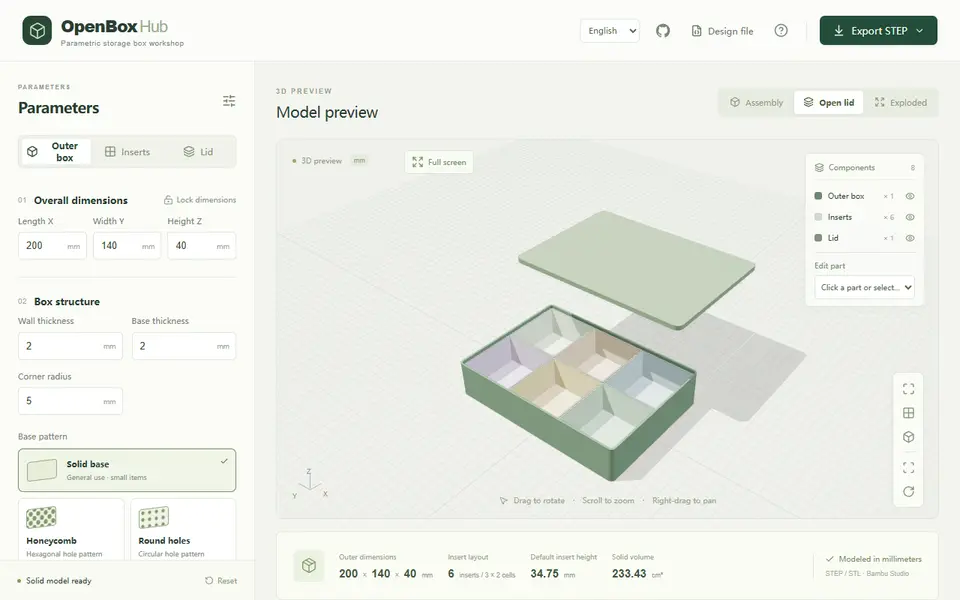
OpenBoxHub makes a lidded box with separate trays you lift out. You split the inside into up to 12 rows and columns and merge neighboring cells into larger trays, including L shapes and rings, and the floor can be solid or cut with a honeycomb or slotted pattern. An exploded preview warns when parts collide. Its default export is a STEP file with every part as its own solid, which helps if you want to keep editing in CAD; STL is there too. It is free with no account, but it opens in Chinese unless you use the English link, and it keeps nothing between visits, so save the JSON file.
Which MakerWorld box customizers are worth using?
Kong 3D’s two boxes are the easiest. The Customizable Box with Slide Lid asks for the outside length, width, height, corner radius and number of sections, uses 4 mm walls, and has a lid that the next box stacks onto. The Customizable Snap-Lock Box has a lid that clicks on and a separate latch that keeps it shut in a bag, and it prints without supports.
The Any Box Generator has the most options. The lid can hang on a filament-pin hinge, a print-in-place hinge or a snap hinge, or sit loose, and it closes with a snap rim, a printed latch or magnets. Twelve textures, dividers and a Gridfinity-compatible base round it out. MakerWorld stops any generation that runs past 30 seconds, so a large or heavily textured box may need a lower resolution setting. Selling the boxes needs a license from the designer.
The Customizable Foldable Box is different: it prints as one flat sheet with fold lines, from just three measurements, and the designer’s two print profiles take about 20 and 24 minutes. The Collapsible Box has walls that fold down when you are not using it. All MakerWorld customizers are free but need a MakerWorld login.
How do you get a hinged box in one print?
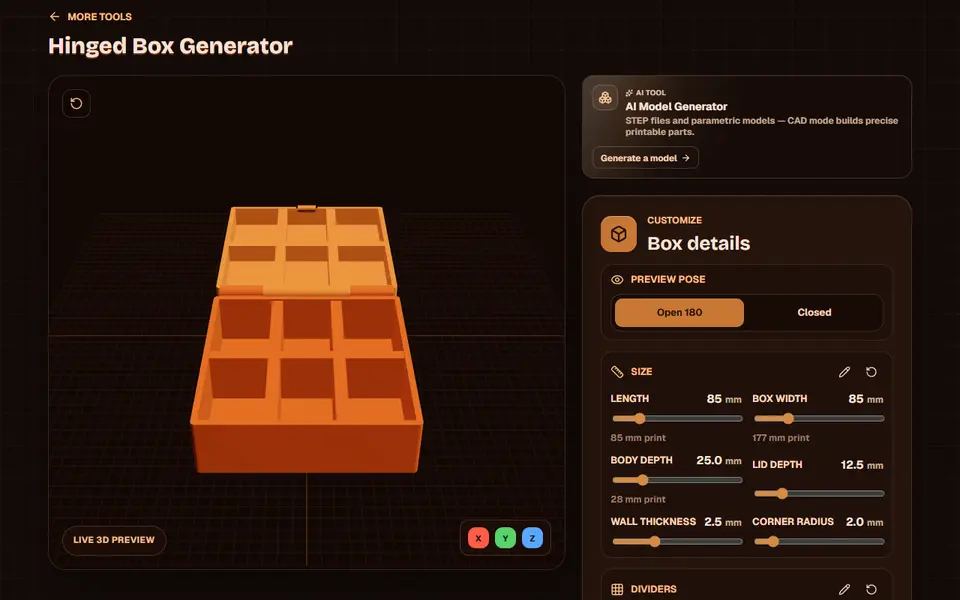
Pick a generator with a print-in-place hinge, so the lid comes off the bed already joined. Obloid’s Hinged Box Generator is built for exactly that. Sliders set the size, up to five dividers each way can be mirrored into the lid, and lid text can print flush in a second color. Downloads need a sign-in, and each Obloid tool includes 3 free exports, with the Plus plan at $15 a month. The box exports open, so your bed must fit about twice its width.
The Designer Bee box, the Any Box Generator and the 3D MakerBench box also have one-piece hinge options; the MakerBench hinge needs a box at least about 12 mm tall and a well-leveled first layer. The 3D Box Generator takes a different route: its lid prints separately and clicks onto snap hinges with no hardware.
Which generator makes the best electronics enclosure?
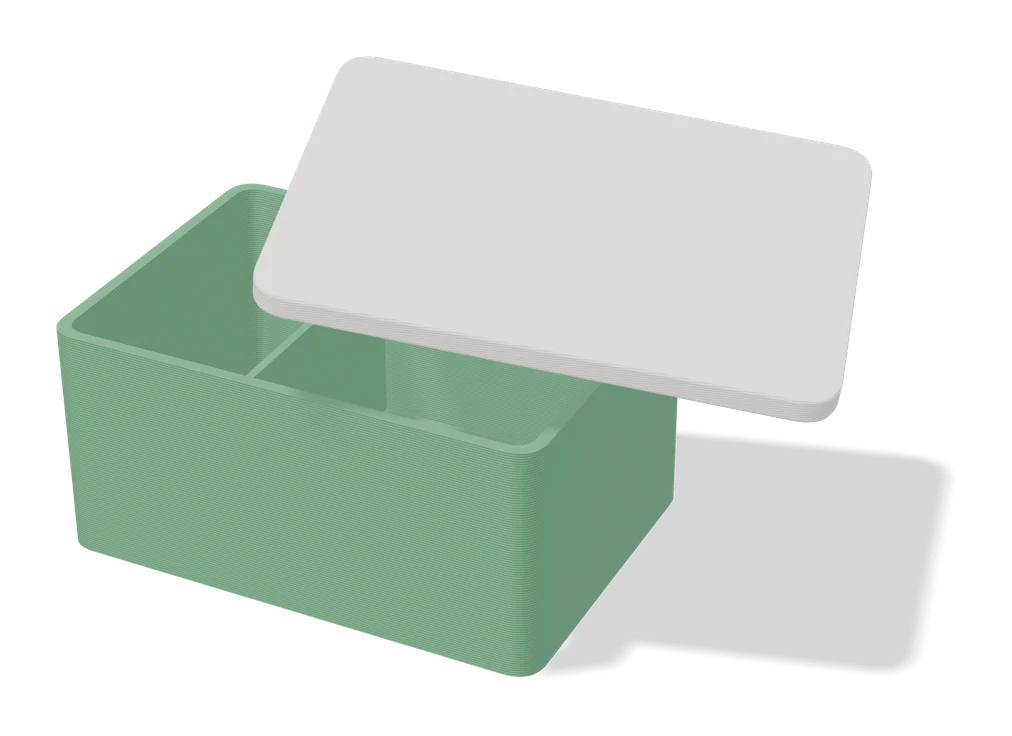
For a board you have measured, the Parametric PCB Enclosure Generator goes deepest. You enter the board size, the mounting hole positions and the height of the tallest part, and it builds a base with standoffs and a matching lid. Lids close with snaps, screws or both, with presets for M2 to M4 screws and options for self-tapping screws or heat-set inserts, and you can place connector cutouts on all four sides and add vents. Its license rules out selling the cases. Pair it with the same author’s Electronics Panel Generator for a front plate with switch, USB and fan cutouts.
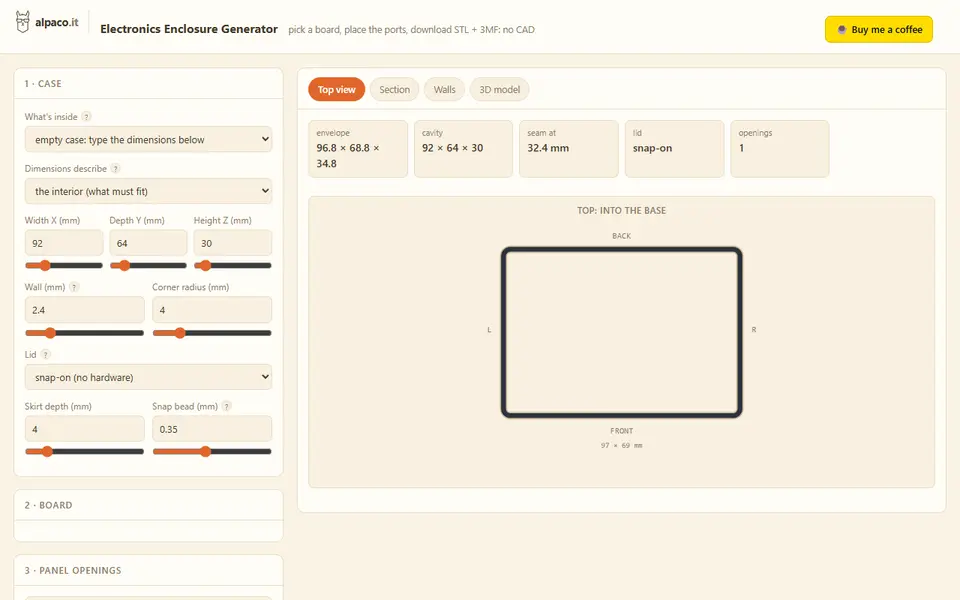
Without an account, the alpaco.it Electronics Enclosure Generator starts from ten board presets, including the Raspberry Pi 5, 4B, Zero and Pico, the Arduino Uno and Mega and the ESP32 DevKitC, and places the ports and standoffs for you. You add openings from a list of 48 parts, from USB-C and RJ45 to cable glands and fans, and choose a snap-on or screwed lid. Its terms allow selling the prints.
Faraday suits radio and LoRa builds. It starts from presets for Pi, Arduino, ESP32, LoRa and SDR boards, offers six body shapes from a plain box and a cylinder to a pill and a sloped desktop wedge, and lists the screws and heat-set inserts you need. It is a beta from one developer. The PrintMakerAI Snap-Fit Enclosure Generator is the simplest: a base with standoffs for M2.5 self-tapping screws, a snap lid, one front cutout and one side hole, all typed in by hand.
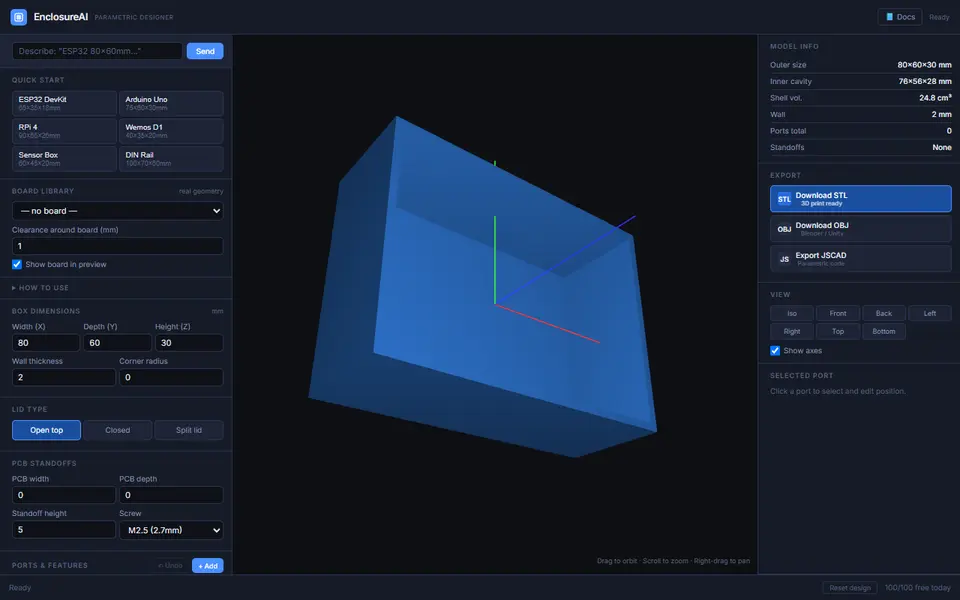
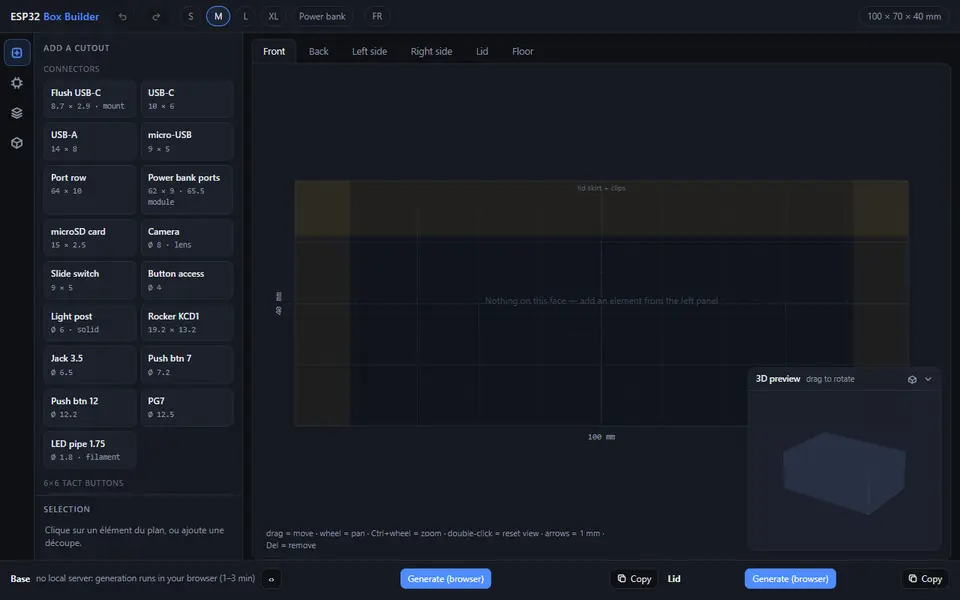
Four newer free tools work without an account. EnclosureAI, from the makers of 3D MakerBench, has a library of about two dozen boards with real geometry, from the Arduino Uno and Mega to ESP32 boards and the Raspberry Pi 4, 5, Zero 2 W and Pico, so the standoffs and known connector cutouts are placed for you. You add ports, buttons, vents and headers per face at exact distances, and export STL, OBJ or JSCAD code; the maker allows selling the prints. The ESP32 Box Builder suits sensor builds: you drag USB-C ports, switches, buttons, a display opening and vents onto each face, and it can add clear snap-in windows for LEDs or radar sensors and a vented compartment that keeps a sensor away from heat. Each part is generated separately, which can take a few minutes.
BoxMaker is for makers who know their board’s numbers: standoffs, cutouts and text labels are typed as value lists, snap clips are set per wall, and the 3MF keeps the labels as separate objects for a second color. Genstrio includes an enclosure generator with templates for Raspberry Pi, Arduino and ESP32 boards, screw or snap lids, vents and DIN rail clips, and like OpenBoxHub it exports STEP for further editing in CAD.
For a router, switch, mini PC or Raspberry Pi in a 10 inch, 19 inch or mini rack, CageMaker PRCG builds a rack cage fitted to the device’s size, and can split a wide cage into two halves for a small bed. It runs in OpenSCAD Playground, a page of about 60 MB with a long form of technical option names, and its CC BY-NC-SA license says nothing about selling printed cages.
What is the best card or deck box generator?
For trading card games, use the alpaco.it TCG Deck Box Generator. You choose one of five sleeve types and a card count from 10 to 150, and it works out the inside size. The lid slides, snaps on as a cap, or holds four 5 x 2 mm disc magnets, and neither part needs supports. For Magic Commander decks, Commander Case on MakerWorld adds a window that shows off your commander.
For board game and playing card decks, the Parametric Playing Card Box builds a clip-shut case from the card width, card depth, stack height and a padding value; the designer’s own files use 1.5 mm of padding. For token trays, dice boxes and full board game inserts, see the board game insert and puzzle generators guide.
How do you measure for a box or enclosure?
Measure with digital calipers, then check whether the tool wants inside or outside sizes. The FAQ on the box category page explains the difference.
- Measure the contents at their widest point on each axis, including cables, switches and handles that stick out.
- Check what the numbers mean. Kong 3D’s Slide Lid box takes outside sizes and has 4 mm walls, so a box 100 mm wide has at most 92 mm inside. The alpaco.it enclosure asks whether your numbers are the interior or the outer envelope. When in doubt, add two wall thicknesses to the inside size you need.
- For a circuit board, measure its length, width and thickness, the distance from one corner to the center of each mounting hole, the hole diameter and the height of the tallest part. Note how far each connector sits from the board edge.
- For cards, measure one sleeved card and the height of the whole stack, then add padding.
- Print a small test with the same wall and lid settings before the full box, and adjust the clearance if the lid is tight.
What should you print boxes in?
Plain PLA suits most storage boxes, and the Foldable Box designer recommends PLA over PETG for that design. For parts that flex every time you open them, such as clips, snap lids and latches, PETG bends further before it snaps: one maker who broke PLA playing card boxes switched to PETG. For enclosures you open often, use screws or heat-set inserts rather than a snap lid.
Frequently asked questions
Can I add magnets to a printed box lid?
Yes, if the generator cuts pockets for them. The Any Box Generator can close its lid with magnets in a size you choose, the alpaco.it TCG Deck Box Generator has a cap with pockets for four 5 x 2 mm disc magnets, and Commander Case takes small block magnets or Bambu Lab's 10 x 5 x 2 mm ones. Measure your magnets with calipers before you print, so they match the pockets.
How do I know a box will fit on my print bed?
Use a generator that checks for you. The 3D Box Generator has printer presets and warns when a part is too big for the plate, and LittleBoxes.ai does the same. Print-in-place hinged boxes need extra room because they print open: for an Obloid hinged box, the bed has to fit about twice the box's width. If a box is still too big, make two smaller boxes that sit side by side.
Can I put my own text or logo on a box lid?
Yes. The 3D Box Generator adds engraved or raised text and emoji to the lid, and Obloid's Hinged Box Generator prints lid text flush in a second color, with 11 built-in fonts or your own TTF file. The DnD Dice and Miniature Box takes any SVG logo for its lid. For raised text in a second color without a multicolor printer, add a filament change in your slicer at the layer where the text starts.
What you'll need
Digital calipers
Calipers let you measure the drawer, magnet or insert a generator asks for, so parts fit the first time instead of the third.
- Mitutoyo 500-196-30 Absolute Digimatic Caliper 6" (affiliate link) Industry-standard accuracy and long battery life; a buy-once tool.
- iGaging IP54 Absolute Origin Digital Caliper 6" (affiliate link) Mid-price caliper with absolute origin and splash resistance.
- Neiko 01407A Electronic Digital Caliper 6" (affiliate link) Budget stainless caliper, accurate enough for print tolerances.
PETG for functional and outdoor prints
PETG handles heat, sunlight and repeated flexing better than PLA, so Gridfinity bins in a hot garage or signs mounted outdoors keep their shape.
- Bambu Lab PETG Basic (affiliate link) Upgraded formula that Bambu says matches PLA Basic for strength while staying impact-tough; low price per spool in multi-roll bundles.
- Polymaker PETG (affiliate link) High-flow replacement for PolyLite PETG: strong, low-odor and quick to print. In Europe? Buy from 3DJake (affiliate link)
- Overture High Speed PETG (affiliate link) Good-value PETG in a large color range for functional parts in bulk.
M3 screw assortment
M3 is the default fastener size for printed enclosures, hinges and mounts; a sorted kit of lengths saves a hardware-store trip whenever a model calls for bolts.
- Bambu Lab Fastener Kit Mixed self-tapping and machine screws with nuts, matched to Maker's Supply projects.
- Hilitchi M3 socket head cap screw assortment kit (affiliate link) Classic boxed M3 assortment with nuts and washers in many lengths.
Some of these are affiliate links: we may earn a small commission, at no extra cost to you. More about that
Every generator in this guide
Boxes
Box Generator (3D MakerBench)
Free boxes to your exact size with a push-on, magnetic, sliding or hinged lid, as one STL, no account
Boxes
Designer Bee Box Generator
Free browser box generator with hinged or sliding lids, dividers and gift-box styles
Boxes
Customizable Box with Slide Lid
Custom-size storage box with a sliding, stackable lid and optional compartments
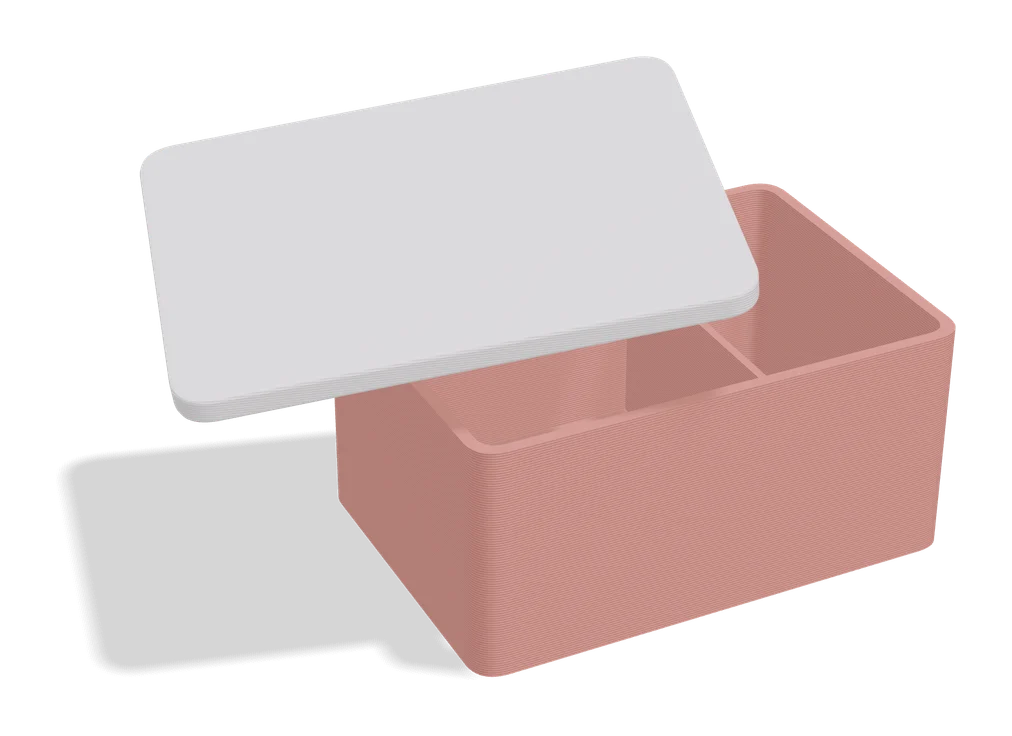
Boxes
Any Box Generator
Hinged boxes in any size, with textures, latches or magnets, dividers and Gridfinity fit
Boxes
Customizable Snap-Lock Box
Parametric box with a snap-on lid and a locking latch, sized to your needs
Boxes
Obloid Hinged Box Generator
Print-in-place hinged snap-fit boxes with dividers and lid text, sized with sliders
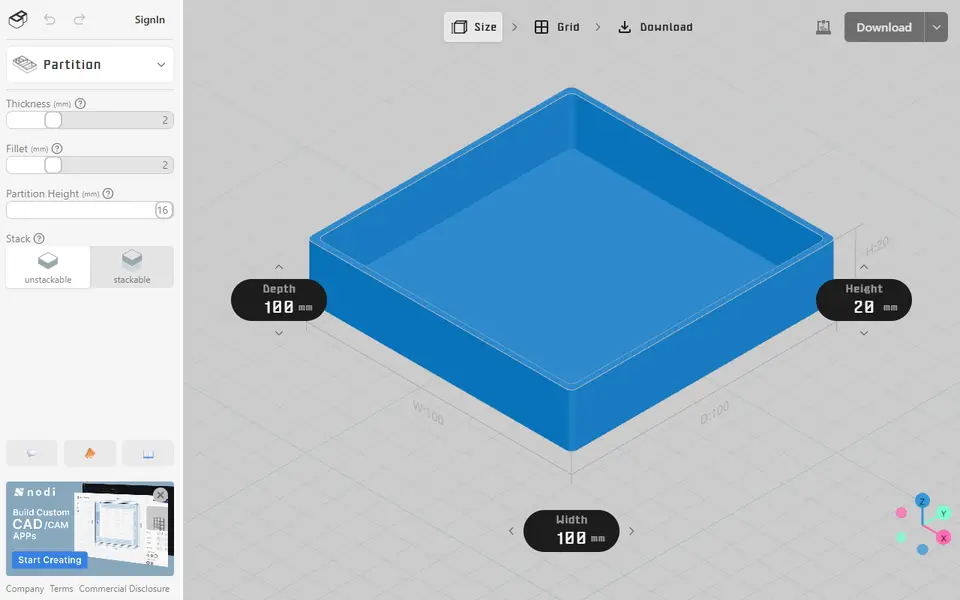
Boxes
OpenBoxHub
Free storage box with a lid and removable inner trays you merge into L or ring shapes; exports STEP, STL or FreeCAD
Boxes
Customizable Foldable Box
Flat-printed box you fold by hand, made to the exact size you type in
Boxes
Parametric PCB Enclosure Generator
Enter your board size and holes, get a printable electronics case with lid
Boxes
alpaco.it Electronics Enclosure Generator
Two-part cases for Raspberry Pi, Arduino or custom boards, with port openings and vents
Boxes
EnclosureAI (3D MakerBench)
Free electronics enclosures built around a real board, with standoffs, port cutouts and vents, as STL or OBJ
Boxes
ESP32 Box Builder
Free drag-and-drop enclosure for ESP32 and sensor projects: place USB-C, buttons, screens and vents on each face
Boxes
Faraday Enclosure Generator
Fitted cases for Pi, Arduino, LoRa and SDR boards, with ports, fans and many lid types
Boxes
PrintMakerAI Snap-Fit Enclosure Generator
Snap-lid project boxes sized to your circuit board, with port cutouts and PCB standoffs
Puzzles & Games
alpaco.it TCG Deck Box Generator
Card deck boxes sized to your sleeves and card count, with a slide, cap or magnet lid
Boxes
Parametric Playing Card Box
Clip-shut case sized to your own deck from card size and stack height
Get the next guide in your inbox
Every two weeks: the newest no-CAD generators, one guide and a print tip. Free, no spam, unsubscribe any time.